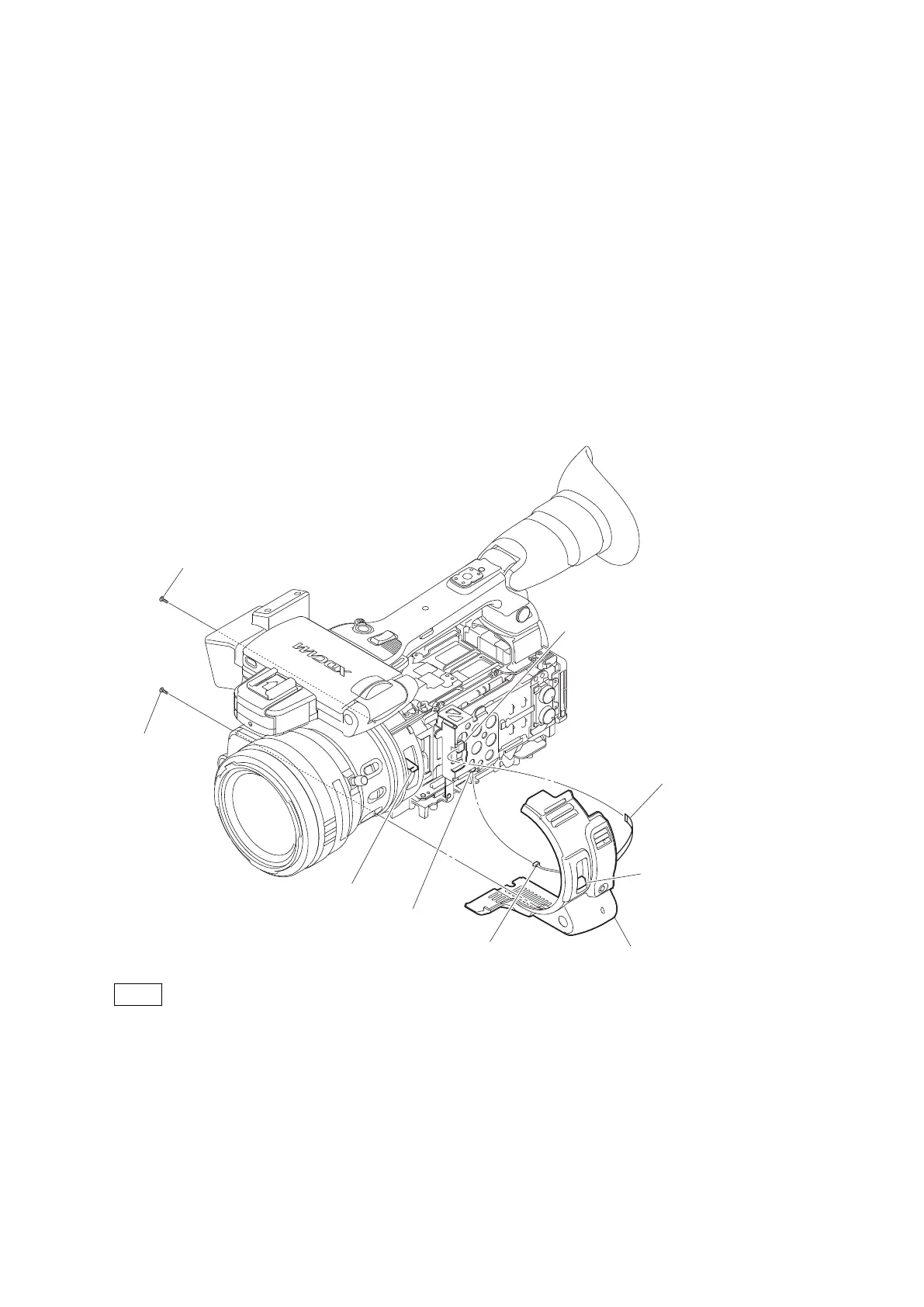
2-8. Front Panel
2-8-1. Front Panel Assembly
Preparation
1. Remove the battery lid. (Refer to “2-2. Lithium Battery”.)
2. Remove the bottom cover. (Refer to “2-3. Bottom Cover and Tripod Washer”.)
3. Remove the inside panel assembly. (Refer to “2-4-1. Inside Panel Assembly”.)
4. Remove the outside panel assembly. (Refer to “2-5-1. Outside Panel Assembly”.)
5. Remove the top panel assembly. (Refer to “2-6. Top Panel Assembly”.)
Procedure
1. Disconnect the flexible board from the connector CN103 on the SWC-54 board.
2. Disconnect the harness from the connector CN104 on the SWC-54 board.
3. Remove the two tapping screws (2 x 5) to detach the front panel assembly.
Tapping screw
(2 x 5)
Tapping screw
(2 x 5)
Front panel assembly
Harness
Flexible board
CN103 (SWC-54 board)
CN104 (SWC-54 board)
Lever
ND filter knob
4.
Note
When installing the Front panel assembly, fit the ND filter knob with the lever.
Install the removed parts by reversing steps of removal.
2-8-2. SW-1559 Board/SW-1573 Board
Preparation
1. Remove the battery lid. (Refer to “2-2. Lithium Battery”.)
2. Remove the bottom cover. (Refer to “2-3. Bottom Cover and Tripod Washer”.)
3. Remove the inside panel assembly. (Refer to “2-4-1. Inside Panel Assembly”.)
PMW-200/PMW-EX280
2-16



 To Next Page