4 Controlling the unit
32 SOREDEX
206718 rev 9
4.2 Modality section
Select the modality button; PAN, CEPH or 3D.
When panoramic modality is selected, a program specific
dental arch is shown. This can be used for sectional
panoramic imaging.
Cephalometric programs have their own, program specific
model heads and setting buttons for the start position of
lateral scanning.
3D programs have buttons for selecting standard
resolution, high resolution, Minidose and scout image
mode.The FOV for 3D imaging can be positioned on the
XY-plane by selecting the center point of the FOV on the
dental arch of the touch screen display. The FOV is
positioned in the Z-direction by using the chin rest
movement and positioning lights.
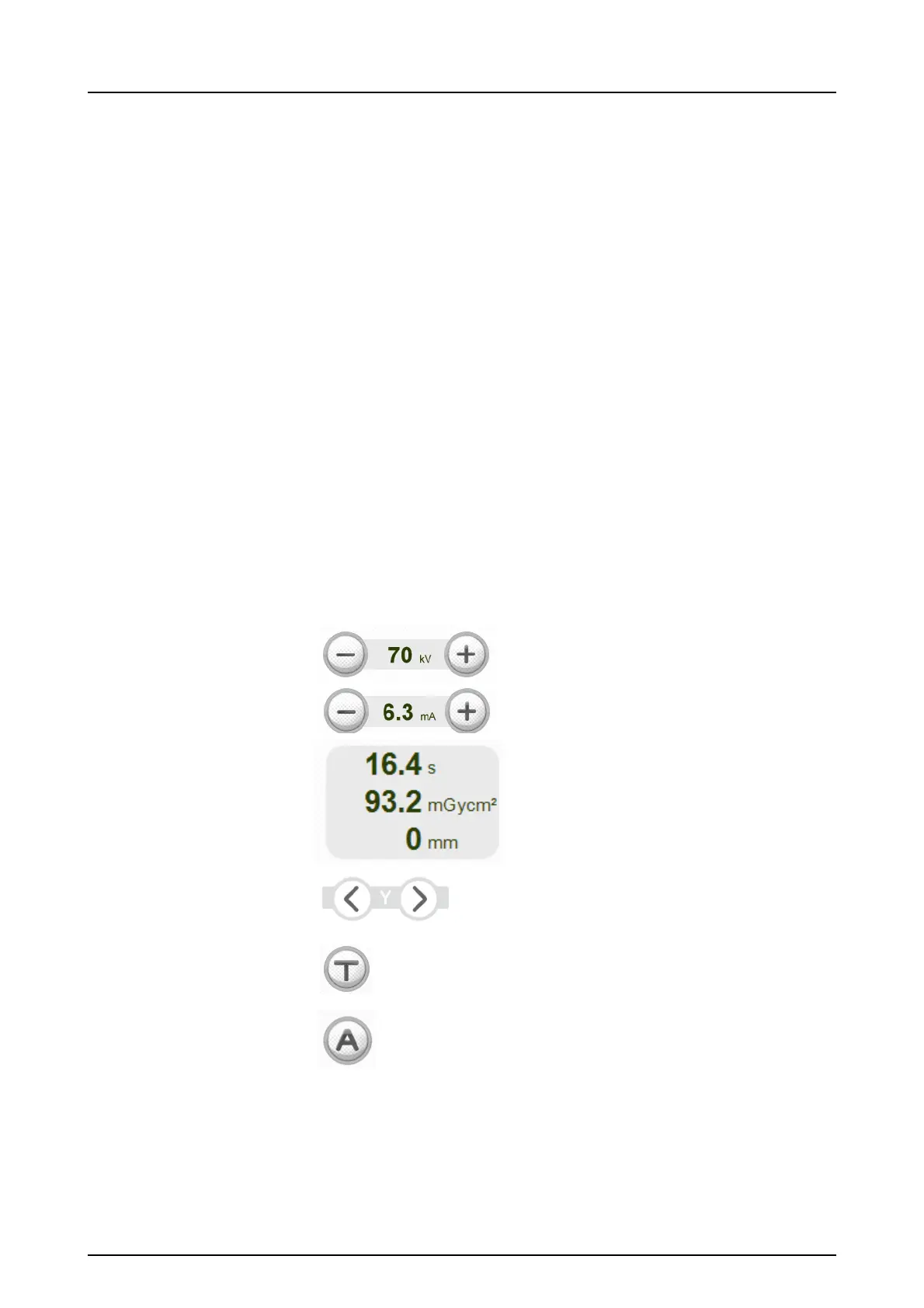
4.3 Exposure indicators and settings
4.4 Status section
Status field shows when the unit is ready for capturing or
any trouble occurs. Green or red color indicate the status in
question. Green means ready to capture and red means
kV value
mA value
Exposure time (s)
Dose value (mGycm
2
)
Focal through light (mm)
Focal through light
y-layer position
Test mode
Automatic Exposure setting
(AES)



 To Next Page