5 Using the unit
48 SOREDEX
206718 rev 9
5.4 Cephalometric exposures
■ Reduced Width lateral projection
■ Lateral projections
■ PA/AP projection
■ Reverse towne projection
■ Waters view
■ Carpus program (optional)
(Not available in USA and Canada)
WARNING! Remove all calibration tools, Pan and 3D
patient positioning accessories before taking any
cephalomateric exposures!
5.4.1 General instructions
1. Move the ceph sensor to the ceph sensor holder in a
case of single sensor configuration.
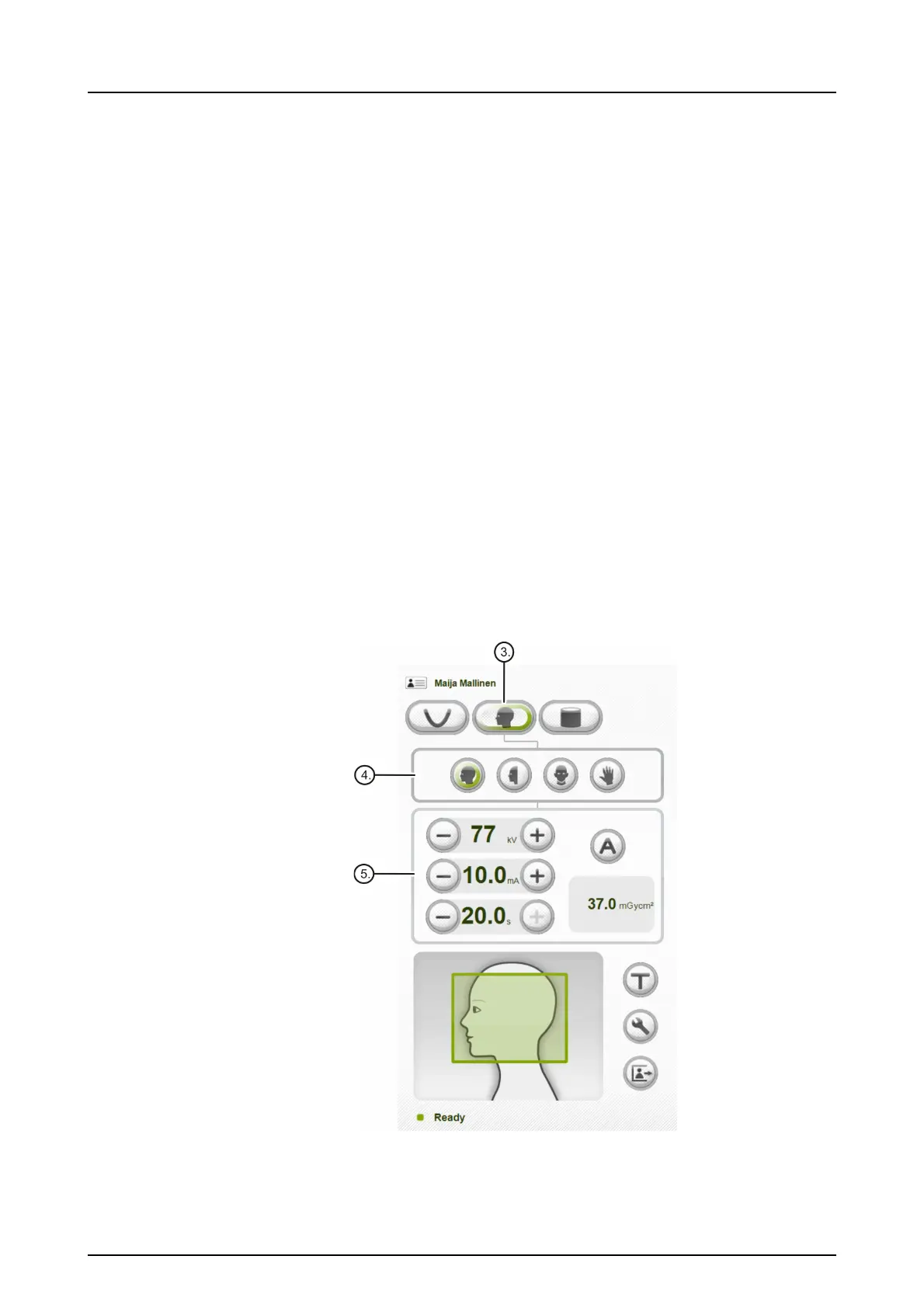
2. PC: Click Image Capture.
3. Select CEPH.
4. Select the imaging program.
5. If AES is enabled (green light lit around "A"), press the
Return button and wait for the movement to finish. Ver-



 To Next Page