5 Using the unit
206718 rev 9
SOREDEX 45
7. Close the temple supports by sliding the temple support
knob to the right. Adjust the position of the nasion sup-
port and push the forehead support in until it touches the
patient’s nasion.
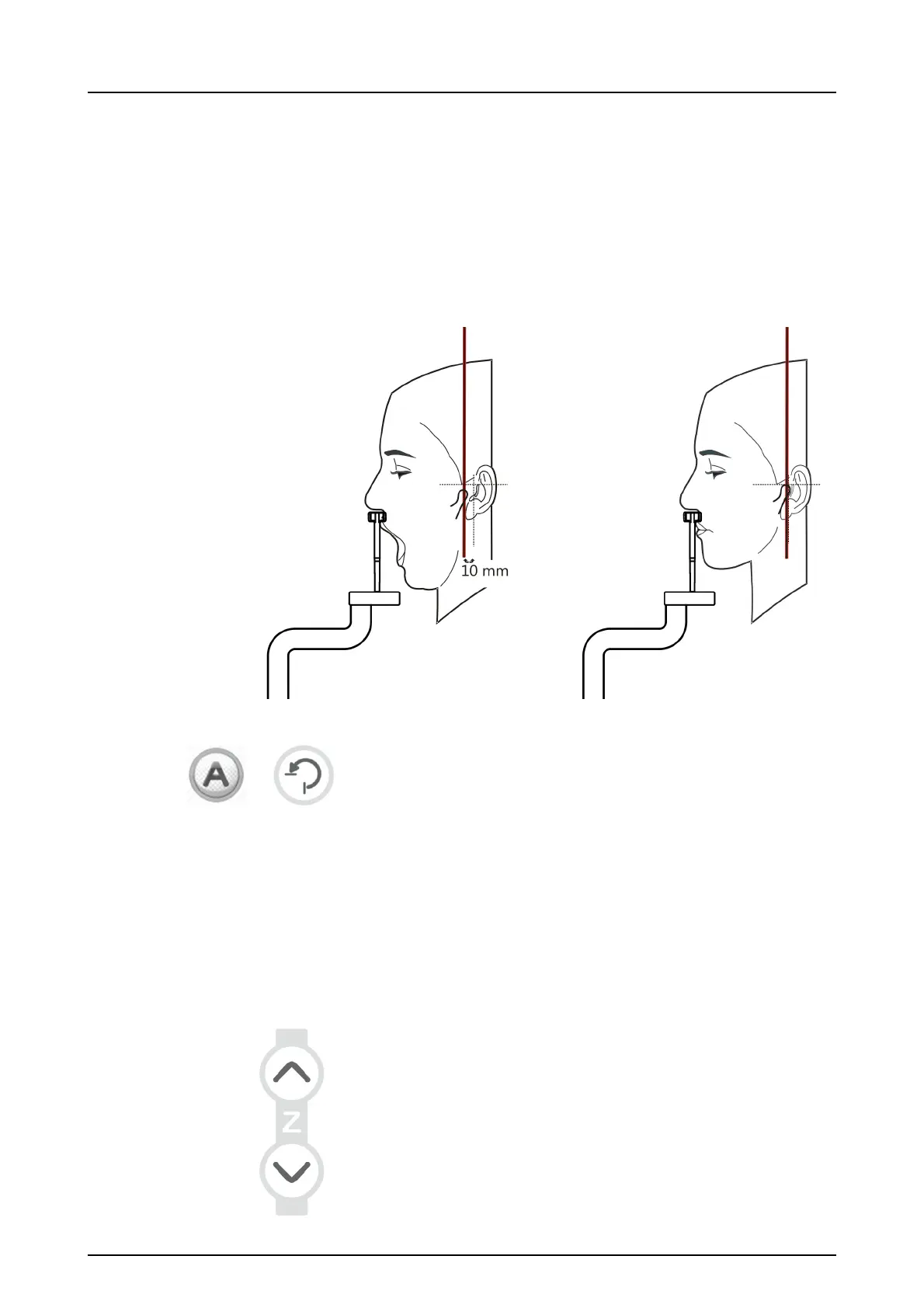
Adjust the position of the TMJ light until it aligns in the
middle of condyle.
NOTICE! The condyle moves forward by approximately
10 mm when the mouth is opened.
8. If AES is enabled (green light lit around "A"), press the
Return button and wait for the movement to finish. Verify
that the suggested exposure values are suitable for the
patient. If AES is disabled, set the exposure values man-
ually and press Return after patient positioning is done
and temple supports are closed.
5.3.3.3 Maxillary Sinus exposure
1. Insert the lip holder for sinus imaging.
Place the disposable covers.
NOTICE! Use a new disposable cover for every patient.
2. Adjust the unit height.



 To Next Page