5 Using the unit
38 SOREDEX
206718 rev 9
5.3.2 General instructions
1. PC: Click Image Capture
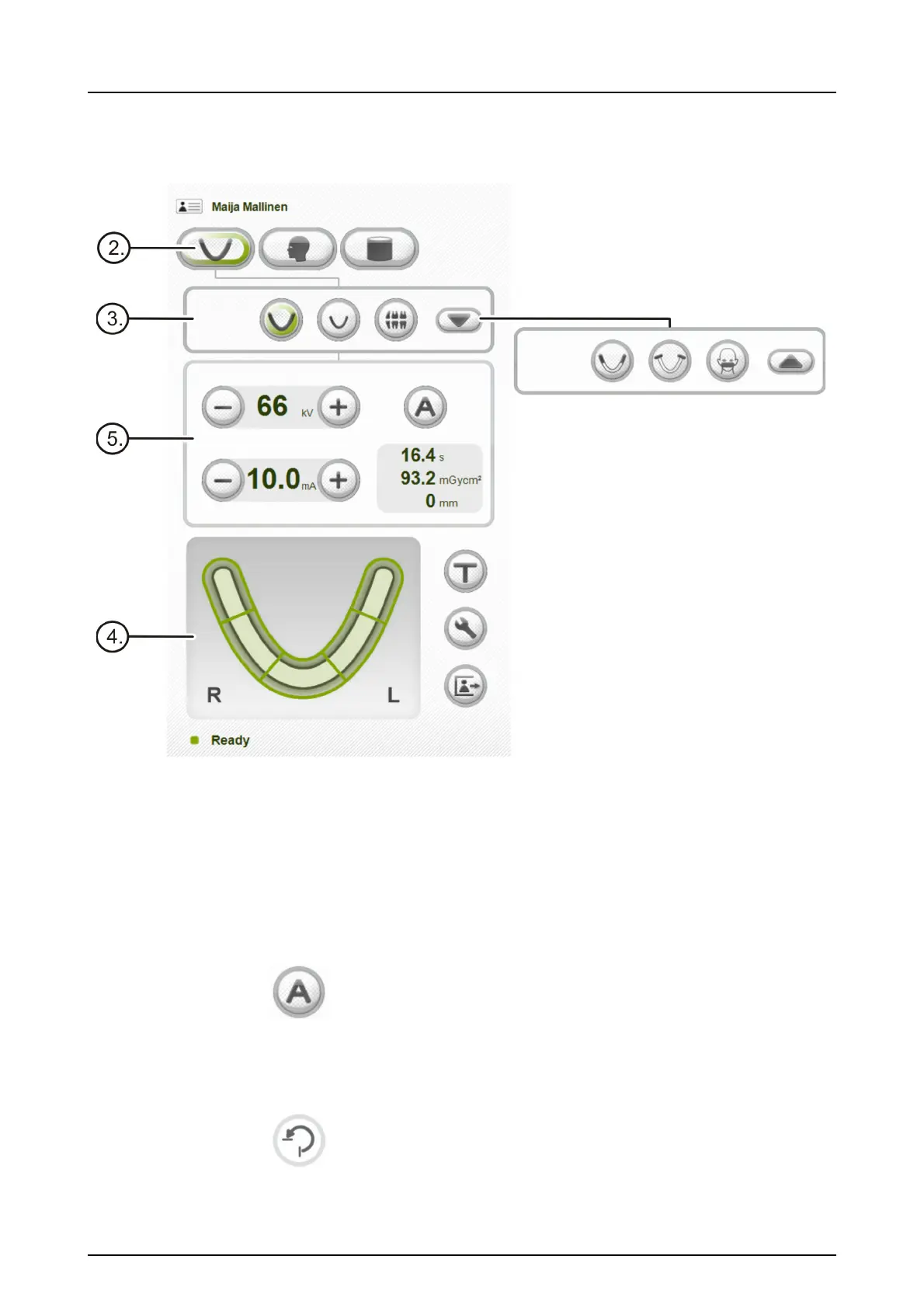
2. Select panoramic imaging.
3. Select the imaging program.
4. Any section of the dental arch can be selected for the
sectional panoramic imaging to reduce the radiation.
5. If AES is enabled (green light lit around “A”), press
Return and wait for the movement to finish. Verify that
the suggested exposure values are suitable for the
patient. If AES is disabled, set the exposure values
manually and press Return after patient positioning is
done and temple supports are closed.
6. Press the Return button to rotate the unit to ‘patient in’
position.



 To Next Page