8 Calibration and adjustment
86 SOREDEX
206718 rev 9
5. Visually evaluate the result using the installed imaging
software.
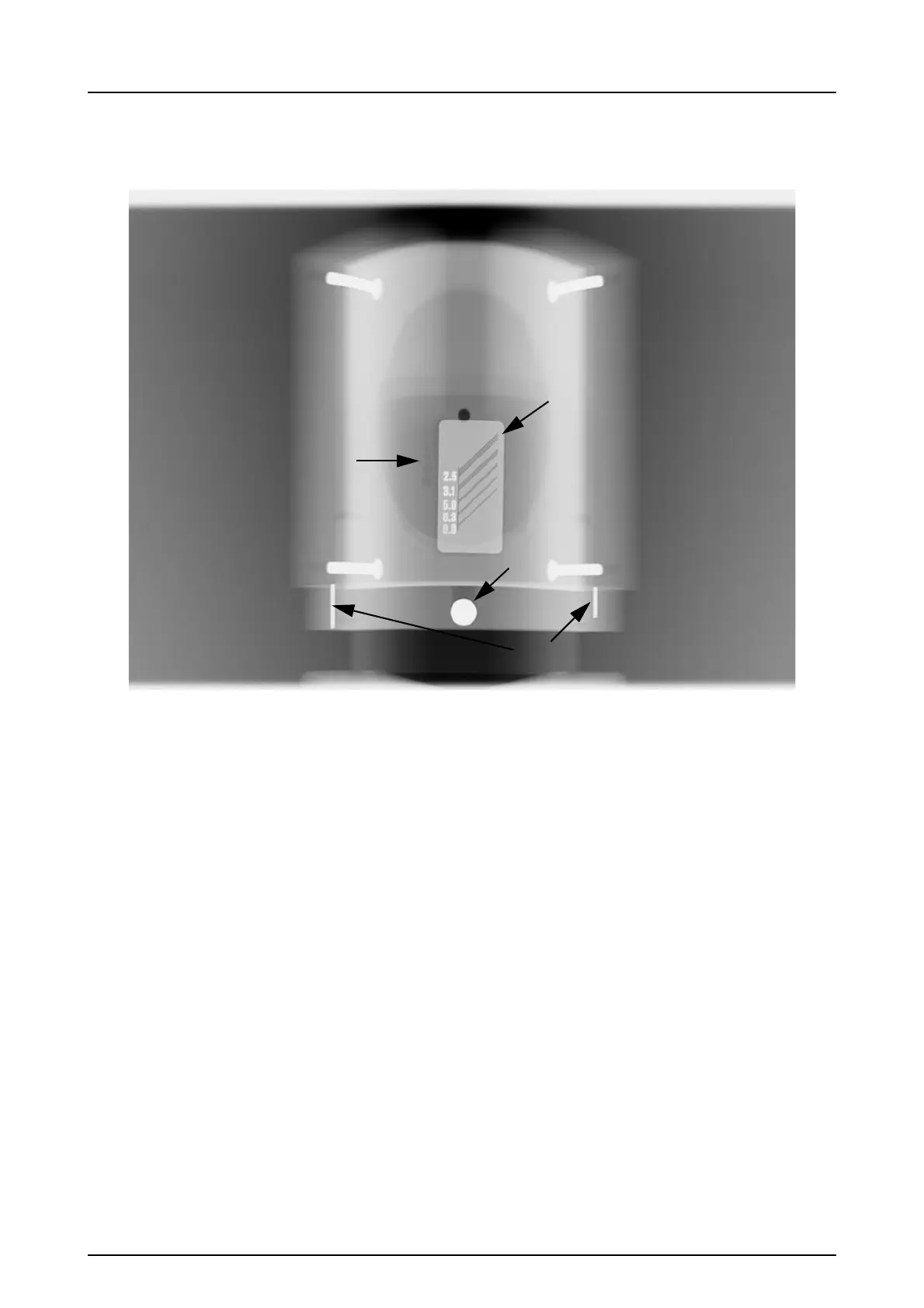
Subjects to be evaluated:
1. Smoothness of the exposed area. Non-exposed area
surrounds the whole image.
2. High contrast resolution; minimum 3.1LP/mm must be
distinguishable.
3. All four low contrast holes must be visible.
4. Roundness of the ball.
5. The ball should be placed symmetrically between the two
pins. The distance from both pins to center should be
equal length.
NOTICE! The panoramic QC collimator is equipped with a
0.8 mm copper filter. If more filtration is required, additional
filtration may be attached to the tubehead cover. The unit
may be configured to use higher exposure values to
compensate for an additional 1 mm copper filter.
Ask Technical Support to adjust the copper thickness
setting as required.



 To Next Page