Operation Instruction
18
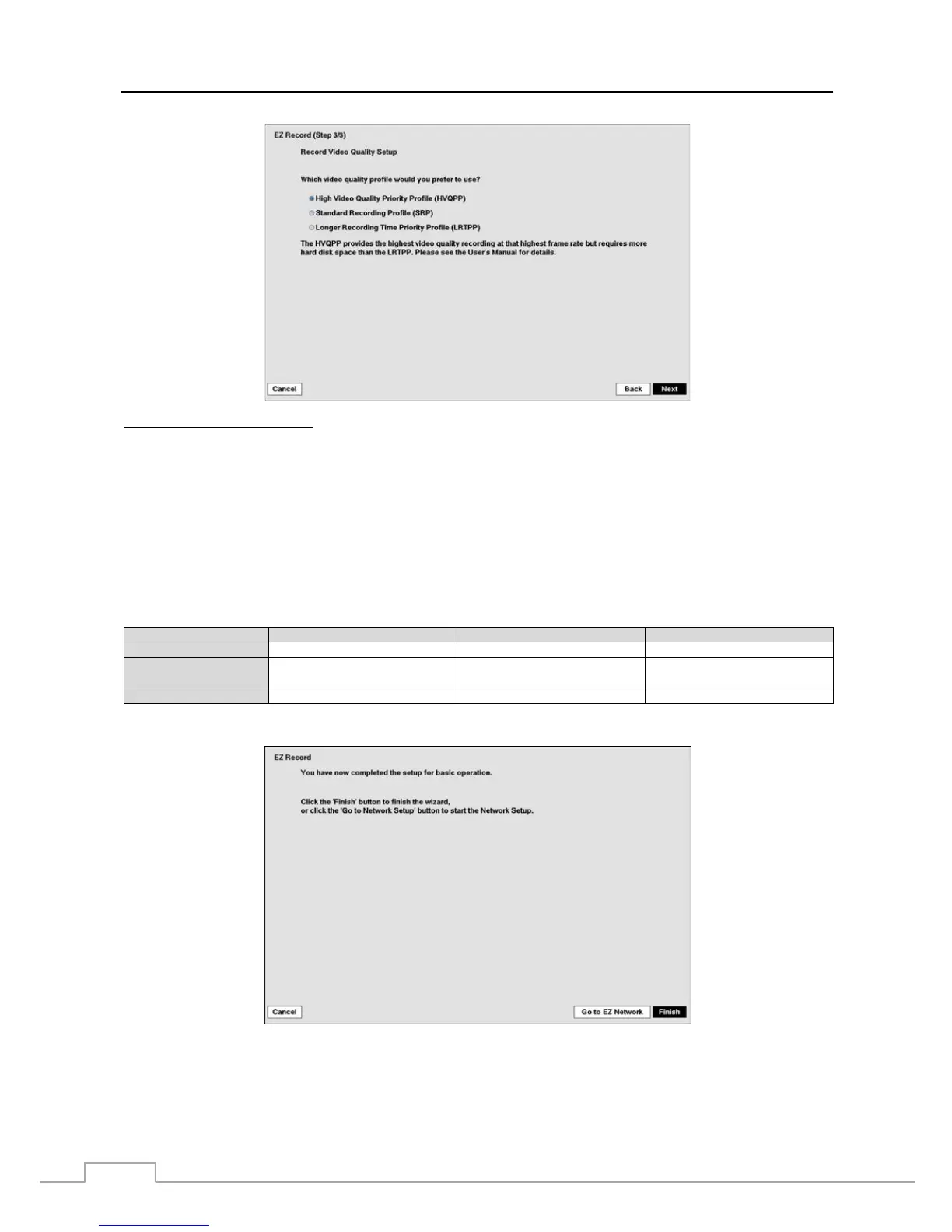
Record Video Quality Setup
Select the desired video quality profile from:
– Higher Video Quality Priority Profile
– Standard Recording Profile
– Longer Recording Time Priority Profile
NOTE: The higher quality setting requires more storage space.
The recording resolution will be set to Very High when selecting High Video Quality Priority Profile, High
when selecting Standard Recording Profile, and Standard when selecting Longer Recording Time Priority
Profile.
The recording quality and recording speed of each camera channel will be set as show below according
to the Record Method and Record Video Quality you set.
HVQPP* SRP* LRTPP*
Motion Event Record Very High / 30 ips High / 5 ips Standard / 3 ips
Continuous &
Motion Event Record
Very High / 30 ips (Time)
Very High / 30 ips (Event)
High / 5 ips (Time)
Very High / 30 ips (Event)
Standard / 3 ips (Time)
High / 5 ips (Event)
Continuous Record Very High / 30 ips High / 5 ips Standard / 3 ips
* Record Video Quality: HVQPP (High Video Quality Priority Profile), SRP (Standard Recording Profile), LRTPP (Longer Recording Time
Priority Profile)
Select the Finish button to finish the EZ Record and select the Go to EZ Network button to start the EZ Network.



 To Next Page