6-15Lasair® Pro Aerosol Particle Counter Operations Manual
Chapter 6 : Security
Audit Tab
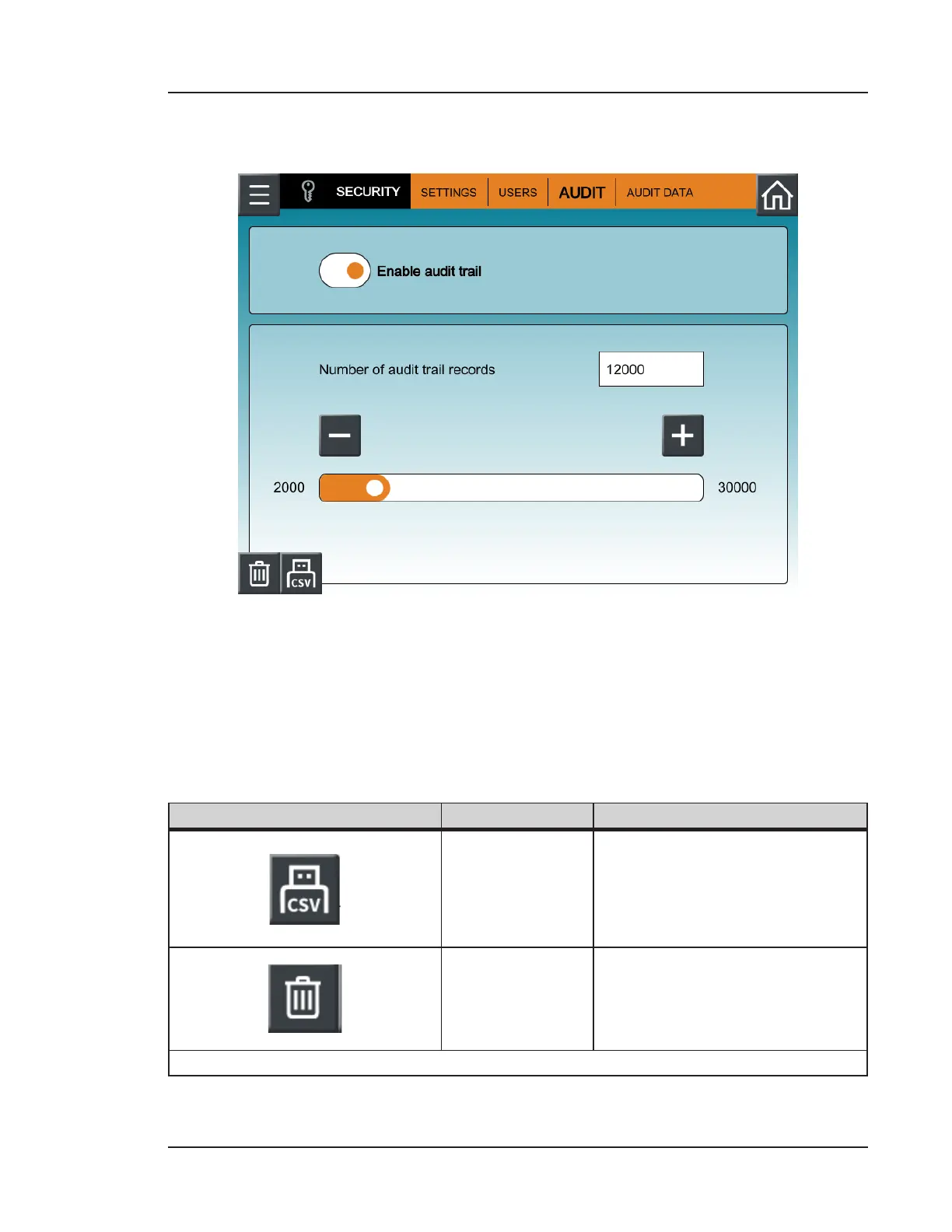
Figure 6-10. Audit trail settings
The Lasair Pro will gather all user activity into an audit trail, organizing by type and date/
time. To enable the audit trail functionality, toggle the Enable audit trail button so that
the orange indicator dot is on the right.
The audit trail is recorded and stored using the Lasair Pro counter’s internal memory. The
number of entries before auto-deletion can be set between 2000 and 30000.
Image Name Description
USB Export to
CSV File
When a USB key is inserted,
pressing this button exports the
current Audit Data listing (shown
in Figure 6-11) to a CSV file or
XML file on the inserted USB key.
Delete Current
Audit Trail
Press this button to clear all
current audit trail records from
the Lasair Pro.
Table 6-5. AUDIT tab, SECURITY


 To Next Page