5-9Lasair® Pro Aerosol Particle Counter Operations Manual
Chapter 5 : Sampling Options
Monitoring Mode Activation
To activate Monitoring Mode:
1. Deselect continuous sampling on the SETTINGS tab of the SAMPLE screen.
2. On the ADVANCED tab of the SAMPLE screen, press inside the Number of
sampling locations field and increase the number to 2 or greater.
NOTE: The user can use previously created locations or virtual locations for their
monitoring plan. These locations will appear in the particle count averages list
on the HOME screen.
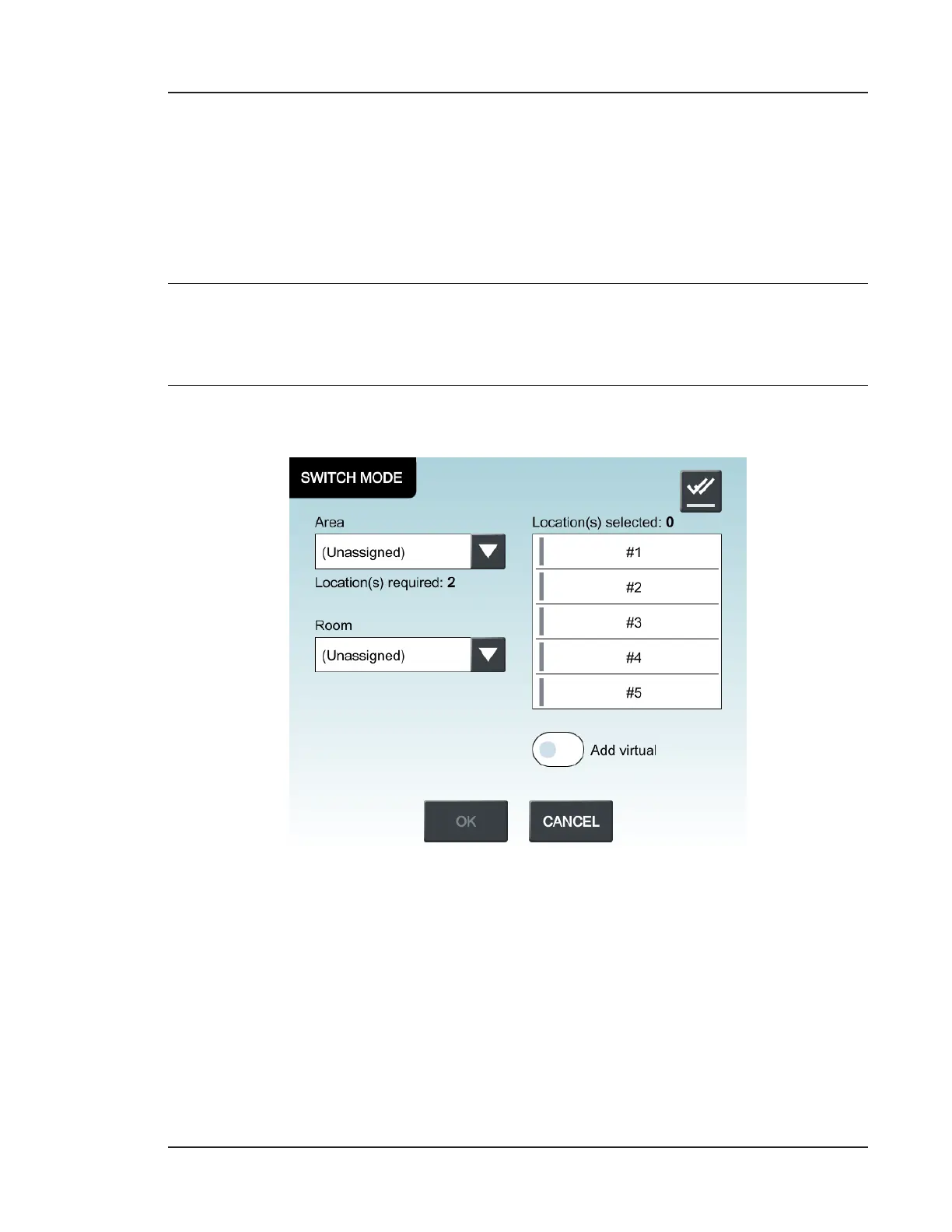
3. The Monitoring Mode slider will now be activated. Press for Switch Mode options.
Figure 5-6. Switch Mode window
4. In the Switch Mode window, you must select the number of locations equal to
those set in step 2. This can be done in two ways:
a. Use the dropdown arrows for Area and Room to adjust the Location(s)
selected area, and press on any of the locations listed to select. Selected
locations will have an adjacent blue vertical bar. Previously made
assignments will aect the locations listing. See Checking Assignments on
page 8-5.


 To Next Page