Chapter 10 : Display, Data and Reports
10-2 Lasair® Pro Aerosol Particle Counter Operations Manual
DISPLAY Tab
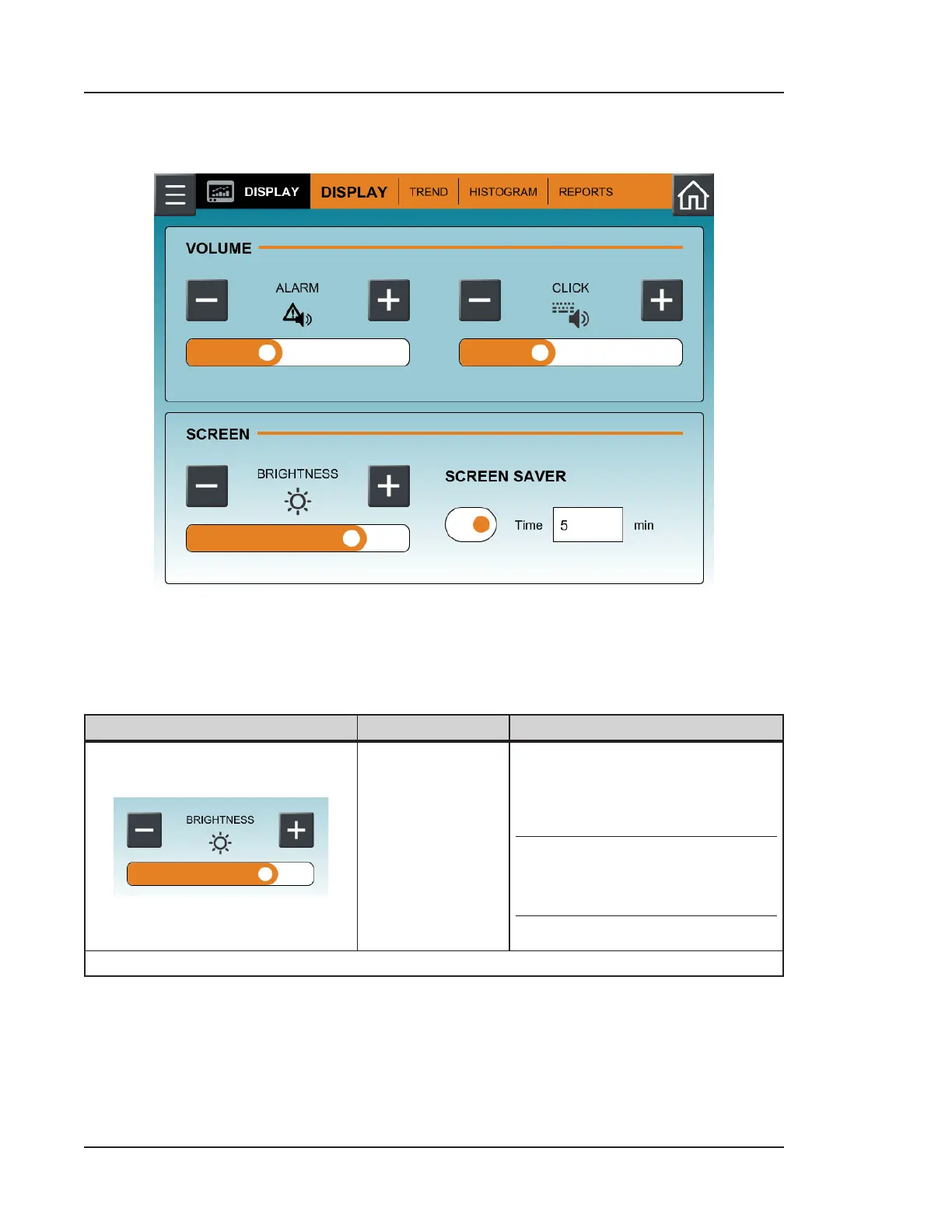
Figure 10-1. DISPLAY tab, DISPLAY
Use the Options tab to adjust the display brightness, screen saver, alarm signal volume,
and click button volume. Table 10-1 describes all settings on this tab.
Image Name Description
Brightness
Use the minus and plus buttons
to decrease and increase the
brightness of the LCD display.
NOTE: This setting aects
battery life.
Table 10-1. DISPLAY tab, DISPLAY



 To Next Page