1-5Lasair® Pro Aerosol Particle Counter Operations Manual
Chapter 1 : Quick Guide
Sampling
1. Press the POWER button.
2. On the HOME screen, press
.
3. The Lasair Pro takes a sample with default settings. To adjust these settings,
navigate to > > SETTINGS . The font for the current tab you are on
will be enlarged and bold.
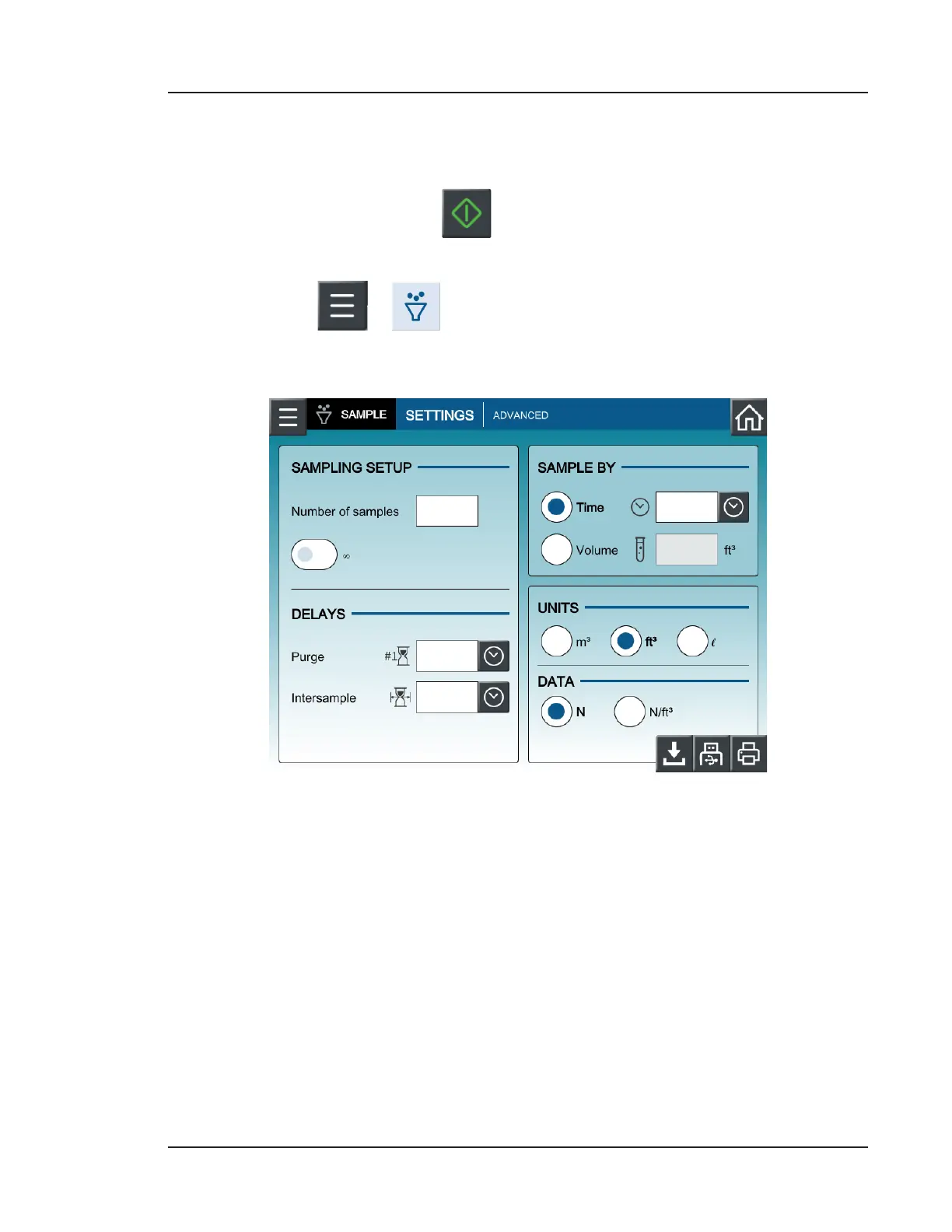
Figure 1-2. SETTINGS tab, SAMPLE
• Sampling Setup: Choose a number of samples or activate unlimited samples (∞).
• Sample By: Choose the sample time or sample volume.
• Delays: Choose time before first sample (Purge) and time between samples
(Intersample).
• Units: Choose volume units (m
3
,
3
, or l)
• Data: Choose raw (N) or normalized (N/
3
)


 To Next Page