Chapter 10 : Display, Data and Reports
10-4 Lasair® Pro Aerosol Particle Counter Operations Manual
TREND Tab
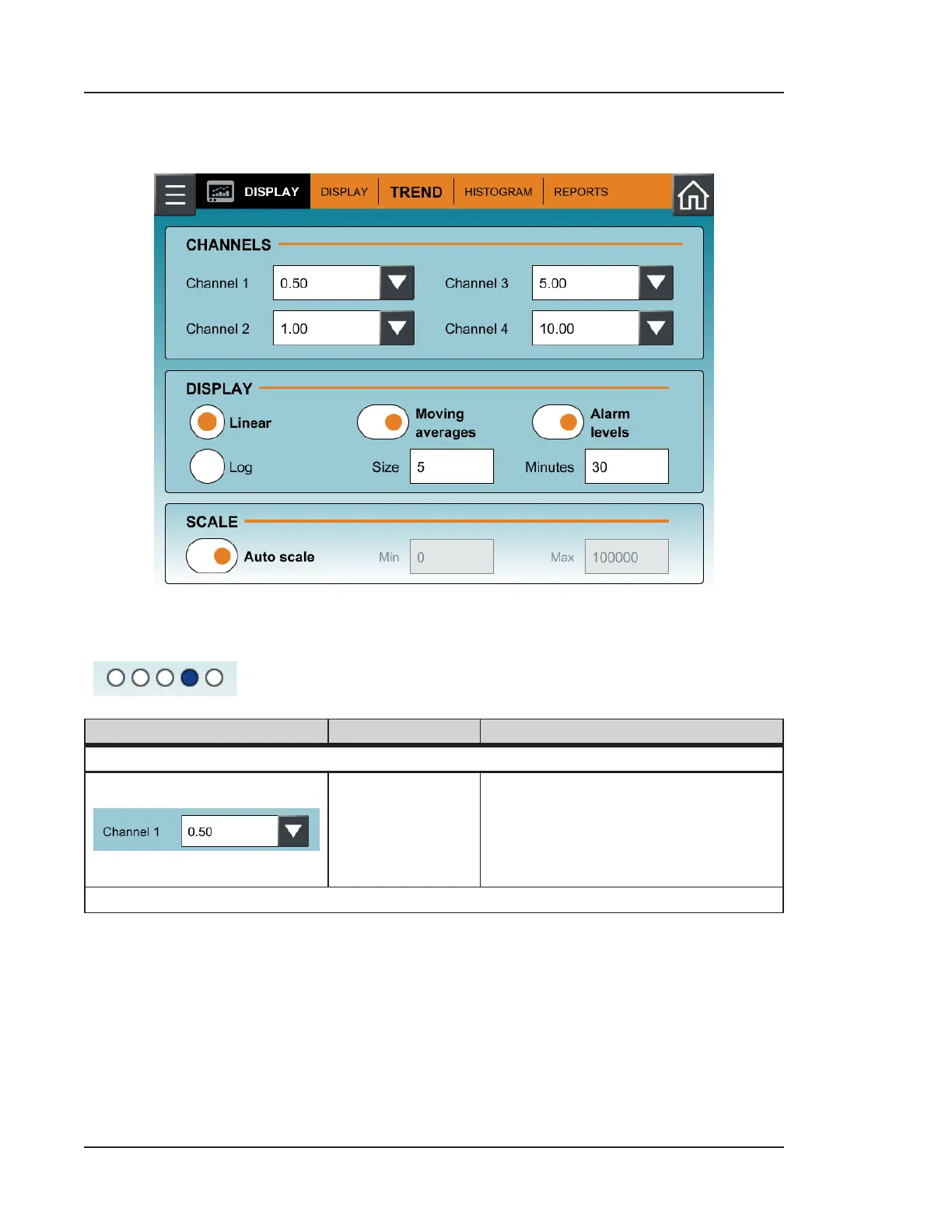
Figure 10-2. TREND tab, DISPLAY
The options of the TREND tab of the DISPLAY screen pertain to the fourth display option
(
) on the MAIN screen. See Table 10-2 for a description of each option.
Image Name Description
CHANNELS
Channel 1
Channel 2
Channel 3
Channel 4
Sets the size of each channel to
be displayed on the trend graph.
Your choice of channel size will be
displayed in the TREND tab of the
ALARM screen.
Table 10-2. TREND tab, DISPLAY


 To Next Page