5-7Lasair® Pro Aerosol Particle Counter Operations Manual
Chapter 5 : Sampling Options
Options
The following options can be enabled or disabled:
• Cycle: Enables the continuous collection of a finite number of samples without the
user needing to press the Start button on the HOME screen aer each sampling.
The number of samples is set on the SETTINGS tab (Number of samples).
• Continuous Pump: Keeps the pump active outside of sampling operation.
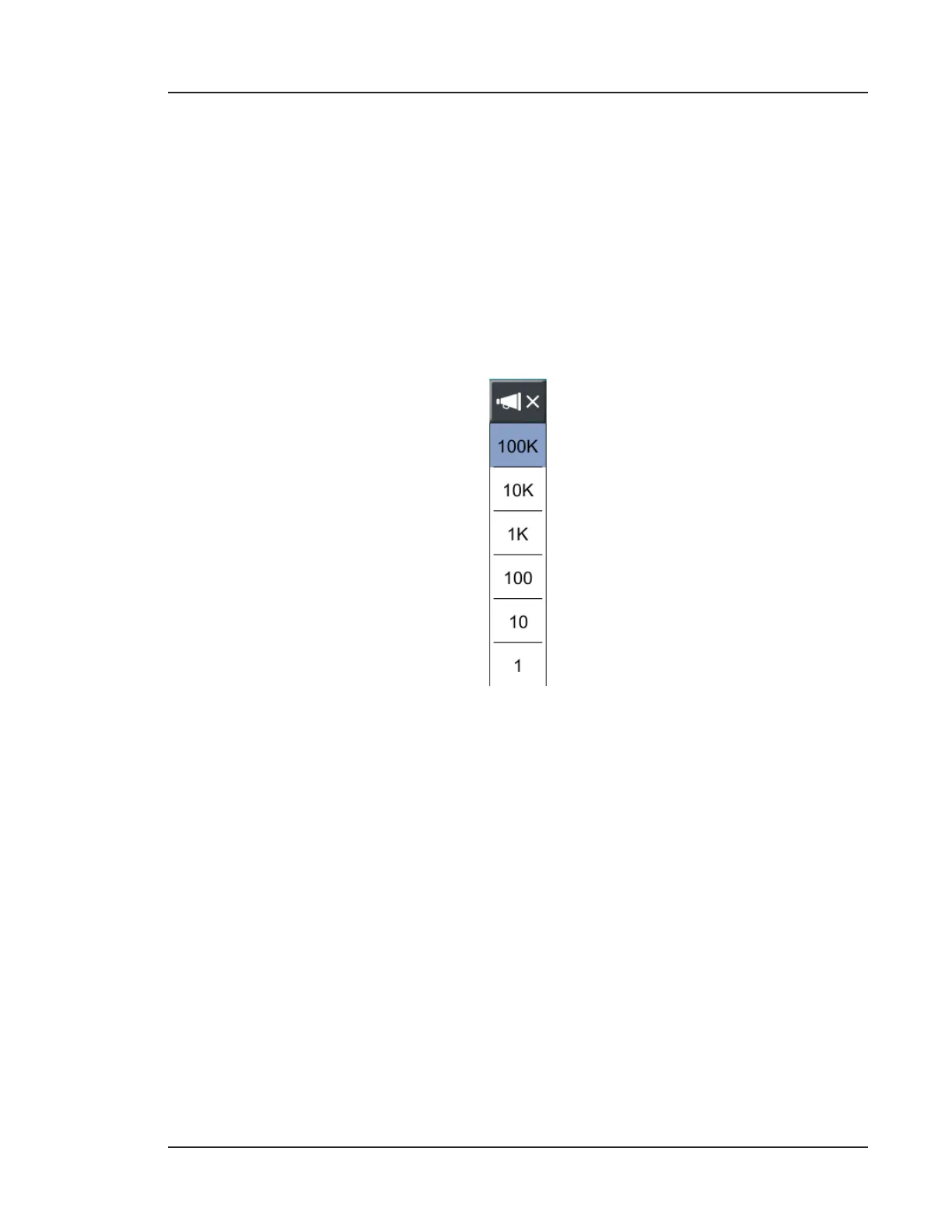
• Beep: Enables the user to determine how many particles counted in a sample will
trigger an audio cue. The pop-up in Figure 5-4 appears on the HOME screen when
enabled.
Figure 5-4. Particle count values to trigger an audio cue
• Print averages: Automatically includes average particle counts for each configured
channel size in the printed report, the USB report, or both. If particle counts are
given as raw data, the print averages feature will include both normalized and raw
average counts.
• Print report: Automatically prints Final Sample Report using the thermal printer (if
available).
• Save USB report: Automatically saves Final Sample Report to a PDF report. An
example is shown in Figure 5-5. See Final Sample Report Example on page 10-11
for more details.



 To Next Page