Chapter 4 : Connections
4-14 Lasair® Pro Aerosol Particle Counter Operations Manual
Digital In/Out
The Lasair Pro counter can be enabled for digital input and output for use with light tower
and alarm devices. For digital output, alarms must be configured first (see Chapter 7).
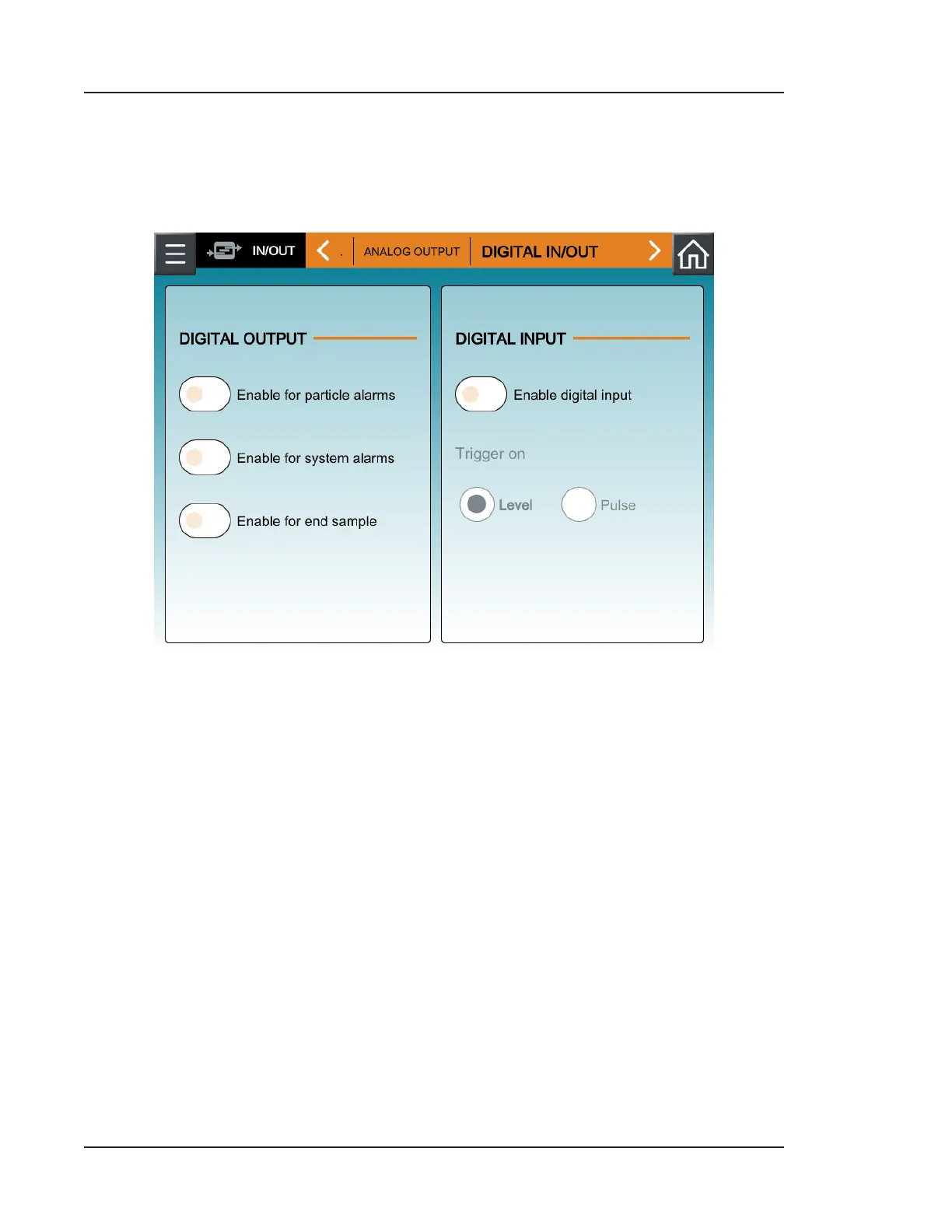
Figure 4-7. DIGITAL IN/OUT tab, IN/OUT
Digital output can be configured in the following way:
• Enable for particle alarms: Enables digital output signals to be sent for every
particle alarm that occurs on the Lasair Pro counter during sampling.
• Enable for system alarms: Enables digital output signals to be sent for every
system alarm that occurs on the Lasair Pro counter (e.g., calibration alarms).
• Enable for end sample: Enables digital output signals to be sent when sampling is
ended (automatically or manually).
Digital input can be enabled or disabled.



 To Next Page