Chapter 12 : System Configuration
12-12 Lasair® Pro Aerosol Particle Counter Operations Manual
DATE/TIME Tab
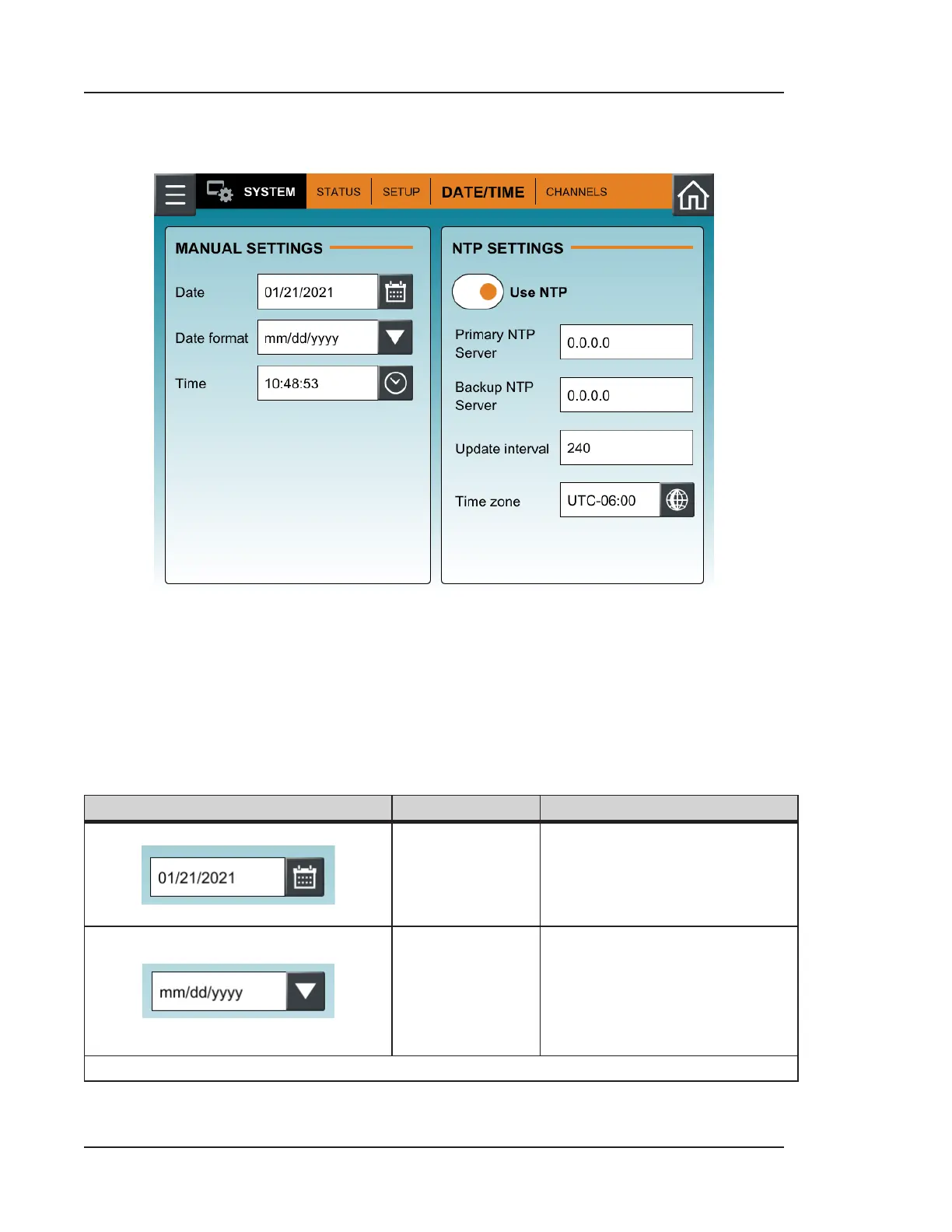
Figure 12-8. DATE/TIME tab, SYSTEM
The DATE/TIME tab allows the user to set the formats of both date and time, used on the
HOME screen, sampling data, and reporting. Table 12-2 lists the options available for the
user to configure.
Buttons
Image Name Description
Date
Press the calendar icon to
define the current date.
Date Format
Press the down arrow to set the
date format. Options are:
• dd/mm/yyyy
• mm/dd/yyyy
• yyyy/mm/dd
Table 12-2. DATE/TIME tab, SYSTEM


 To Next Page