Chapter 4 : Connections
4-2 Lasair® Pro Aerosol Particle Counter Operations Manual
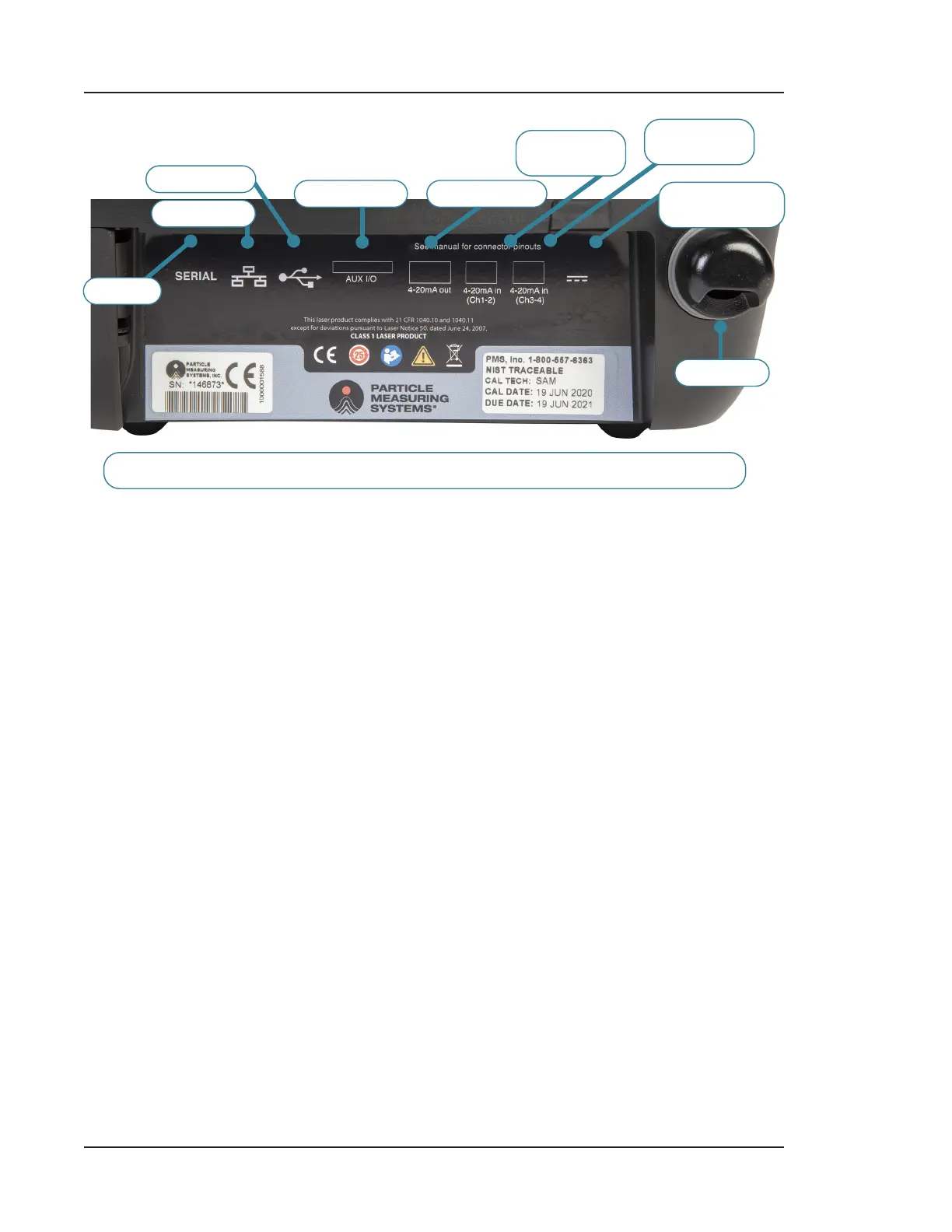
BACK PANEL
SERIAL
ETHERNET
USB TYPE A
AUX IN/OUT 4-20 MA OUT
4-20 MA IN
CH 1-2
4-20 MA IN
CH 3-4
POWER
19 VDC 7.89 A
EXHAUST
• (1) Serial – The USB Micro B serial protocol allows you to transfer data and
configure the particle counter.
• (1) Ethernet – Use to connect to control soware (i.e., DataAnalyst). DataAnalyst
stores data, provides additional analysis, and reports results that are 21 CFR
Part 11 compliant for one or more Lasair Pro particle counters.
• (2) USB Type A – There are two USB ports, one on the side and one on the back
panel, for transferring data from the Lasair Pro particle counter to your computer
or connecting a USB keyboard.
• (1) Aux I/O – Use to connect to external signal equipment and for Lasair Pro start/
stop.
• (4) 4-20 mA OUT – Use to read particle data on a separate device, such as a
Programmable Logic Controller (PLC) or Proportional-Integral-Derivative (PID)
controller
• (4) 4-20 mA IN – Connect up to four analog environmental sensors using the Lasair
Pro particle counter’s 4-20 mA input connectors.
• Power – Use to power the instrument and charge the removable lithium batteries.
• Exhaust – Sample stream discharge from instrument.



 To Next Page