Chapter 5 : Sampling Options
5-10 Lasair® Pro Aerosol Particle Counter Operations Manual
b. You may also enable the Add virtual slider, which creates temporary
locations to be used only for the sampling to be performed aer enabling
Monitoring Mode. These locations are labeled with the "Virtual loc #XXX"
format, and are not stored by the system for later use.
5. When you have made a selection equal to the Number of sampling locations, you
will be able to press OK.
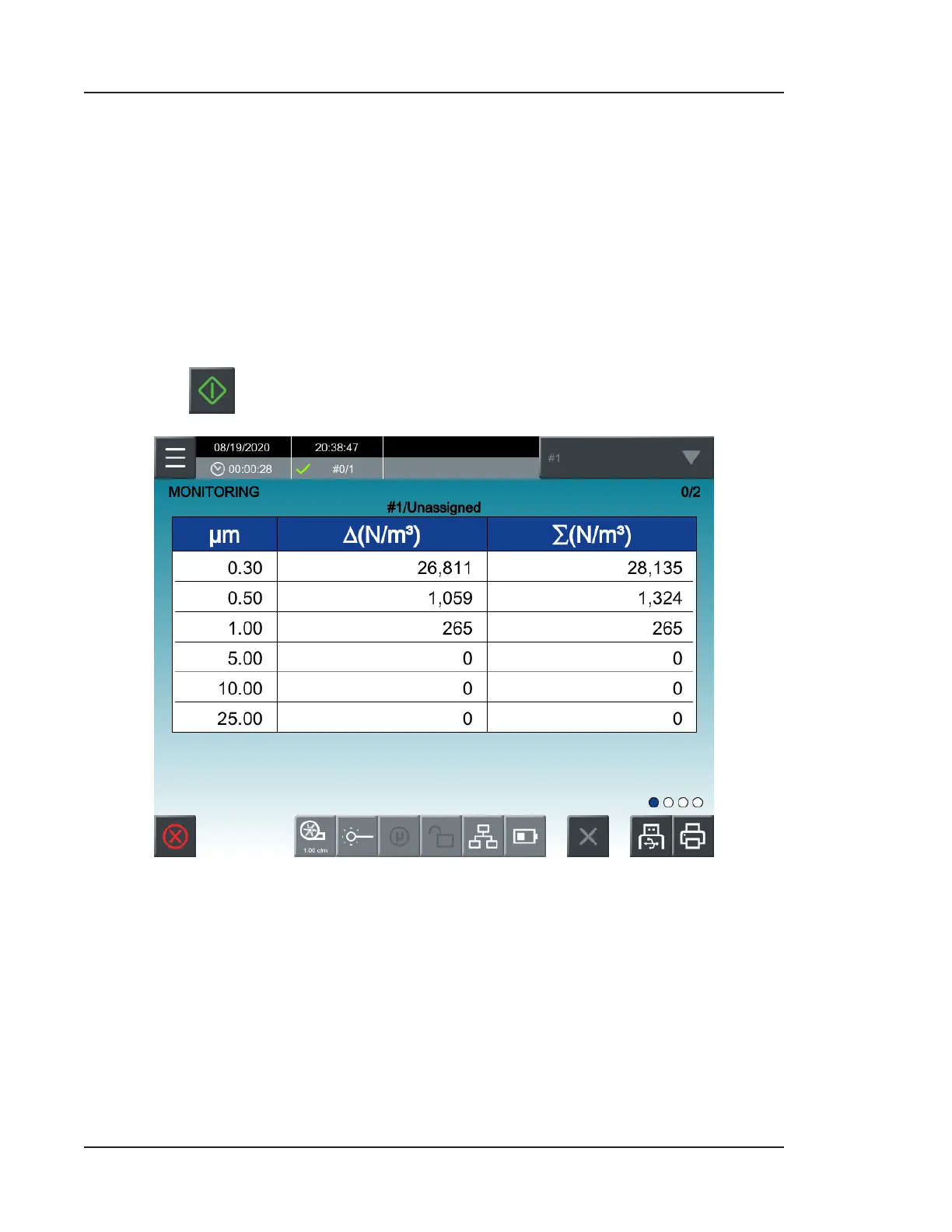
6. You will be automatically taken to the HOME screen, which will display dierently
while Monitoring Mode is activated.
7. Check the selected location in the top right corner. If you would like to change the
selected location, open the dropdown and double-press on the desired location.
8. Press
to start sampling.
Figure 5-7. HOME screen, Monitoring Mode
9. You can take multiple samples at each location as many times as desired. The
maximum and average counts can be viewed by swiping from right to le once
across the screen.



 To Next Page