A
A
p
p
p
p
e
e
n
n
d
d
i
i
x
x
E
E
–
–
S
S
o
o
f
f
t
t
w
w
a
a
r
r
e
e
U
U
p
p
d
d
a
a
t
t
e
e
s
s
Software downloads for both the Matrix console and Matrix Remote are available from our website:
w
ww.solid-state-logic.com/support/consoles/matrix/downloads.asp
We recomend that the console and remote software versions be kept in sync with one another.
R
R
e
e
m
m
o
o
t
t
e
e
S
S
o
o
f
f
t
t
w
w
a
a
r
r
e
e
U
U
p
p
d
d
a
a
t
t
e
e
s
s
To update the Matrix Remote software, delete the old version and install the new version following the installation instructions
in Chapter 1.
Note: Because all Matrix data is saved on the SD card on the console, not as part of the Matrix Remote, the Remote can
be deleted without any loss of data
C
C
o
o
n
n
s
s
o
o
l
l
e
e
S
S
o
o
f
f
t
t
w
w
a
a
r
r
e
e
U
U
p
p
d
d
a
a
t
t
e
e
s
s
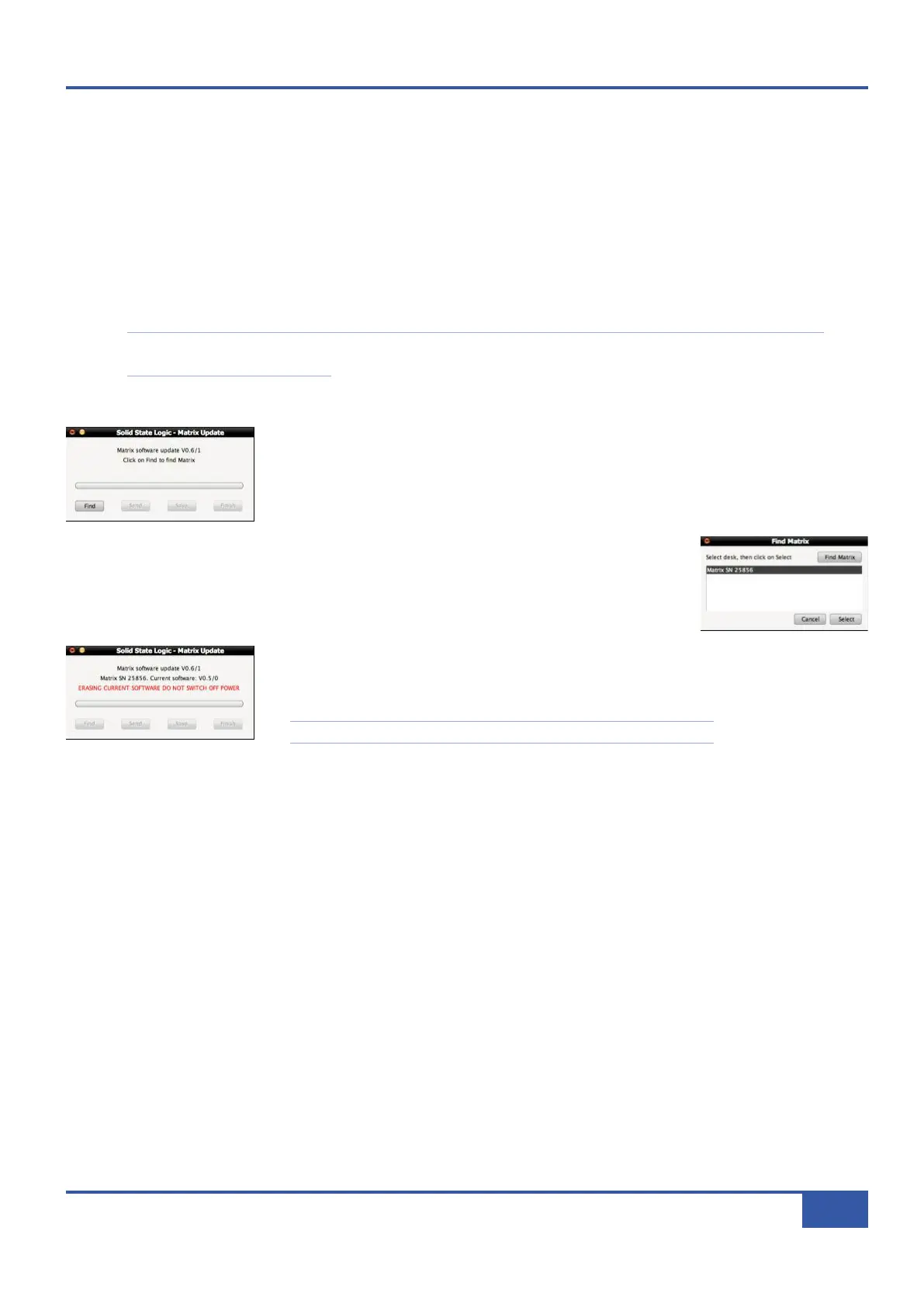
Matrix console software updates are named MatrixUpdate followed by the software version.
Download the Matrix update file to the computer hosting the Matrix Remote and double
click on it to bring up the Matrix Update pop-up.
Click on Find to open the Find Matrix pop-up and scan for consoles to update. Once the
console(s) on the network have been found, highligh the console you wish to update and
click Select to close the pop-up.
Click Send and the software will now be sent to the console. When the send is complete,
click on Save to save the new software. Once the save is complete, you will need to restart
the console.
It is very important that the console does not lose power during the save.
S
S
o
o
f
f
t
t
w
w
a
a
r
r
e
e
R
R
e
e
s
s
c
c
u
u
e
e
D
D
i
i
s
s
k
k
In the unlikely event that the on-board flash memory fails, or you suffer a power failure while updating software, Matrix can boot
up from the SD card in the back of the console:
Download the latest Matrix update file. This is a Java (.jar) file. Change the suffix to .zip and use a zip program to open the file
and extract the code.img file to an SD card (you will need an SD card reader).
Turn off the console, fit the SD card, and reboot. The console will now restart (a little slower than normal) from the SD card.
Finally, repeat the software update process.
Appendix E - Software Updates
107
Matrix Owner’s Manual



 To Next Page