C
C
r
r
e
e
a
a
t
t
i
i
n
n
g
g
P
P
r
r
o
o
f
f
i
i
l
l
e
e
s
s
T
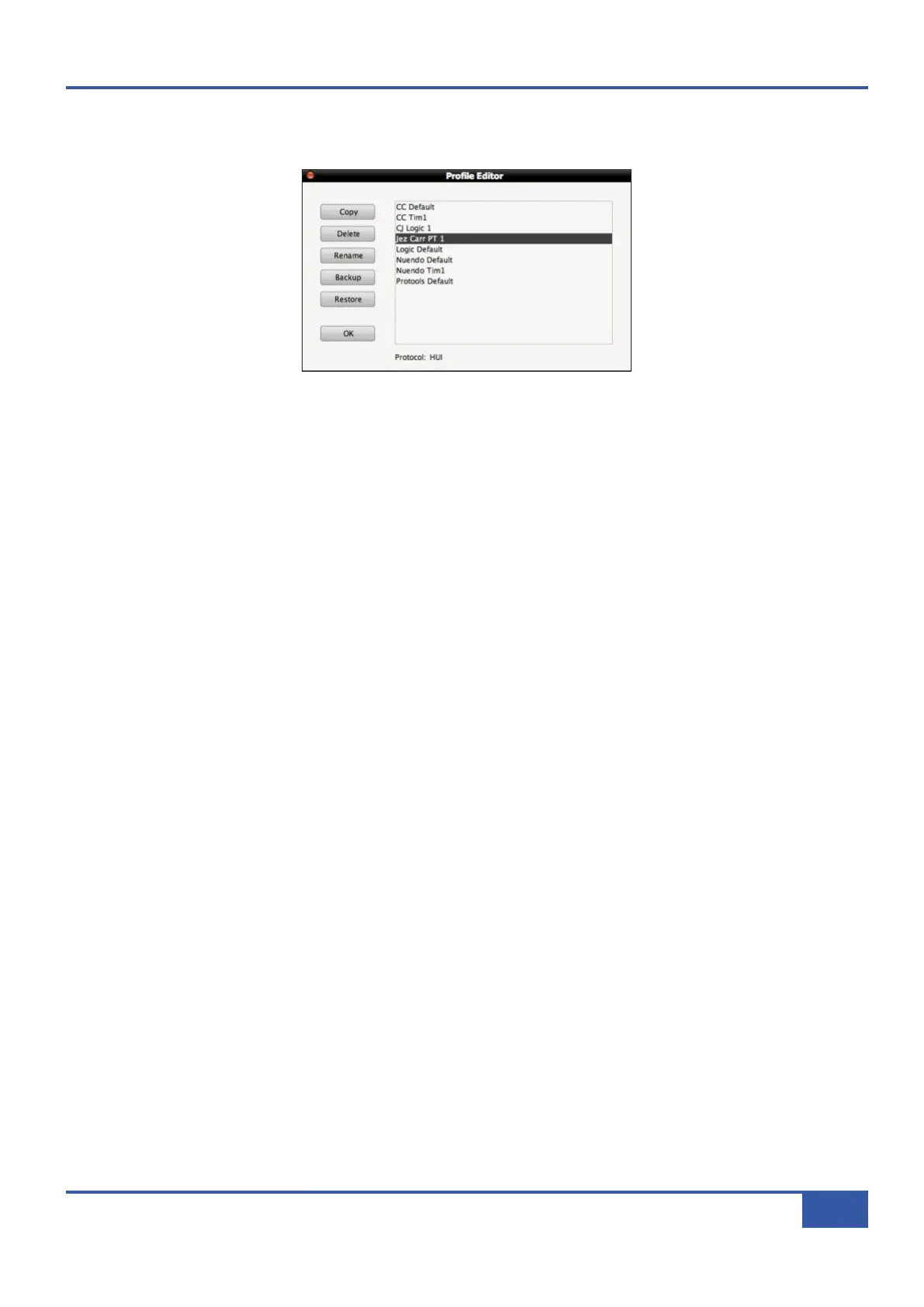
o create a new Profile, press Edit Profiles to bring up the Profile Editor pop-up:
Select the Profile which you wish to use as a starting point and press Copy. Type a name for the new Profile into the Copy
Profile pop-up which appears, and press OK:
After a moment, the new Profile will appear in the Profile list in the Profile Editor. In order to ensure that the underlying
protocol of a Profile (HUI, MCU or CC) is not forgotten when it is not present in the Profile name, the selected Profile’s protocol
is indicated at the bottom of the pop-up, as well as underneath the Selected Profile in the Profile Setup area of the main
DAW tab.
Press OK to exit the Profile Editor.
You can now select the new Profile using the layer selection and Profile selection functions described on the previous pages.
There is a second way to create your own Profile, using the Save As button in the Soft Key area which makes up the bottom
half of the DAW tab:
First select the Profile you want to use as a starting point and assign it to a layer, as described on the previous pages.
Press the Save As button below the Edit Profiles button to bring up the Save Profile As pop-up. Type a name for the new
Profile into the pop-up and press OK. After a moment, the new Profile will be created and become active in that layer. In order
to ensure that the underlying protocol of a Profile (HUI, MCU or CC) is not forgotten when it is not present in the Profile name,
the selected Profile’s protocol is indicated underneath the Selected Profile in the Profile Setup area of the main DAW tab.
D
D
e
e
l
l
e
e
t
t
i
i
n
n
g
g
P
P
r
r
o
o
f
f
i
i
l
l
e
e
s
s
To delete a Profile, press Edit Profile to bring up the Profile Editor pop-up, select the Profile which you wish to delete, and
press Delete. Press OK in the warning pop-up which appears, and after a moment the Profile will disappear from the list in the
pop-up. Press OK to exit the Profile Editor.
R
R
e
e
n
n
a
a
m
m
i
i
n
n
g
g
P
P
r
r
o
o
f
f
i
i
l
l
e
e
s
s
To rename a Profile, press Edit Profile to bring up the Profile Editor pop-up and select the Profile which you wish to rename.
Press Rename to bring up the Rename Profile pop-up. Type a new name for the Profile into the pop-up and press OK. The
Profile’s name will change in the Profile list in the Profile Editor.
Chapter 6 - DAW and CC Configuration
81
Matrix Owner’s Manual



 To Next Page