A
A
s
s
s
s
i
i
g
g
n
n
i
i
n
n
g
g
D
D
A
A
W
W
P
P
r
r
o
o
t
t
o
o
c
c
o
o
l
l
F
F
u
u
n
n
c
c
t
t
i
i
o
o
n
n
s
s
T
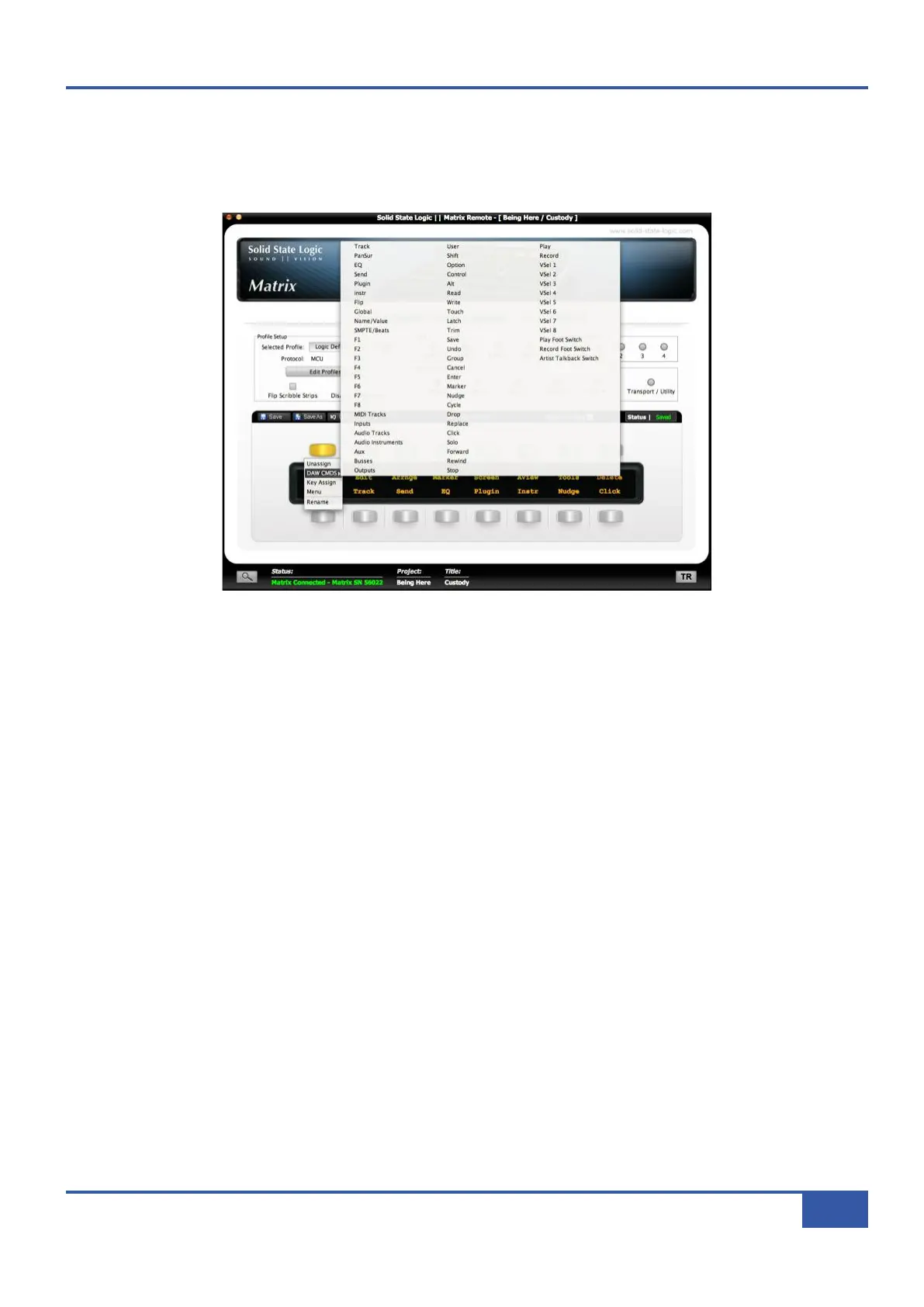
o assign a HUI or MCU function to a button, select the relevant Soft Key Set in the Remote’s DAW tab and press the button
you wish to assign. The button will go yellow to indicate that it is being edited. From the drop-down menu which appears, selecting
DAW CMDS
produces a second drop-down which lists all the control commands available to you within the selected Profile:
Select the required command from the list, and its name will appear in the appropriate part of the tab’s soft key display. Soft key
assignments must be saved before they become active in the Matrix soft keys. If there are any unsaved changes when you try to
exit the current Soft Key Set, a pop-up will appear inviting you to save changes before exiting. Press No to exit without saving
your changes, or Yes to save changes and remain in that soft key set.
Chapter 6 - DAW and CC Configuration
85
Matrix Owner’s Manual



 To Next Page