S
S
T
T
E
E
P
P
1
1
0
0
:
:
Selecting a Title
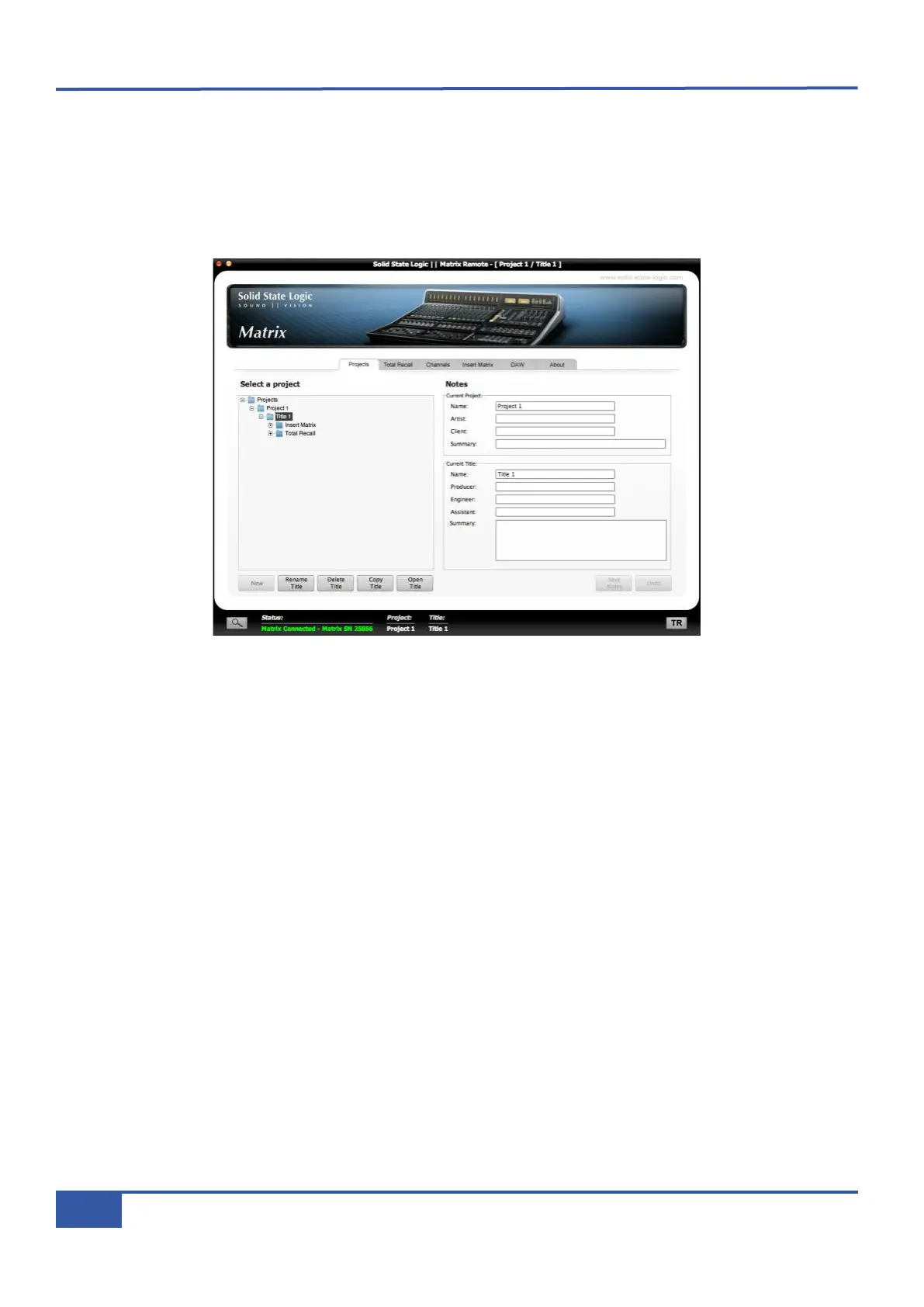
For the final two steps in this tutorial (This tutorial goes up to eleven...), we will introduce the Projects system which allows you
to manage the way in which Matrix is configured for a particular recording, using the Matrix Remote. There are six tabs in the
Remote, the first of which (Projects) will be examined in this step, and the fourth of which (Insert Matrix) will be examined
i
n Step 11. For the Total Recall, Channels and About tabs along with more detail on the Projects and Insert Matrix tabs,
see Chapter 4, and for the DAW tab see Chapter 6.
A Project is simply a folder of recordings which are grouped together on whichever basis you choose, and a Title is a specific
recording within that Project. For example, the Titles might refer to different tracks within an album, and the Project might refer
to the album as a whole. All settings created within the Total Recall, Channels and Insert Matrix tabs are specific to their
Title and therefore different Titles within a Project can have completely different settings. It is therefore essential that whenever
you change any of the settings in and of these tabs, you make sure you are editing the correct Title.
The left half of the Projects tab contains the main Projects folder. Matrix comes with one Project, which in turn contains one
Title:
® Double-click on the main Projects folder to expand it.
® Double-click on Project 1 to expand the Project.
® Highlight the Title 1 folder which appears and press the Open Title button at the bottom of the screen. This makes Title
1 the Current Title - in other words it becomes the Title under which any configuration within the Total Recall, Channels
and Insert Matrix tabs is stored.
You will notice that Project 1 and Title 1 are listed as the Current Project and Current Title at the top and bottom of the
window as well as in the Notes section of the tab, as shown above.
You are now ready to start configuring Matrix for Title 1.
Chapter 2 - Getting Started
26
Matrix Owner’s Manual



 To Next Page