D
D
e
e
v
v
i
i
c
c
e
e
C
C
h
h
a
a
i
i
n
n
s
s
A Chain allows you to insert up to six outboard processing units into one channel. The Chain column on the left-hand side of
the Insert Matrix tab lists any Chains you have created.
Creating Chains
T
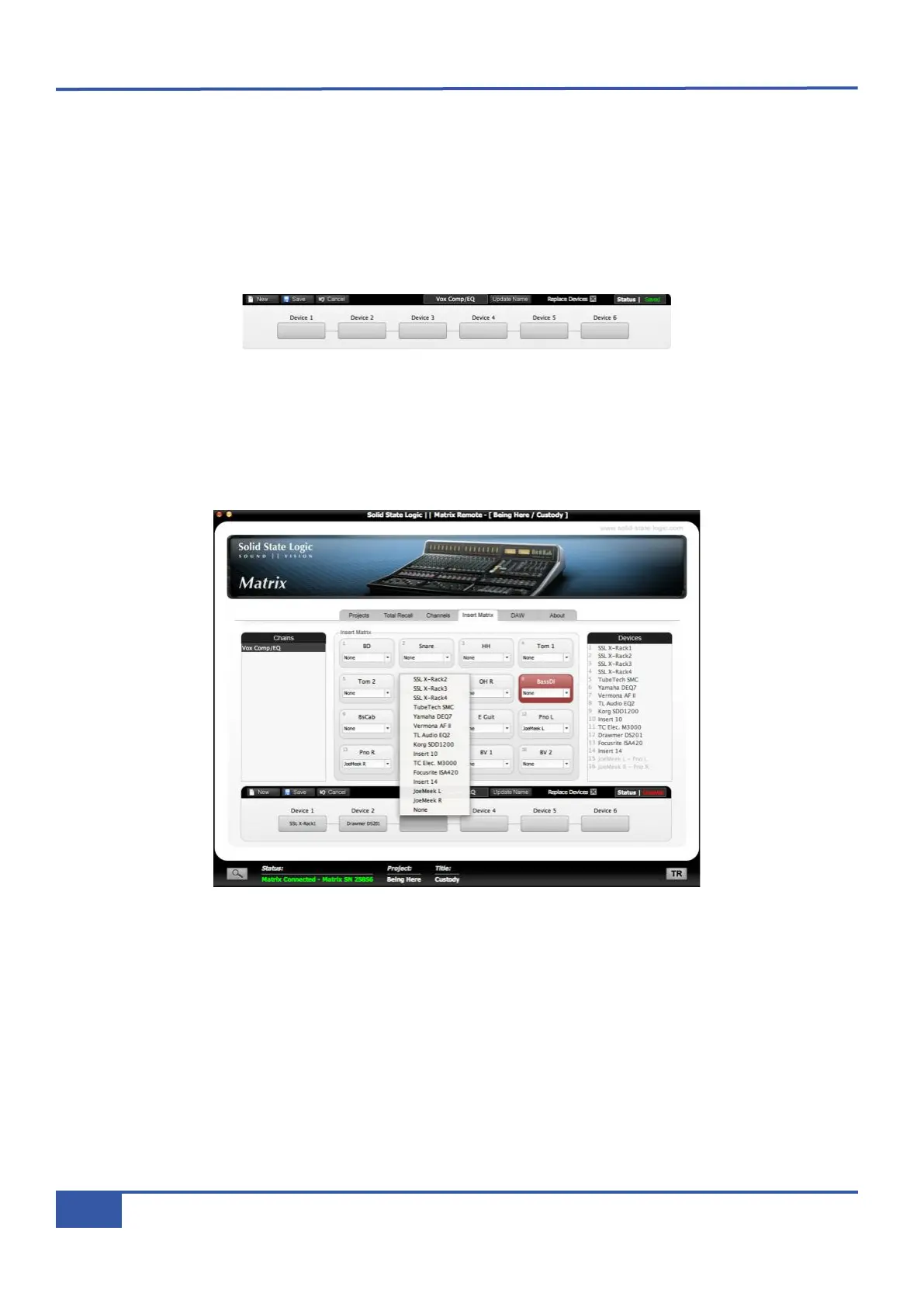
o create a Chain, press New in the Chain Setup area at the bottom of the tab (shown below), type in the name of the Chain
in the New Chain Name pop-up which appears and press OK. The name you have given the Chain will then appear in the Chain
Name box in the centre of the Chain Setup area:
You can now select what outboard Devices you would like to include in this Chain, using the six boxes labelled Device 1 to
Device 6. The processing order goes from left to right. Press one of the boxes and select the Chain’s first Device from the drop-
down list which appears. The Devices fill the left-most available box, regardless of which box you select. To add another Device
to the end of the processing order, select a blank box, and select the Device from the drop-down as you did before. A Device
box can be returned to blank by selecting None from the Devices menu, causing any Devices to the right of it to move one box
to the left.
As the Insert Matrix cannot send more than one signal to a Device, any Devices which have already been assigned to a channel,
either on their own or as part of another Chain, will be absent from the drop-down list.
Chapter 4 - Matrix Remote
60
Matrix Owner’s Manual



 To Next Page