T
T
h
h
e
e
T
T
o
o
t
t
a
a
l
l
R
R
e
e
c
c
a
a
l
l
l
l
T
T
a
a
b
b
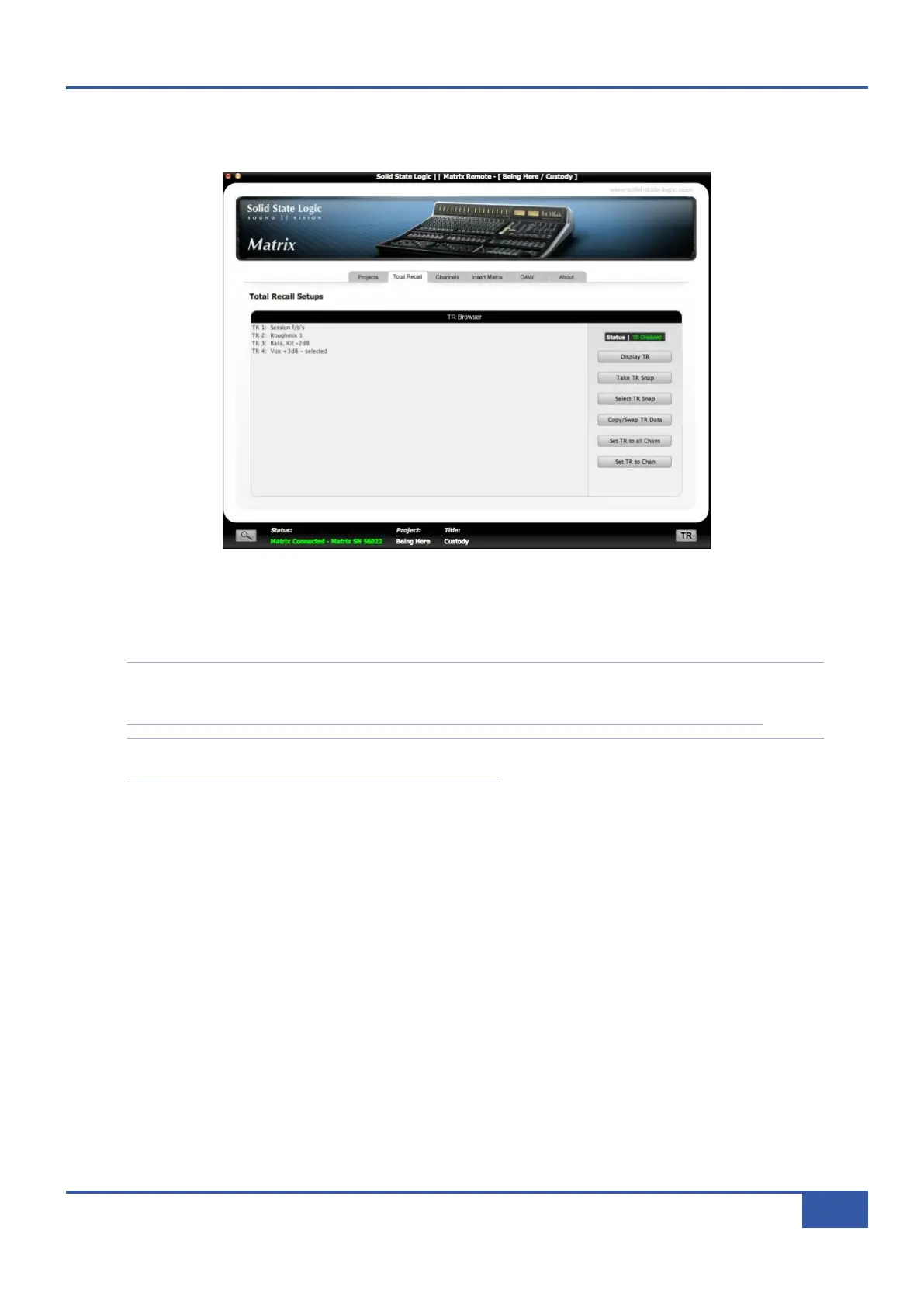
The Total Recall tab is the second tab from the left in the Matrix Remote:
This tab controls the Matrix Total Recall function, which allows you to store and recall Matrix settings used in the Current Title.
All of the settings on the desk which you are likely to need to remember are stored as part of the Total Recall snapshot, as listed
on Page 56.
Note that the settings of any X-Racks which are connected to Matrix are also included in the Total Recall function. For
X-Racks running software version 1.2/4 or below, up to 4 X-Racks can be included. For X-Racks running software version
1.3/0 or above, up to 6 X-Racks can be included. See your X-Rack manual for details of X-Rack Total Recall.
A number of the TR functions described over the following pages can be accessed directly from the Matrix console using
the TR menu in the SSL soft keys. See Page 44 for more details.
T
T
a
a
k
k
i
i
n
n
g
g
a
a
T
T
R
R
S
S
n
n
a
a
p
p
s
s
h
h
o
o
t
t
To take a snapshot of the desk’s settings, press the Take TR Snap button located to the right of the window. The snapshot
will then appear in the current Title’s snapshot list in the centre of the Total Recall window, as well as in the Total Recall
folder in the Projects tab.
It is also possible to take a snapshot directly from the Matrix front panel via the
TTRR
set of SSL soft keys – see
Page 44.
N
N
a
a
m
m
i
i
n
n
g
g
a
a
T
T
R
R
S
S
n
n
a
a
p
p
s
s
h
h
o
o
t
t
Snapshots are named ‘TR n’ where ‘n’ is the lowest unused TR number within that Title However, you can edit this name by
right clicking (Mac: ctrl+click) on the required snapshot and selecting Rename from the drop-down menu. Type the name in the
New Name pop-up which appears, and press OK. Note that the snapshot number will be retained at the front of the snapshot
name.
D
D
e
e
l
l
e
e
t
t
i
i
n
n
g
g
a
a
T
T
R
R
S
S
n
n
a
a
p
p
s
s
h
h
o
o
t
t
To delete a snapshot, right click (Mac: ctrl+click) on the required TR and select Delete from the drop-down menu. Press OK
in the warning pop-up which appears.
Chapter 4 - Matrix Remote
53
Matrix Owner’s Manual



 To Next Page