S
S
T
T
E
E
P
P
2
2
:
:
Routing to the Main Busses
Having brought signal into the channel, we will now learn how to bring it out again. We will cover more of the channel output
options in Steps 4 and 7.
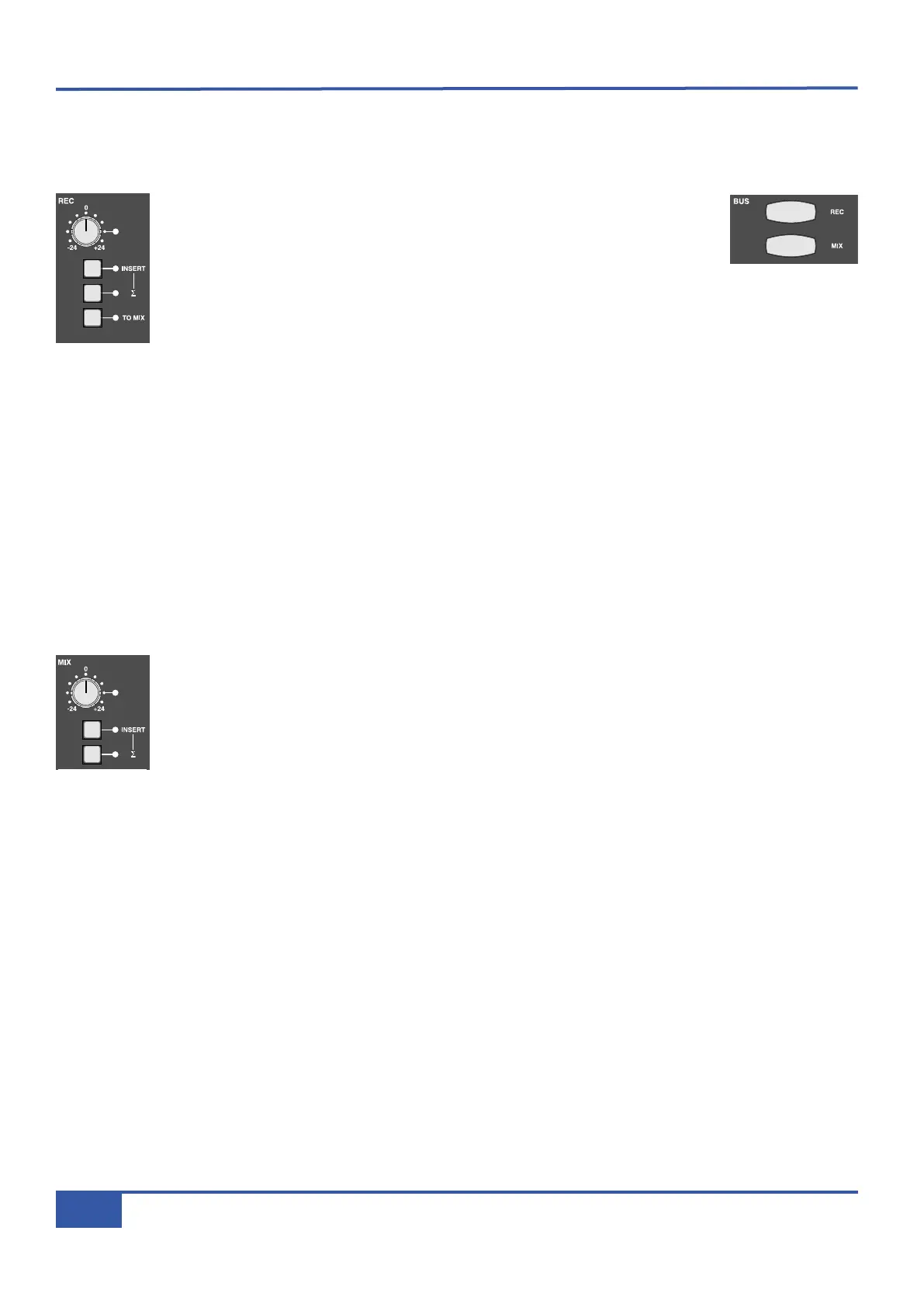
® Press the REC button in the BUS area towards the bottom of the Master Channel.
This routes the signal to the record bus. The button will light red to indicate that
this routing is active. Your CD signal should now be shown in the REC meter, to
the right of the VU’s above the centre section.
® Adjust the level of the record bus using the grey gain pot in the main REC bus controls, located in the top-
right of the centre section (shown left).
There are two ways to route the signal to both record and mix busses:
Firstly we will route just this channel to both busses:
® Press the MIX button, below the REC button in the Master Channel. It will light yellow to indicate that this routing is active.
Your CD signal should now be shown in the MIX meter, to the right of the VU’s above the centre section.
Secondly, we will route the whole record bus to the mix bus:
® So as not to double the routing, deselect the mix bus routing from the channel by pressing MIX again.
® In the REC area of the centre section, press the TO MIX button. The LED next to it will light to indicate that this routing
is active.
The mix bus level is adjusted in two places:
® Lift the master fader, to the right of the channel faders, to 0dB.
® Turn the gain pot in the main MIX bus controls, located to the left of the REC bus controls. In order to
distinguish the mix bus from the record bus in the following step, leave the mix bus level about 20dB lower
than the record bus level.
iJack iJack
CUT
DIM
i
n
22
62 811
0
0
1
1
2
2
3
3
4
4
5
5
6
6
10
20
30
40
50
5
0
5
10
10
20
30
40
50
5
0
5
10
10
20
30
40
50
5
0
5
10
10
20
30
40
50
5
0
5
10
10
20
30
40
50
5
0
5
10
10
20
30
40
50
5
0
5
10
10
20
30
40
50
5
0
5
10
10
20
30
40
50
5
0
5
10
10
20
30
40
50
5
0
5
10
10
20
30
40
50
5
0
5
10
10
20
30
40
50
5
0
5
10
10
20
30
40
50
5
0
5
10
10
20
30
40
50
5
0
5
10
10
20
30
40
50
5
0
5
10
10
20
30
40
50
5
0
5
10
10
20
30
40
50
5
0
5
10
9 10 11 12 13 14 15 161234 567 8
1234
5678
23456781 10 11 12 13 14 15 169 MASTER/FOCUS
REC
MON SOLO
MIX
LEFT
RIGHT
REC
MON SOLO
MIX
SolidStateLogic Matrix
STEF19/05/08
in 2 2
62 811
CUTDIM
ARTIST
20
30
40
50
60
15
10
5
0
10
20
30
40
50
5
0
5
10
ARTIST
t2::TProjec itle
Me etrs
Mon
Auto T
R IP MiscBass
t2:: tprojec i ttl e
metersmonautotripmisc
iJack iJack
CUT
DIM
i
n
22
62 811
0
0
1
1
2
2
3
3
4
4
5
5
6
6
10
20
30
40
50
5
0
5
10
10
20
30
40
50
5
0
5
10
10
20
30
40
50
5
0
5
10
10
20
30
40
50
5
0
5
10
10
20
30
40
50
5
0
5
10
10
20
30
40
50
5
0
5
10
10
20
30
40
50
5
0
5
10
10
20
30
40
50
5
0
5
10
10
20
30
40
50
5
0
5
10
10
20
30
40
50
5
0
5
10
10
20
30
40
50
5
0
5
10
10
20
30
40
50
5
0
5
10
10
20
30
40
50
5
0
5
10
10
20
30
40
50
5
0
5
10
10
20
30
40
50
5
0
5
10
10
20
30
40
50
5
0
5
10
9 10 11 12 13 14 15 161234 567 8
1
234
5678
23456781 10 11 12 13 14 15 169 MASTER/FOCUS
REC
MON SOLO
MIX
L
EFT
RIGHT
R
EC
M
ON SOLO
MIX
SolidStateLogic Matrix
STEF19/05/08
in 2 2
62 811
CUTDIM
ARTIST
20
30
40
50
60
15
10
5
0
10
20
30
40
50
5
0
5
10
ARTIST
t2::TProjec itle
Me etrs
Mon
Auto T
R IP MiscBass
t2:: tprojec i ttl e
metersmonautotripmisc
iJack iJack
CUT
DIM
i
n
22
62 811
0
0
1
1
2
2
3
3
4
4
5
5
6
6
10
20
30
40
50
5
0
5
10
10
20
30
40
50
5
0
5
10
10
20
30
40
50
5
0
5
10
10
20
30
40
50
5
0
5
10
10
20
30
40
50
5
0
5
10
10
20
30
40
50
5
0
5
10
10
20
30
40
50
5
0
5
10
10
20
30
40
50
5
0
5
10
10
20
30
40
50
5
0
5
10
10
20
30
40
50
5
0
5
10
10
20
30
40
50
5
0
5
10
10
20
30
40
50
5
0
5
10
10
20
30
40
50
5
0
5
10
10
20
30
40
50
5
0
5
10
10
20
30
40
50
5
0
5
10
10
20
30
40
50
5
0
5
10
9 10 11 12 13 14 15 161234 567 8
1
234
5678
23456781 10 11 12 13 14 15 169 MASTER/FOCUS
REC
MON SOLO
MIX
LEFT
RIGHT
R
EC
M
ON SOLO
MIX
SolidStateLogic Matrix
STEF19/05/08
in 2 2
62 811
CUTDIM
ARTIST
20
30
40
50
60
15
10
5
0
10
20
30
40
50
5
0
5
10
ARTIST
t2::TProjec itle
Me etrs
Mon
Auto T
R IP MiscBass
t
2: : tprojec i ttl e
m
etersmonautotripmisc
Chapter 2 - Getting Started
18
Matrix Owner’s Manual



 To Next Page