D
D
A
A
W
W
L
L
a
a
y
y
e
e
r
r
C
C
o
o
n
n
f
f
i
i
g
g
u
u
r
r
a
a
t
t
i
i
o
o
n
n
Matrix can connect to up to four DAWs and software MIDI devices, though only one program can be controlled from the Matrix
control surface at one time. In order to cater for setups which include multiple programs, each can be assigned its own Matrix
‘layer’. Control operations performed on the Matrix control surface will then affect whichever program is assigned to the currently
selected layer.
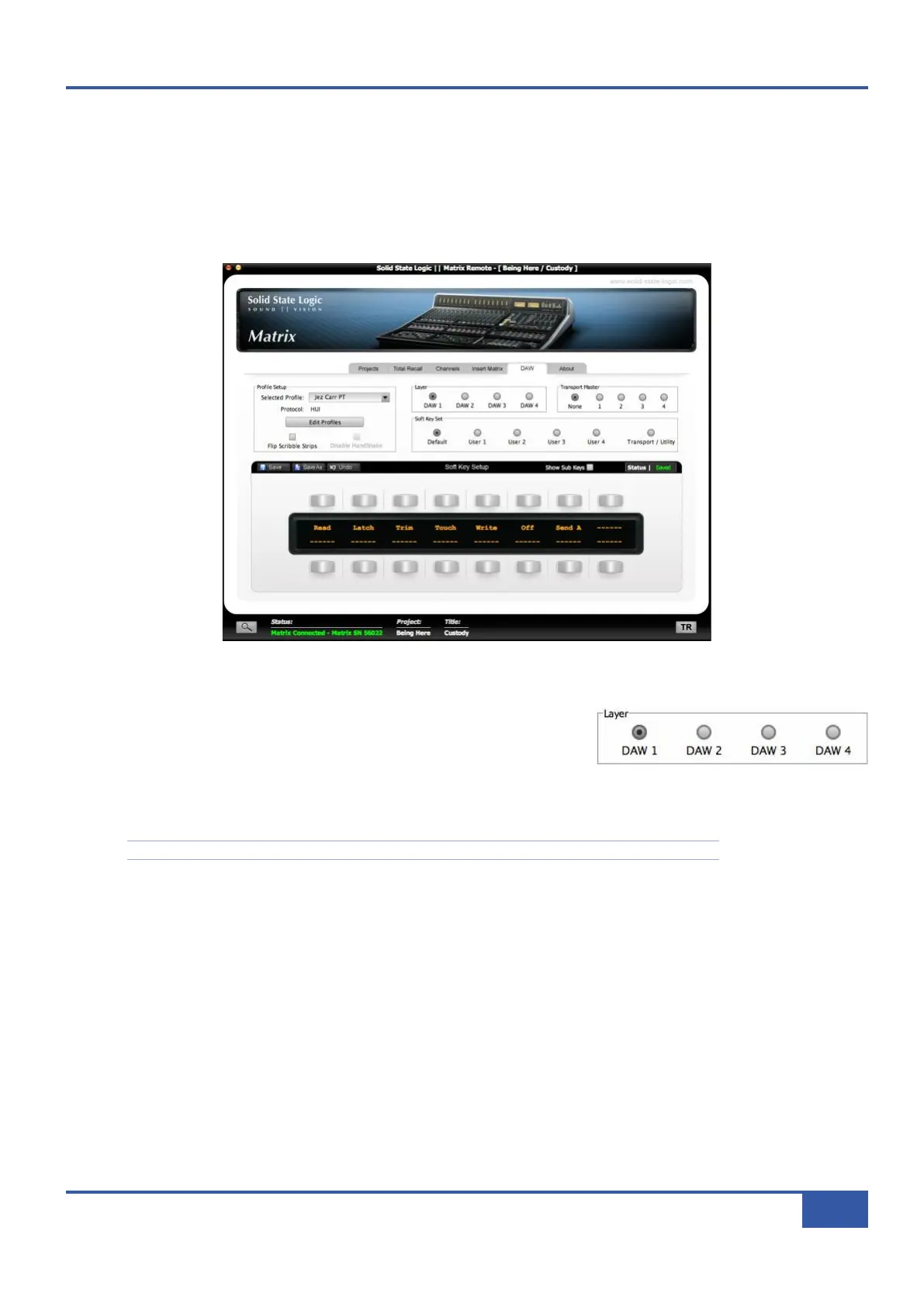
Layers are programmed in the DAW tab in the Matrix Remote:
Matrix Remote Layer Selection
The layer being configured in Matrix Remote is selected via the DAW tab’s Layer
radio buttons, located in the middle of the tab towards the top. All other functions
in this tab, with the exception of the Transport Master selection, are specific to
the selected layer.
® First, decide which DAW or MIDI device will be assigned to which layer.
Note that you can always review your layer assignments; This need not be a permanent configuration.
® Next, assign an appropriate Profile to each of the layers to be used. A Profile defines which control protocol (HUI, MCU or
CC - See Chapters 5 and 6 for more details) is used to control the DAW or MIDI device, and also includes up to five sets
of soft keys for a specific DAW program. There are four pre-loaded default Profiles on Matrix:
- A HUI Profile configured for Pro Tools
- An MCU Profile configured for Logic
- An MCU Profile configured for Nuendo/Cubase
- A CC (MIDI Continuous Controller) Profile for MIDI devices.
Chapter 1 - Setup
11
Matrix Owner’s Manual



 To Next Page