A
A
s
s
s
s
i
i
g
g
n
n
i
i
n
n
g
g
D
D
A
A
W
W
L
L
a
a
y
y
e
e
r
r
s
s
S
S
e
e
l
l
e
e
c
c
t
t
i
i
n
n
g
g
P
P
r
r
o
o
f
f
i
i
l
l
e
e
s
s
I
n order to use a DAW layer, you must first load a Profile onto it.
A Profile defines which control protocol (HUI, MCU or CC) is used to control the DAW or MIDI device, and also includes its
own five sets of soft keys set up for a specific DAW program. There are four
default Profiles supplied with Matrix
:
- A HUI Profile configured for Pro Tools,
- An MCU Profile configured for Logic,
- An MCU Profile configured for
Nuendo/Cubase,
- A Continuous Controller (CC) Profile for use with MIDI devices.
These Profiles provide starting points for the creation of more personalised Profiles. They include only basic soft key assignments,
allowing plenty of space for the user to configure their own Profiles. Profiles for other DAW packages can also be created from
the default Profiles, using the Pro Tools default Profile for DAWs that support the HUI interface, and the Logic default Profile
for DAWs that conform to the MCU protocol. Note that the default Profiles themselves cannot be edited. Profiles are
personalised by creating default Profile copies which can then be edited, as described on the following pages.
The soft key assignments included in the default Profiles are described on Pages 71 to 77 and the full list of functions
available within each protocol can be found in Appendix A.
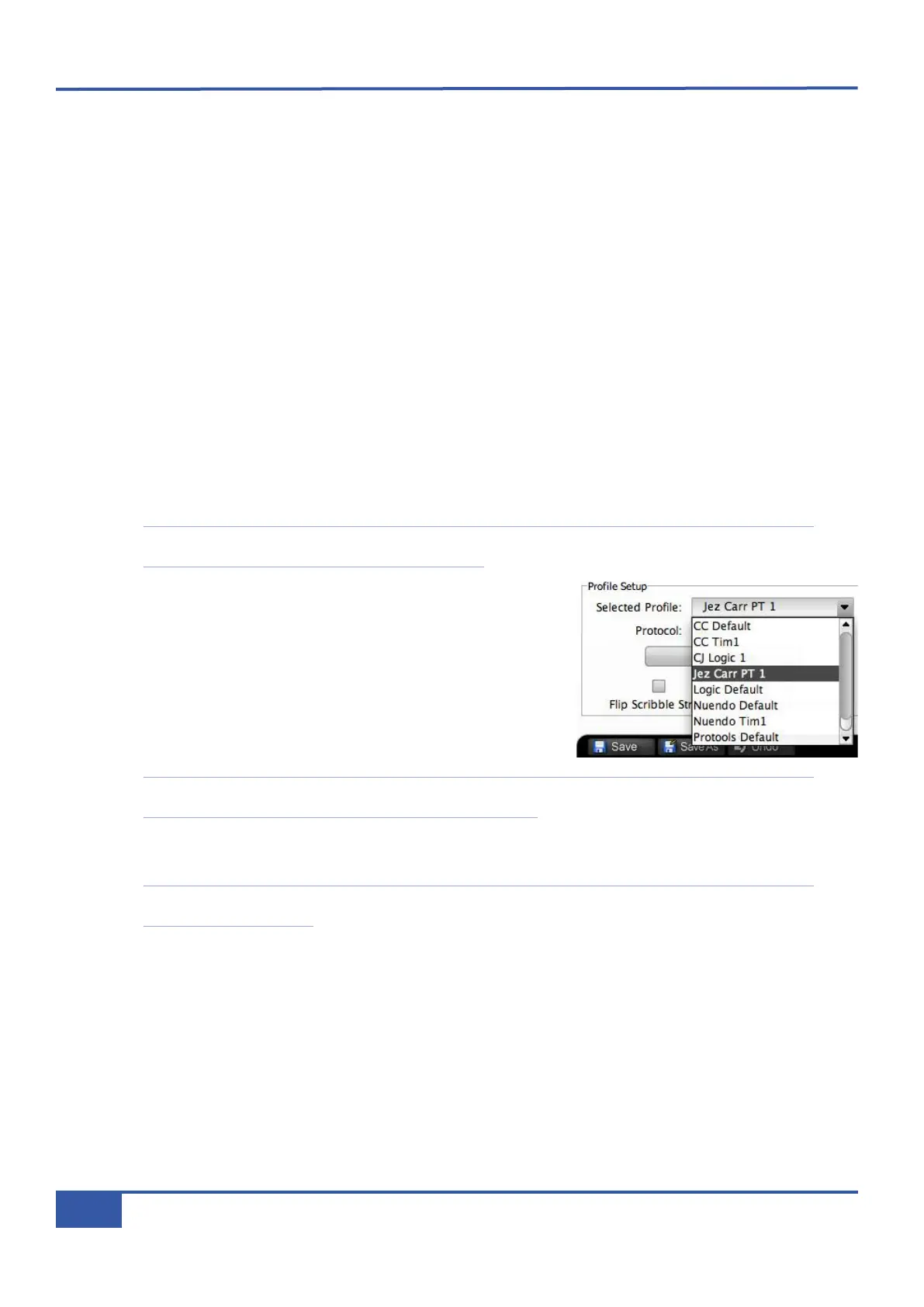
Profiles are selected and managed using the Profile Setup area, found in the top
left corner of the DAW tab. The four default Profiles are listed in the drop-down
Selected Profile menu, along with any derivatives of them which you have
created (see below). By default, Matrix layers contain no preassigned Profiles.
The user must therefore select a Profile before the system can control a DAW.
If the Profile you select uses a different protocol than that currently assigned to
the layer selected in the Remote, or if the layer previously contained no Profile,
a pop-up will appear asking you to restart the Matrix console. Press OK.
Note that further Profile selections can be made before performing this restart. However, a number of functions
within the DAW tab will be locked out until the restart it complete.
Once all the necessary Profiles having been assigned to the required layers, cycle the power to the Matrix console to perform
the restart.
Note that, depending on the complexity of your setup, you may need to re-find Matrix in the Remote after the restart.
This is described on Page 10.
In order to cater for variations in the ways MCU DAWs return channel data to the digital scribble strip, there is a Flip Scribble
Strips box in the DAW tab of the Matrix Remote, located to the right of the Edit Profiles button. This switches the two rows
of the scribble strip, allowing Nuendo labelling to follow the Logic format. Flip Scribble Strips is enabled for the Nuendo
default Profile and disabled for the Logic default Profile. For other MCU DAWs, the labelling format described in control surface
documentation will enable you to ascertain whether or not to activate this function.
Chapter 6 - DAW and CC Configuration
80
Matrix Owner’s Manual



 To Next Page