N
N
a
a
v
v
i
i
g
g
a
a
t
t
i
i
n
n
g
g
t
t
h
h
e
e
P
P
r
r
o
o
j
j
e
e
c
c
t
t
s
s
L
L
i
i
s
s
t
t
Folder contents are listed in order of creation, with the newest folder or file at the bottom of its parent folder. Double-clicking
on a folder expands it to reveal the sub-folders within it, as does clicking on the sign in front of the folder. Similarly, double-
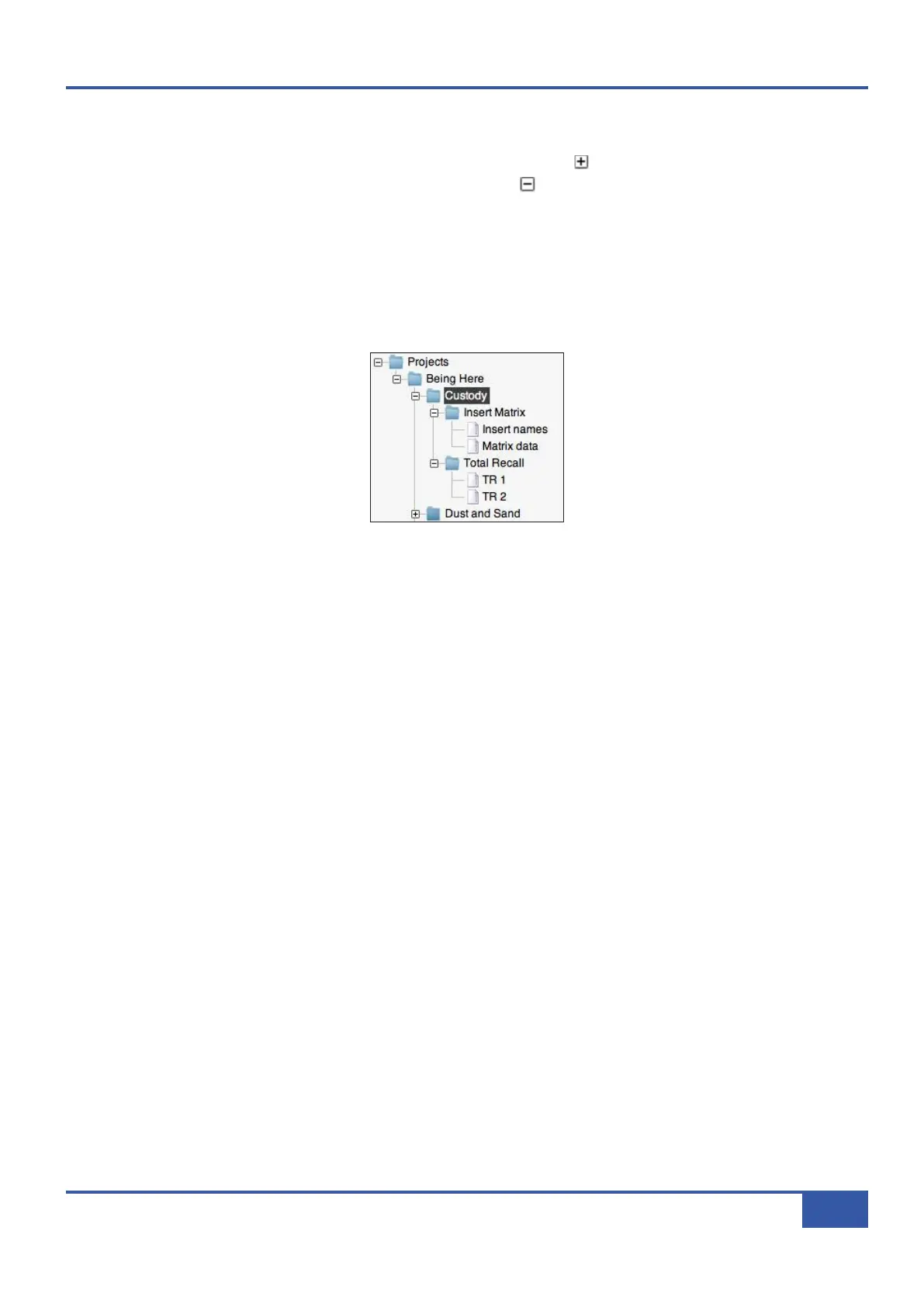
clicking on an expanded folder collapses it again, as does clicking on the sign. The folder architecture is as follows:
- The main Projects folder contains the folders for all the Projects;
- The individual Project folders contain all their Title folders;
- The Title folders contain (along with the unseen channel name file) the Insert Matrix and Total Recall folders.
- The Insert Matrix folder contains two files: Matrix data (the routing matrix you have created) and the Insert names
(the insert names you have created) (see Page 59). The Total Recall folder contains all your TR snapshots (see Page 53):
Title folders can be moved into other Project folders by dragging them onto the name of the Project to which you wish to move
them. Press OK in the Confirm Copy pop-up which appears and a copy of the Title will appear in the new folder which will
then be automatically renamed ‘Title n’ where ‘n’ is the lowest unused Title number in the new folder. Similarly, all Total
Recall files can be dragged and dropped into the Total Recall folders of other Titles, in which case they are automatically
renamed ‘TR n’ where ‘n’ is the lowest unused TR number in the Total Recall folder.
Chapter 4 - Matrix Remote
49
Matrix Owner’s Manual



 To Next Page