i
i
p
p
M
M
I
I
D
D
I
I
C
C
o
o
n
n
f
f
i
i
g
g
u
u
r
r
a
a
t
t
i
i
o
o
n
n
Matrix has 20 MIDI ports which are pre-assigned as follows:
Note: The above list is from the perspective of Matrix, and the send and receive ports will therefore be reversed from the
point of view of the DAW. Port 18 is concerned with automation, not layer configuration. It is described on Page 45.
If you have not already done so, please install the ipMIDI software before continuing. This software enables your DAW to send
and receive MIDI control data via the network connection, and must be configured to match the appropriate layer in the list above.
This is done using the MIDI Controller configuration page of your DAW. Below are two examples using Pro Tools 7 and Logic
Pro 8:
Pro Tools 7
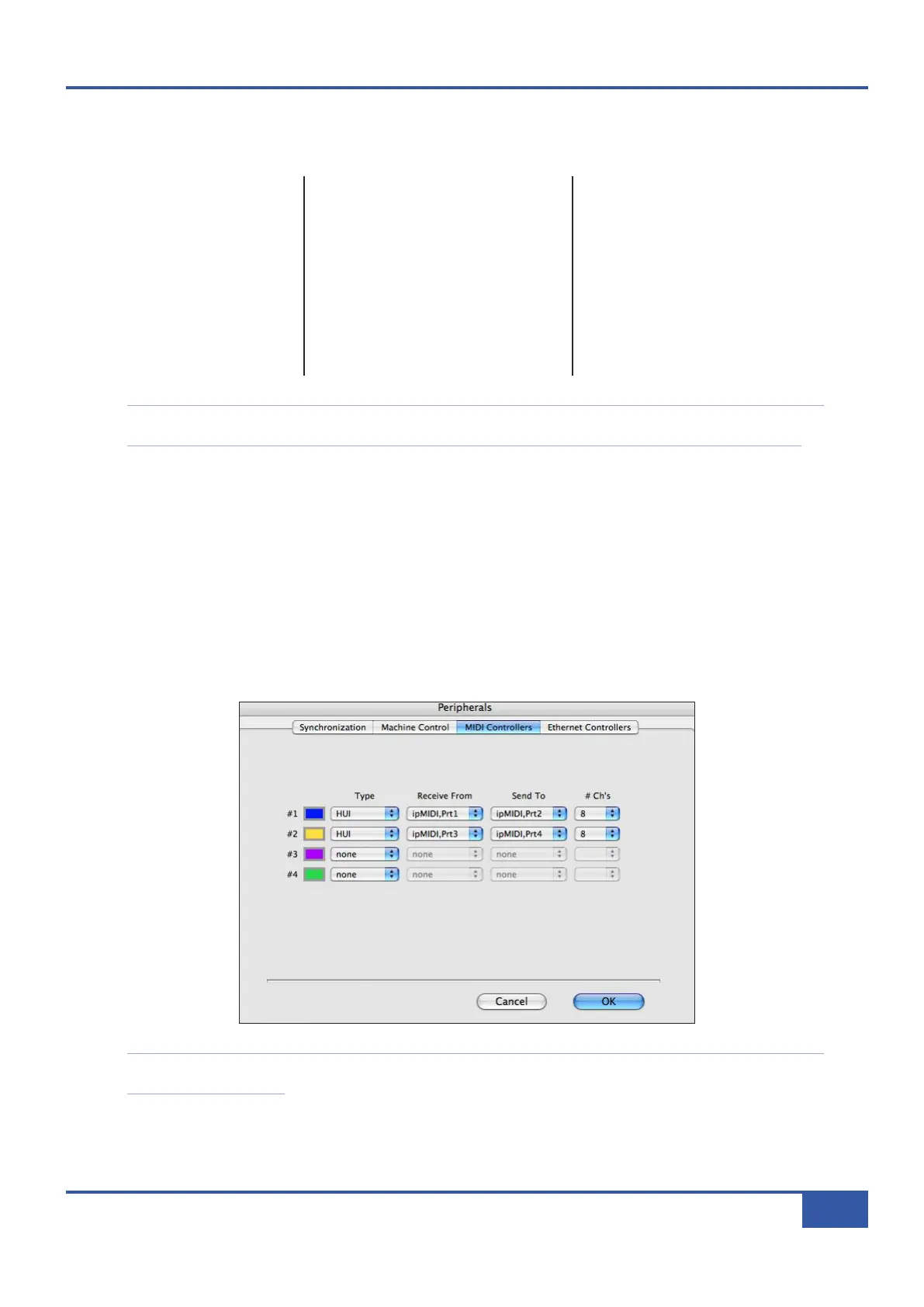
® In the Setup menu, click on Peripherals and select the MIDI Controllers tab.
® Using MIDI controllers 1 and 2, select HUI as the MIDI controller Type and assign the MIDI ports for this layer’s DAW to
the two MIDI controllers, as listed in the table above. If Pro Tools has been assigned to Layer 1, the MIDI Controllers
window should look like this:
Note that CC layers only use the first send MIDI port in their layer, and do not require either receive ports. All CC data
is sent on MIDI Channel 1.
Port Layer Assignment
1
1 Send 1-8
21Receive 1-8
31Send 9-16
41Receive 9-16
52Send 1-8
6 2 Receive 1-8
72Send 9-16
82Receive 9-16
Port Layer Assignment
9
3 Send 1-8
10 3 Receive 1-8
11 3 Send 9-16
12 3 Receive 9-16
13 4 Send 1-8
14 4 Receive 1-8
15 4 Send 9-16
16 4 Receive 9-16
Port Layer Assignment
1
7 - Unassigned
18 - Automation Return
19 - Unassigned
20 - Unassigned
Chapter 1 - Setup
13
Matrix Owner’s Manual



 To Next Page