Logic Pro 8
When a Logic profile is assigned to a Matrix DAW layer, in order for Matrix to control Logic, a Mackie Control together with a
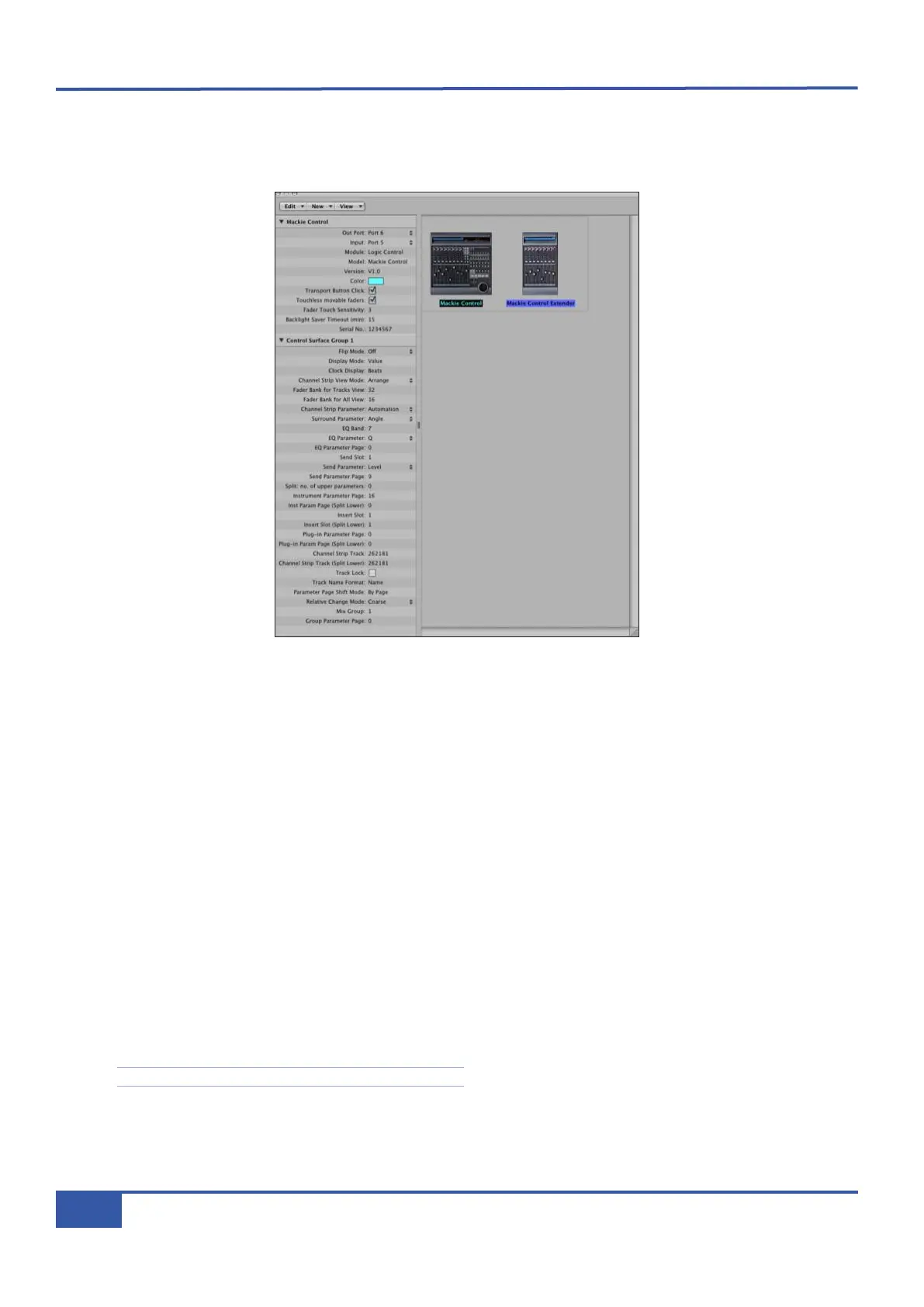
Mackie Control Extender must be added to the Logic Pro Preferences/Control Surfaces Setup menu as shown below:
Matrix Faders 1- 8 are mapped to the Mackie Control ports along with the Master Fader and DAW Control function switches.
Matrix Faders 9 -16 are mapped to the Mackie Control Extender ports. The actual ipMIDI ports used will depend on which layer
(or layers) have Logic profile(s) assigned. (See Page 13 for a list of Matrix’s MIDI port assignments.)
It is essential that the layout shown above is followed. If the physical arrangement is reversed, then the Matrix faders will not map
correctly to the on-screen faders in Logic.
If Logic is the only DAW connected to Matrix, then provided that there is only one DAW layer set up with an MCU based
profile, Logic should automatically detect the two virtual controllers which will be shown in the Logic Setup menu (as shown
above), with the appropriate Matrix ipMIDI ports assigned. If Logic fails to detect the control surfaces, then the controllers can
be added manually via the New/Install menu and the appropriate MIDI Out port and Input assigned. Full details can be found
in the online Logic Pro 8 Control Surfaces Support guide in the Logic Help Menu.
If Matrix is set up with multiple MCU profiles in the DAW layers, then the automatic detection option must be disabled and the
controllers added and configured manually. Check the Disable Handshake box in the DAW tab in Matrix Remote (located
below the Edit Profiles button) for all the DAW layers assigned to a MCU Profile prior to opening the Logic application. This
will prevent Logic automatically detecting multiple Mackie Control Units.
For other DAWs, please refer to the program’s manual for details about configuring MIDI controllers.
See Chapter 6 for a description of the Remote’s DAW tab.
Chapter 1 - Setup
14
Matrix Owner’s Manual



 To Next Page