P
P
r
r
o
o
g
g
r
r
a
a
m
m
m
m
i
i
n
n
g
g
S
S
o
o
f
f
t
t
K
K
e
e
y
y
s
s
S
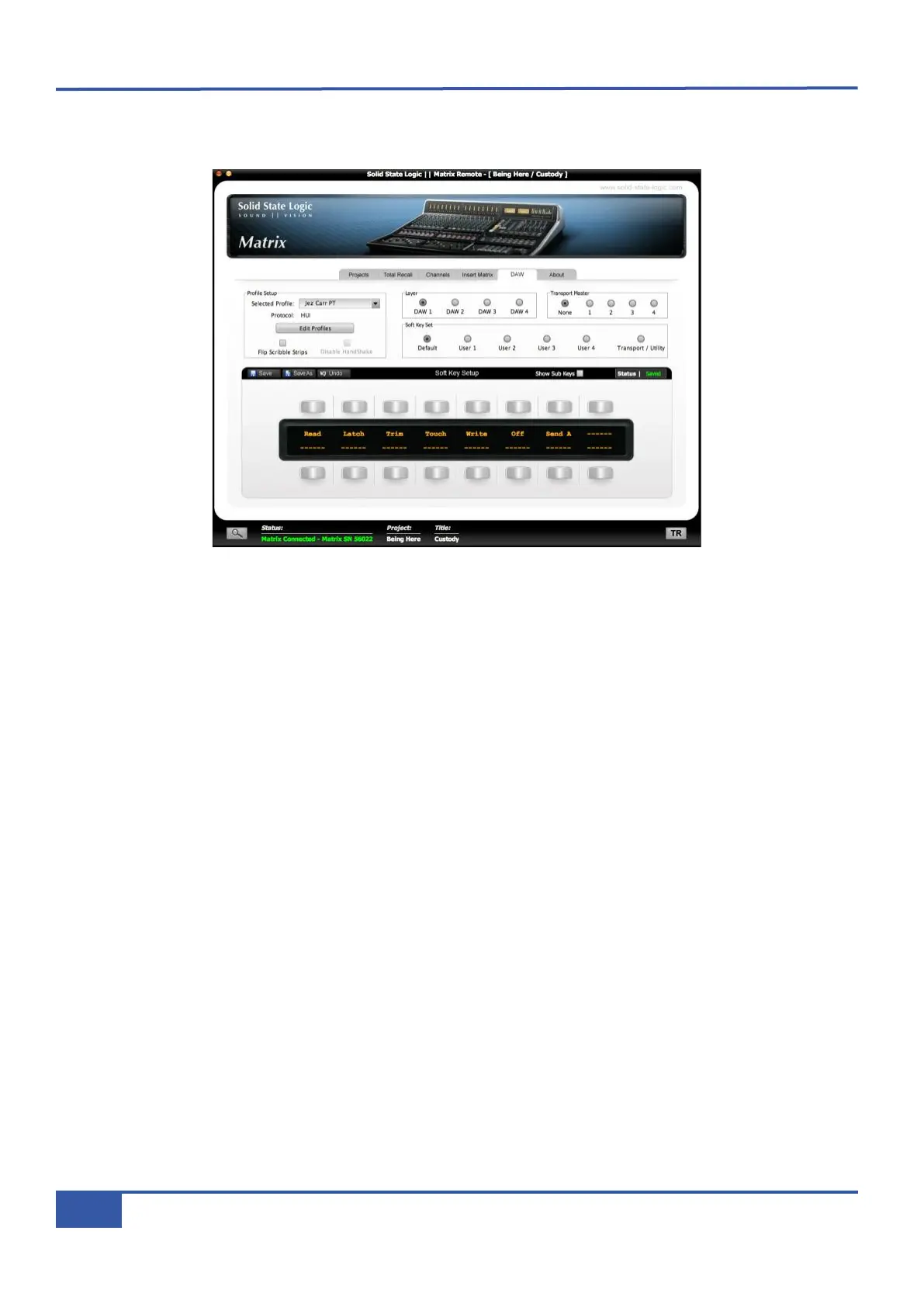
oft keys are programmed from the DAW tab in the Matrix Remote:
Across the middle of the DAW tab’s window is a row of radio buttons marked Soft Key Set. These buttons select which set
of soft keys is present in the lower part of the window for editing. The five normal soft key sets, Default and User 1 to User
4, are all edited in exactly the same way within the DAW tab. The Transport/Utility set functions slightly differently and will
be dealt with on Page 89.
Below this row of buttons is a representation of the soft keys section of the Matrix control surface called Soft Key Setup,
showing the 16 buttons and the central display, with current assignments indicated in the display. Six dashes in the display indicate
that the button is currently unassigned within this soft key set.
In the left-hand top corner of the Soft Key Setup area are the Save, Save As and Undo buttons, and towards the right-hand
top corner are the Show Sub Keys box (see Page 87) and saved data Status indicator. The Status indicator shows whether
or not there are unsaved changes within the present soft key set. Assignments must be saved using the Save or Save As button
in order for them to become active on the Matrix control surface. Unsaved changes can also be cancelled using the Undo button.
Switching between soft key sets will lose any unsaved changes, and a pop-up window will appear, offering the option of Save and
continue or Cancel the set switch.
Soft key assignments only appear in the Matrix soft keys once they have been saved.
Chapter 6 - DAW and CC Configuration
84
Matrix Owner’s Manual



 To Next Page