CChhaapptteerr 66 ––
DAW and CC Configuration
I
n this chapter, we will examine how the default DAW Profiles covered in Chapters 1 and 5 can be customised,
f
ocussing on the
configuration of the four DAW control layers and associated soft keys
. We will also cover the configuration of CC (Continuos
Controller) layers for the control of MIDI devices. Layers and soft key assignments for both DAW and CC layers are stored on
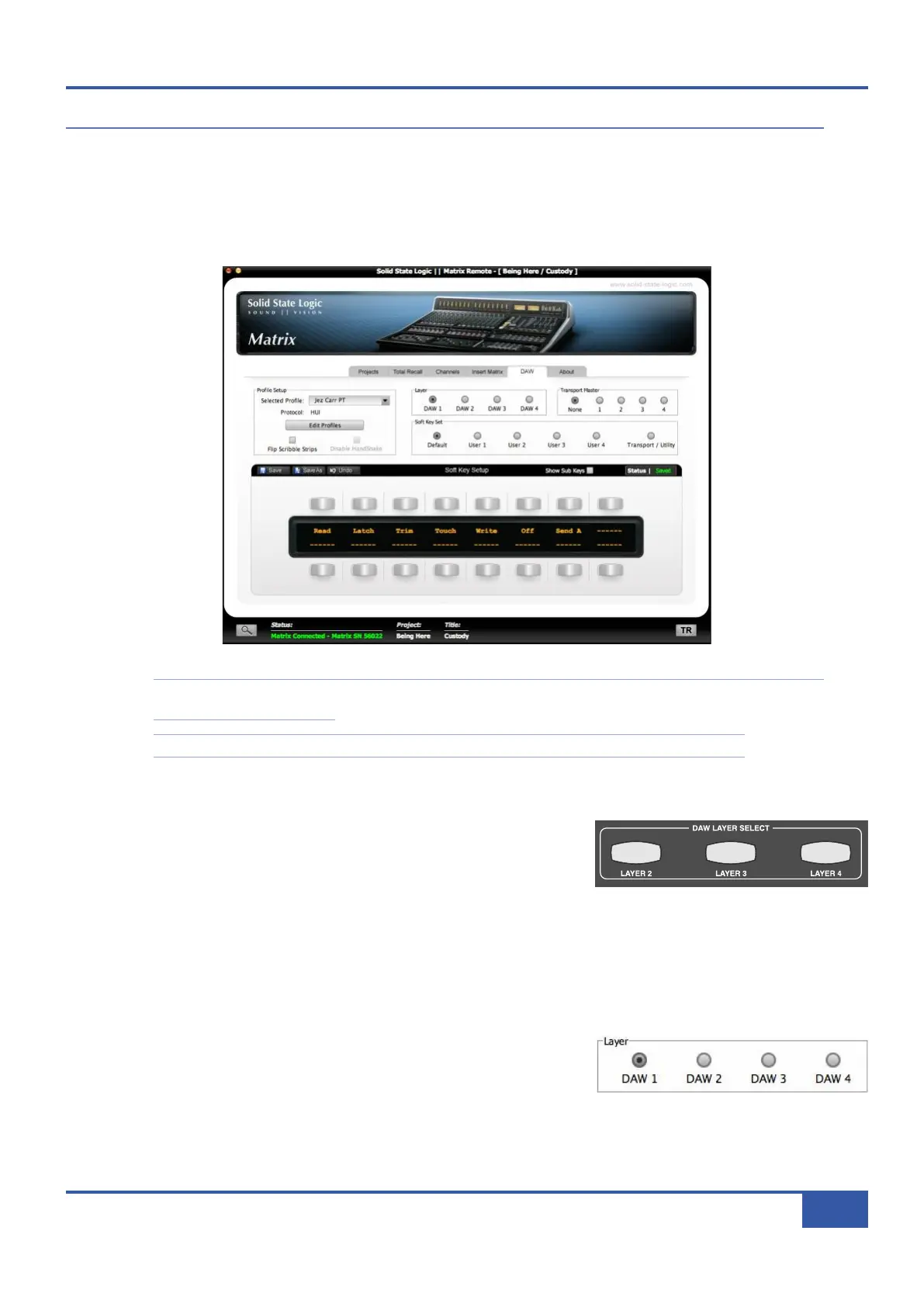
the SD memory card in the rear of the console, and are configured in the DAW tab in the Matrix Remote:
Note that the programming described in this chapter is part of the global configuration of Matrix and is therefore
not stored within specific Titles.
Note also that instructions for the initial configuration of your DAW layers can be found in Chapter 1.
M
M
a
a
t
t
r
r
i
i
x
x
C
C
o
o
n
n
s
s
o
o
l
l
e
e
L
L
a
a
y
y
e
e
r
r
S
S
e
e
l
l
e
e
c
c
t
t
i
i
o
o
n
n
The layers are defined and configured in the Matrix Remote’s DAW tab, as
described below. However, selecting a layer in the Remote does not select that
layer on Matrix console. The layer which is being controlled from the Matrix
console can then be selected using the DAW LAYER SELECT buttons, located
in the Matrix centre section, below the digital scribble strip (shown right). The selected button lights to indicate that it is active.
Layer 1 is active when none of the buttons is lit. If you wish to use Layer 1 and another layer is selected, press the lit button to
return to Layer 1.
M
M
a
a
t
t
r
r
i
i
x
x
R
R
e
e
m
m
o
o
t
t
e
e
L
L
a
a
y
y
e
e
r
r
S
S
e
e
l
l
e
e
c
c
t
t
i
i
o
o
n
n
The layer being configured in Matrix Remote is selected via the DAW tab’s Layer
radio buttons, located in the middle of the tab towards to top. All other functions
in this tab, with the exception of the Transport Master selection, are specific to
the selected layer.
iJack iJack
CUT
D
IM
i
n
22
62 811
0
0
1
1
2
2
3
3
4
4
5
5
6
6
10
20
30
40
50
5
0
5
10
10
20
30
40
50
5
0
5
10
10
20
30
40
50
5
0
5
10
10
20
30
40
50
5
0
5
10
10
20
30
40
50
5
0
5
10
10
20
30
40
50
5
0
5
10
10
20
30
40
50
5
0
5
10
10
20
30
40
50
5
0
5
10
10
20
30
40
50
5
0
5
10
10
20
30
40
50
5
0
5
10
10
20
30
40
50
5
0
5
10
10
20
30
40
50
5
0
5
10
10
20
30
40
50
5
0
5
10
10
20
30
40
50
5
0
5
10
10
20
30
40
50
5
0
5
10
10
20
30
40
50
5
0
5
10
9 10 11 12 13 14 15 161234 567 8
1234
5678
23456781 10 11 12 13 14 15 169 MASTER/FOCUS
REC
MON SOLO
MIX
LEFT
RIGHT
REC
MON SOLO
MIX
SolidStateLogic Matrix
STEF19/05/08
in 2 2
62 811
CUTDIM
ARTIST
20
30
40
50
60
15
10
5
0
10
20
30
40
50
5
0
5
10
ARTIST
t2::TProjec itle
Me etrs
Mon
Auto T
R IP MiscBass
t2:: tprojec i ttl e
metersmonautotripmisc
Chapter 6 - DAW and CC Configuration
79
Matrix Owner’s Manual



 To Next Page