⌘
Matrix Owner’s Manual
70
Chapter 5 - DAW Control
U
U
t
t
i
i
l
l
i
i
t
t
y
y
B
B
u
u
t
t
t
t
o
o
n
n
s
s
Above the transport controls, there are another two rows of five buttons:
T
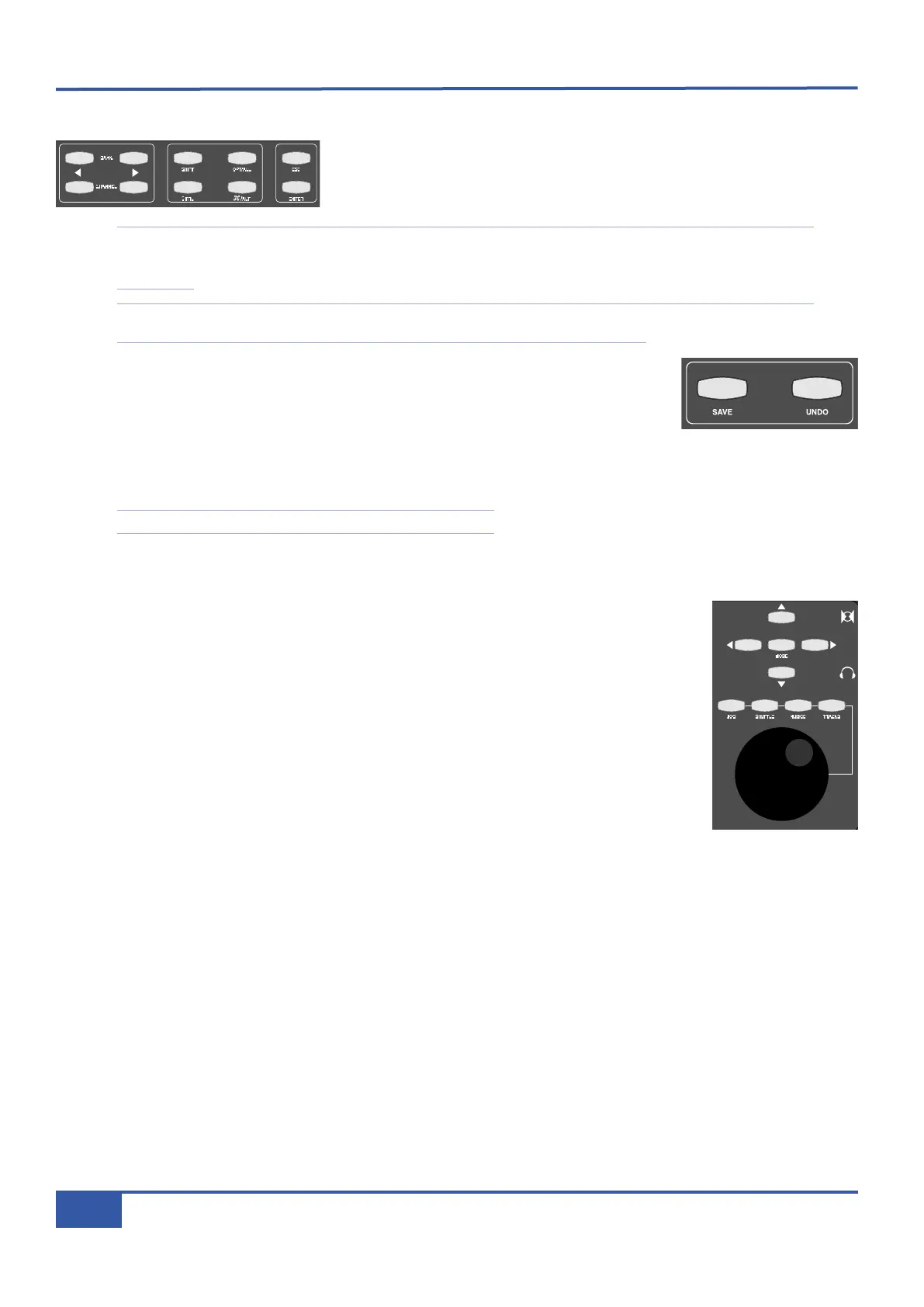
he BANK cursors cycle through the tracks in the DAW session 16 at a time. The
CHANNEL cursors cycle through the tracks in the DAW session one at a time.
Note that when using Logic, the tracks in the session may not appear on Matrix in the order that they are displayed in
t
he ARRANGE WINDOW unless the ARRANGE Channel Strip View mode is selected in the Logic control surface
set up menu.
Note that the DAW analogue inputs to Matrix are fixed. Cycling through the DAW tracks will therefore result in any
physical alignment of the tracks in the DAW and the analogue returns to Matrix to be lost.
The Modifier keys (SHIFT, CTRL, OPT/ALL and
⌘⌘
/ALT) as well as the ESC and ENTER keys
are protocol-specific and are shown on the front panel with their default HUI labels. In addition
to these buttons there are two further utility buttons, SAVE and UNDO, located to the right of
the main session counter. These simply replicate the DAW Save and Undo functions.
The functions assigned to these keys in the Pro Tools, Logic and Nuendo/Cubase default Profiles are listed in the function map
in Appendix A and can be changed using the DAW Profile tab in the Matrix Remote.
Note that some of these keys will not function with some DAWs.
N
N
a
a
v
v
i
i
g
g
a
a
t
t
i
i
o
o
n
n
C
C
o
o
n
n
t
t
r
r
o
o
l
l
s
s
Matrix’s navigation controls can be used to navigate around the DAW
session and to enable additional
transport monitoring functions such as Scrub and Shuttle (HUI only)
. They consist of the large navigation
wheel in the bottom right hand corner of the console with four mode buttons above it, and the five
buttons above them known as Cursor keys, comprising four directional keys and a central MODE
selector.
The navigation wheel performs a number of different functions, depending on which mode has been
selected using the four mode buttons above the wheel.
For DAW’s controlled via the MCU protocol, the default mode of operation for the wheel is to
scroll the timeline through the session. JOG mode selects the MCU SCRUB mode to audibly
monitor tracks by ‘scrubbing’ them in the timeline. TRACKS re-assigns the wheel to scroll the
Matrix faders through all the tracks in the session. It is provided as an alternative to the utility
BANK and CHANNEL keys (see above). SHUTTLE and NUDGE are not supported.
When controlling Pro Tools, with no Mode selected, the Wheel will also scroll through the session timeline with a resolution
and speed derived from the Timeline display format in use. Selecting NUDGE allows timeline control using the current ‘nudge’
value and can also be used to nudge a selected clip(s). JOG and SHUTTLE engage the corresponding Pro Tools functions as
detailed in the Pro Tools Control Surfaces manual. However please note that a number of Pro Tools functions are disabled when
either JOG or SHUTTLE are active. To exit a mode, either deselect the function or press the transport Stop key. TRACKS
re-assigns the wheel to scroll the Matrix faders through all the tracks in the session. It is provided as an alternative to the utility
BANK and CHANNEL keys.
The Cursor keys perform a number of DAW specific operations in conjunction with the MODE key located in the centre of
the Cursor key group. Note that MODE function is a single level control in the MCU protocol and has two levels of operation
in the HUI protocol, indicated by the MODE button being lit steady-state or flashing.
i
Jack iJack
CUT
D
IM
i
n
22
62 811
0
0
1
1
2
2
3
3
4
4
5
5
6
6
10
20
3
0
40
50
5
0
5
10
10
20
3
0
40
50
5
0
5
10
10
20
3
0
40
50
5
0
5
10
10
20
3
0
40
50
5
0
5
10
10
20
3
0
40
50
5
0
5
10
10
20
3
0
40
50
5
0
5
10
10
20
3
0
40
50
5
0
5
10
10
20
3
0
40
50
5
0
5
10
10
20
3
0
40
50
5
0
5
10
10
20
3
0
40
50
5
0
5
10
10
20
3
0
40
50
5
0
5
10
10
20
3
0
40
50
5
0
5
10
10
20
3
0
40
50
5
0
5
10
10
20
3
0
40
50
5
0
5
10
10
20
3
0
40
50
5
0
5
10
10
20
3
0
40
50
5
0
5
10
9 10 11 12 13 14 15 16123456 7 8
1234
5678
2
3456781 10 11 12 13 14 15 169 MASTER/FOCUS
REC
M
ON SOLO
M
IX
LEFT
RIGHT
REC
MON SOLO
M
IX
SolidStateLogic Matrix
STEF19/05/08
in 2 2
62 811
CUTDIM
ARTIST
20
30
4
0
50
60
1
5
10
5
0
10
20
3
0
40
50
5
0
5
10
A
RTIST
t
2::TProjec itle
Me etrs
Mon
Auto T
R IP MiscBass
t2:: tprojec i ttl e
m
etersmonautotripmisc
iJack iJack
C
UT
DIM
i
n
22
62 811
0
0
1
1
2
2
3
3
4
4
5
5
6
6
10
20
30
40
50
5
0
5
10
10
20
30
40
50
5
0
5
10
10
20
30
40
50
5
0
5
10
10
20
30
40
50
5
0
5
10
10
20
30
40
50
5
0
5
10
10
20
30
40
50
5
0
5
10
10
20
30
40
50
5
0
5
10
10
20
30
40
50
5
0
5
10
10
20
30
40
50
5
0
5
10
10
20
30
40
50
5
0
5
10
10
20
30
40
50
5
0
5
10
10
20
30
40
50
5
0
5
10
10
20
30
40
50
5
0
5
10
10
20
30
40
50
5
0
5
10
10
20
30
40
50
5
0
5
10
10
20
30
40
50
5
0
5
10
9 10 11 12 13 14 15 161234 567 8
1234
5678
23456781 10 11 12 13 14 15 169 MASTER/FOCUS
REC
MON SOLO
MIX
LEFT
RIGHT
REC
MON SOLO
MIX
SolidStateLogic Matrix
STEF19/05/08
in 2 2
62 811
CUTDIM
A
RTIST
20
30
40
50
60
15
10
5
0
10
20
30
40
50
5
0
5
10
ARTIST
t2::TProjec itle
Me etrs
Mon
Auto T
R IP MiscBass
t2:: tprojec i ttl e
metersmonautotripmisc
i
Jack iJack
CUT
DIM
i
n
22
62 811
0
0
1
1
2
2
3
3
4
4
5
5
6
6
10
20
30
40
50
5
0
5
10
10
20
30
40
50
5
0
5
10
10
20
30
40
50
5
0
5
10
10
20
30
40
50
5
0
5
10
10
20
30
40
50
5
0
5
10
10
20
30
40
50
5
0
5
10
10
20
30
40
50
5
0
5
10
10
20
30
40
50
5
0
5
10
10
20
30
40
50
5
0
5
10
10
20
30
40
50
5
0
5
10
10
20
30
40
50
5
0
5
10
10
20
30
40
50
5
0
5
10
10
20
30
40
50
5
0
5
10
10
20
30
40
50
5
0
5
10
10
20
30
40
50
5
0
5
10
10
20
30
40
50
5
0
5
10
9 10 11 12 13 14 15 1612345 6 78
1
234
5
678
23456781 10 11 12 13 14 15 169 MASTER/FOCUS
REC
MON SOLO
M
IX
LEFT
RIGHT
R
EC
M
ON SOLO
MIX
SolidStateLogic Matrix
STEF19/05/08
in 2 2
62 811
CUTDIM
ARTIST
20
30
40
50
60
15
10
5
0
10
20
30
40
50
5
0
5
10
ARTIST
t2::TProjec itle
Me etrs
Mon
Auto T
R IP MiscBass
t2:: tprojec i tt l e
metersmonautotripmisc



 To Next Page