EQ
allows direct V-Pot control of a Channel or Linear Phase EQ inserted in a track. If no Channel or Linear Phase EQ is present
on the currently selected channel strip, a Channel EQ is inserted automatically when you enter EQ Channel view. The EQ option
m
ode offers additional control options including the ability to simultaneously control gain and frequency of the eight EQ bands
via the Matrix faders and V-Pots.
Plugin
gives V-Pot control of any plug-ins inserted in the tracks.
Instr
provides V-Pot control of the Instruments assigned to Logic Instrument tracks. Instruments can be assigned and their
parameters edited in this mode.
N
M/VAL
t
oggles the lower Scribble strip labels between displaying the function name or value currently assigned to the V-Pots.
The above is very simple overview of some of the capabilities of the Logic V-Pot mode keys; The Logic Pro 8 Control
Surfaces Support manual provides a wealth of information on additional control options available via the above six function
keys.
Transport/Utility Keys
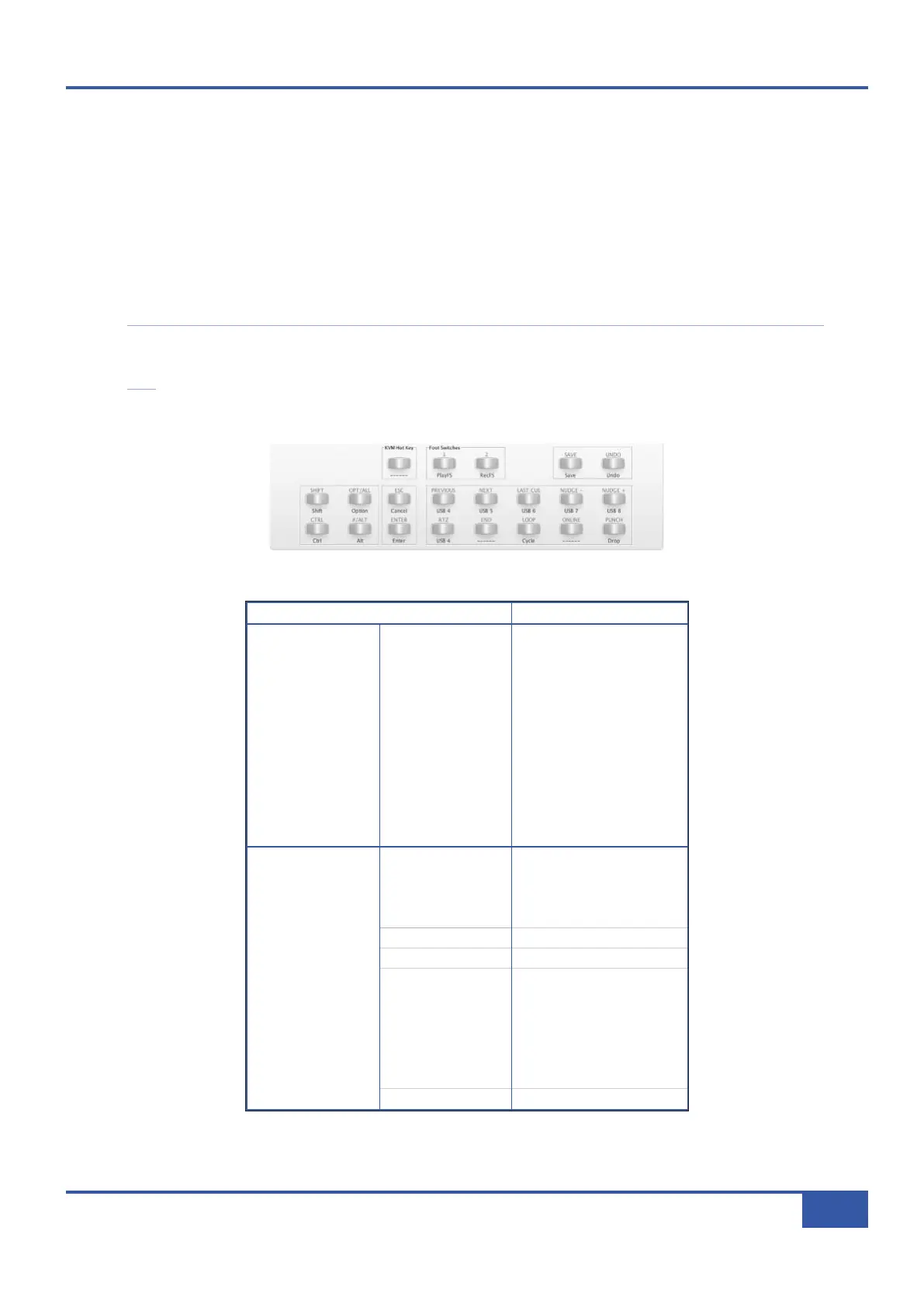
The Logic Default Profile Transport/Utility soft keys are mapped as follows:
K
K
e
e
y
y
L
L
a
a
b
b
e
e
l
l
L
L
o
o
g
g
i
i
c
c
F
F
u
u
n
n
c
c
t
t
i
i
o
o
n
n
T
T
r
r
a
a
n
n
s
s
p
p
o
o
r
r
t
t
RTZ
Stop Stop
END
-
LOOP
Cycle
ONLINE
-
PUNCH
Drop
PREVIOUS
USB
NEXT
USB
LAST CUE
-
NUDGE -
USB
NUDGE +
USB
U
U
t
t
i
i
l
l
i
i
t
t
y
y
SHIFT
Shift
OPT/ALL
Option
CTRL
Control
⌘⌘
/ALT
Alt
ESC
USB
ENTER
Enter
SAVE
Save
UNDO
Undo
FOOT 1
Play Foot Switch
FOOT 2
Record Foot Switch
Chapter 5 - DAW Control
75
Matrix Owner’s Manual



 To Next Page