STARLITE Mk5 User Manual Version 1.2
30
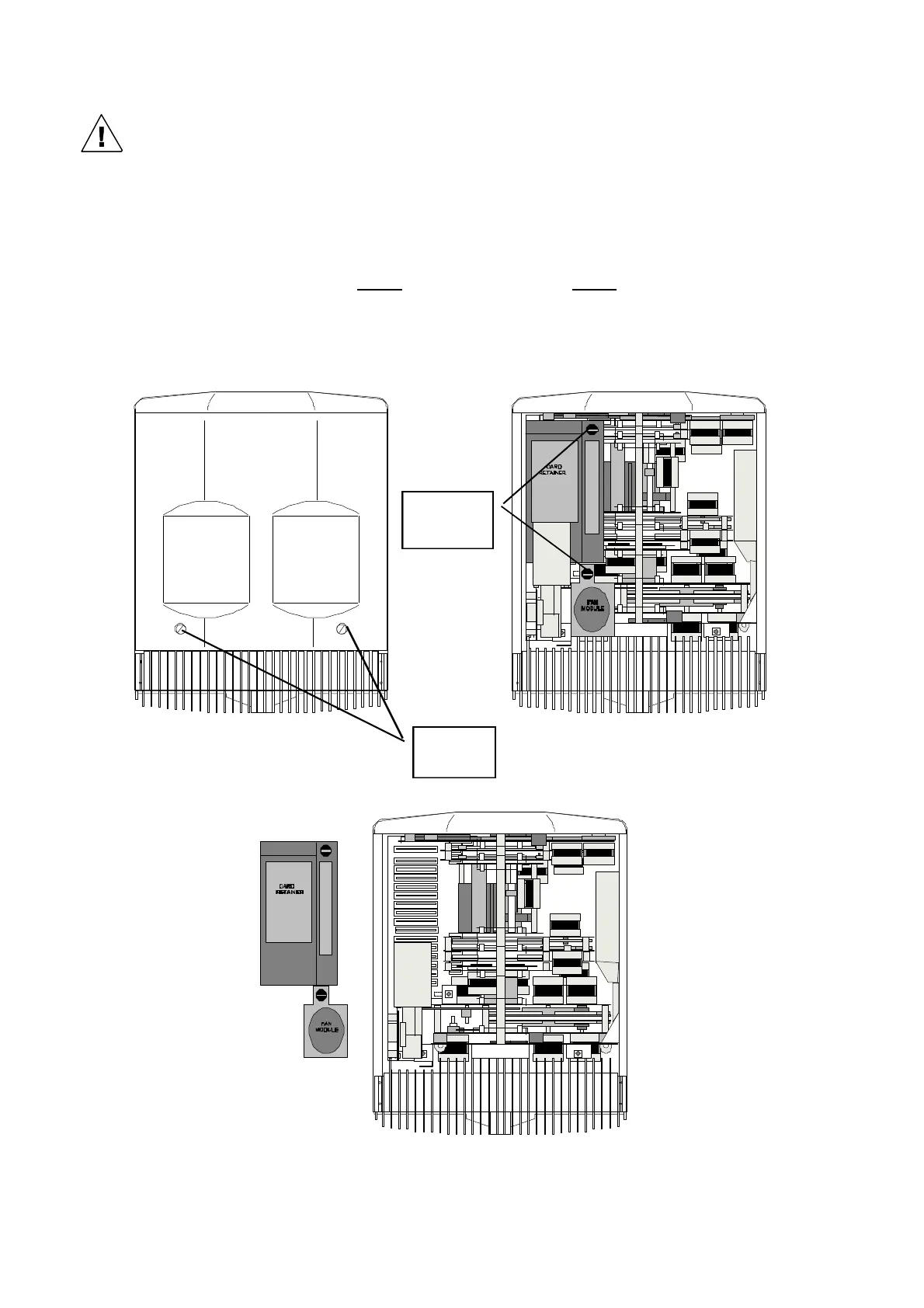
“Fan” Side of the Head (Current models)
With pan in its mid (neutral) position, removing the cover on the cable/connector side, will give you
access to secondary fan module, the card retainer (and cards below it) and allow the changing of
gobos etc. The card retainer can be removed by , (1) undoing the ¼ turn fastener on the secondary fan
module and moving the fan to one side, (2) undoing the ¼ turn fastener on the card retainer and it
lifting away from the unit.
Note:- On the latest models, a flexible safety wire connects each head cover to the main frame of the
head . It is recommended that you do not disconnect this safety wire unless you cannot get enough
access to the head with it in place
¼ turn
fasteners
¼ turn
fasteners
STEP 1 STEP 2
STEP 3


 To Next Page