STARLITE Mk5 User Manual Version 1.2
48
Starlite MK5 Adjustments
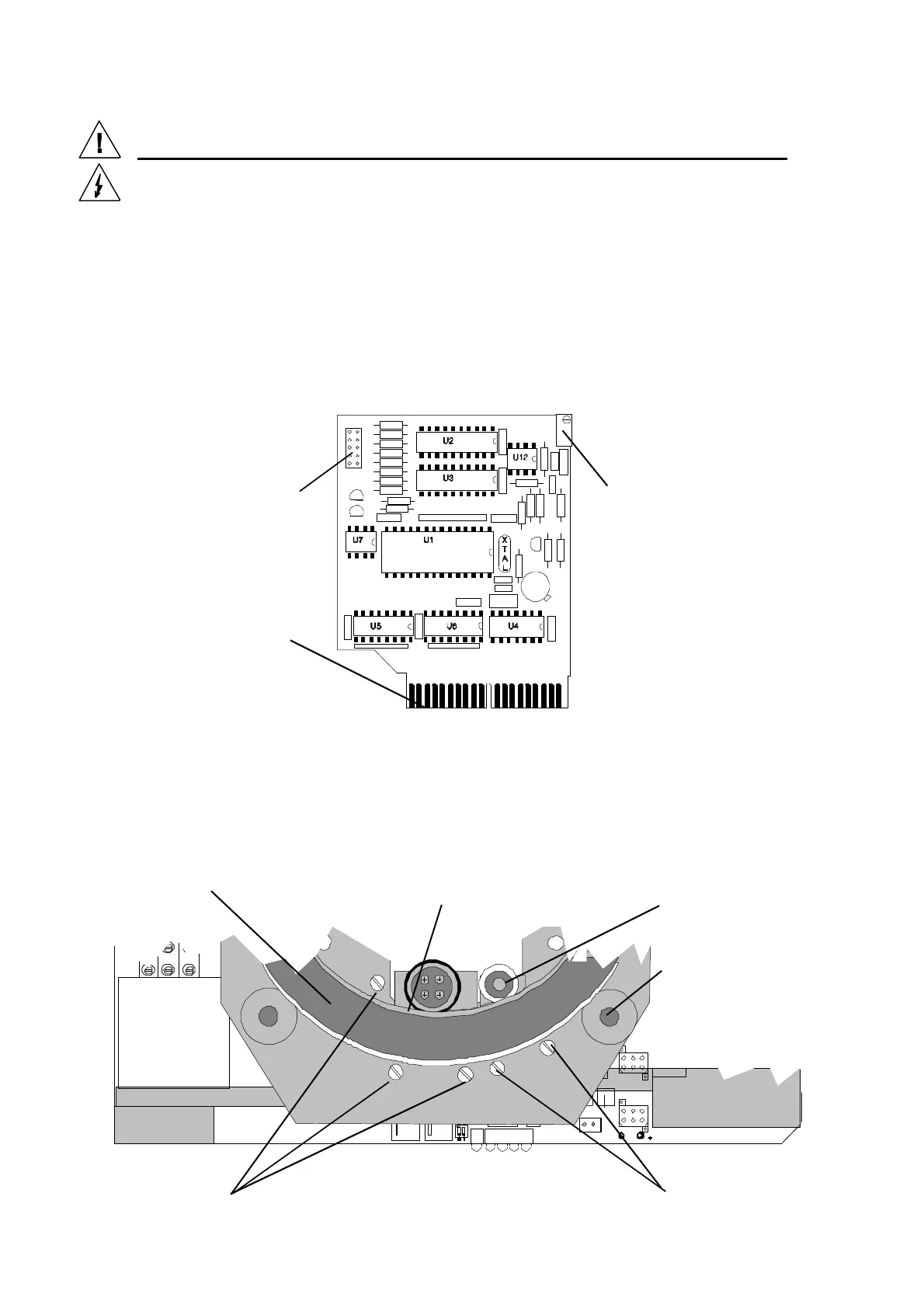
Adjusting the Decoder card reference voltage.
The 20 turn potentiometer located at the top of the decoder card in the first position of the head
motherboard is used to set the reference voltage for the digital to analogue converters for pan and tilt
positioning. If you replace the decoder card, you will need to re-set this pre-set for correct operation of
the pan and tilt drives.
1) Remove the top head cover and secondary fan to gain access to the decoder card.
2) Power up the unit and connect a DMX signal.
3) Set the pan to zero and ensure that the pan moves to its zero end. Now set the pan to full and
adjust the pre-set on the decoder card to set the full pan position.
4) Ensure that the pan does not drive into the end stops at either end as this will result in clutch
slippage and wear.
STARLITE Mk5 DECODER CARD (Issue 3)
Adjusting the Pan position sensor(Earlier models)
This should not require adjustment during normal use. If adjustment is required, first unplug the unit
and remove the cover over the main pan ring drive gear to expose the pan drive gear and position
sensor.
10 way connector for
DMX address switch
Edge connector with
locating slot
20 turn potentiometer for
adjusting reference voltage
Pan ring gear
journal
Pan ring gear
Pan position
sensor unit
Pan drive gear assembly
with clutch.
Retaining screws
for pan sensor unit.
Retaining screws
for pan drive


 To Next Page