STARLITE Mk5 User Manual Version 1.2
35
Setting the DMX Start Address BCD Switches
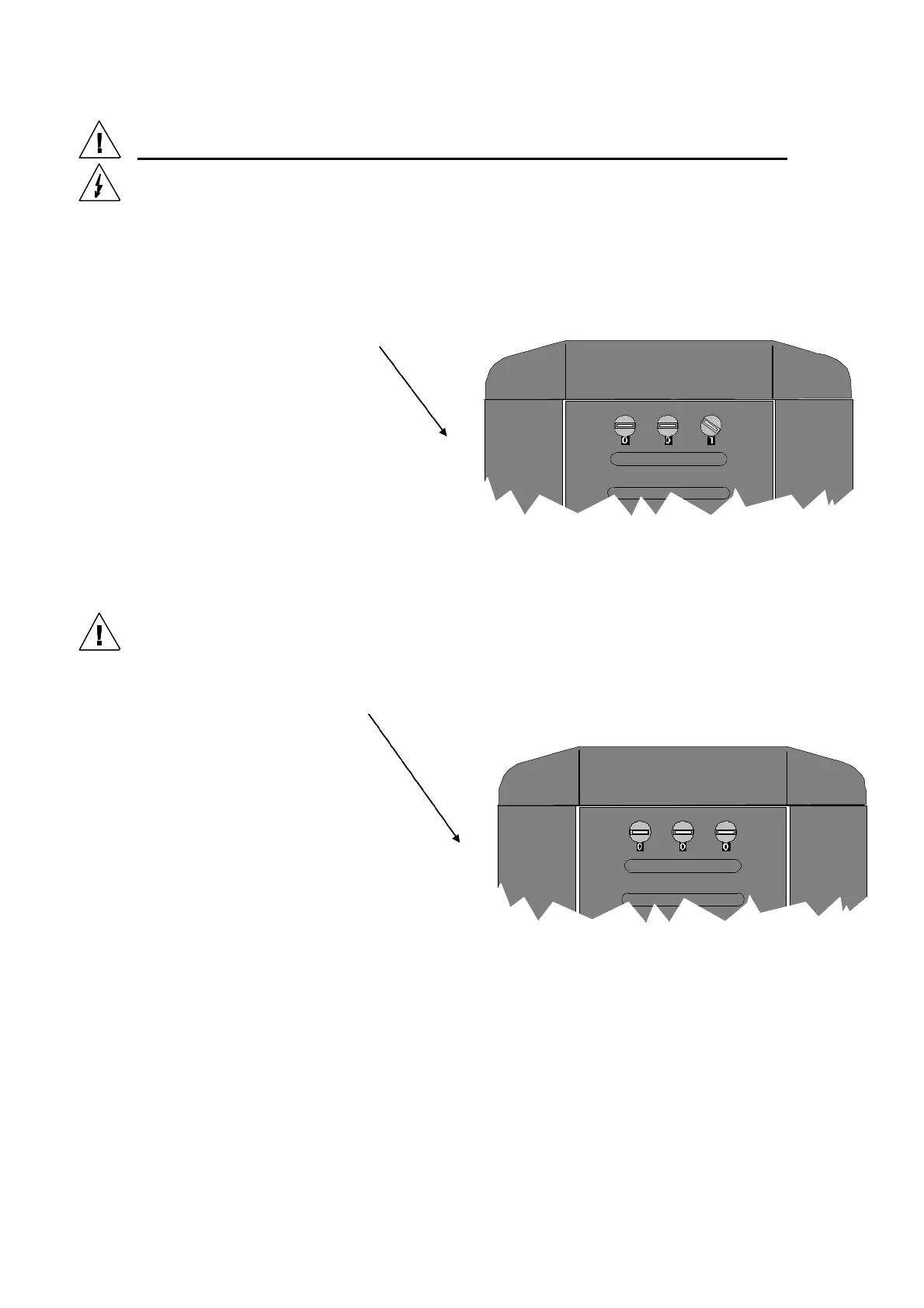
The DMX offset address switches are located on the outside front of the head frame. There are 3
rotary switches that are accessible using a small bladed screwdriver or similar tool. Lamp addressing
starts from address 1 with address zero reserved for self-test mode.
The Starlite Mk5 unit can be addressed with any start address.
Each unit requires a maximum of 19 DMX channels depending on the function specification.
Example address mapping for 19 channel configuration (one DMX string of 512 channels):
Lamp 1 Start Address 001
Lamp 2 Start Address 020
Lamp 3 Start Address 039
Lamp 4 Start Address 058
.
.
.
Lamp 26 Start Address 476
Note: Address settings will only take effect when there is no DMX signal present. To modify the
address for a unit, first set the desired start address and then remove the DMX signal for 2
seconds prior to replacing.
Self Test Mode
Set the DMX address to zero to activate self-test mode.
(the lamp will also strike if enabled. See: Two way switch).
The unit will then move the Pan and Tilt functions to their mid positions and then sequence through
the various lamp head functions until a valid DMX Start Address is set and at least one sequence has
been completed.


 To Next Page