STARLITE Mk5 User Manual Version 1.2
42
Servicing the Starlite MK5
General Maintenance and Cleaning
The Starlite MK5 should be cleaned on a regular basis to maintain performance and reliability. As a
guide the Starlite MK5 should be cleaned at every lamp change to maintain peak performance.
Always turn off the power/unplug the unit before commencing the cleaning procedure and allow
sufficient time for the unit to cool down (20 minutes).
Cleaning the external surfaces
Wipe with a soft cloth and some anti-static foam cleaner to remove dust/dirt build up.
Removing and Cleaning the Internal head Components
Removing Head Modules
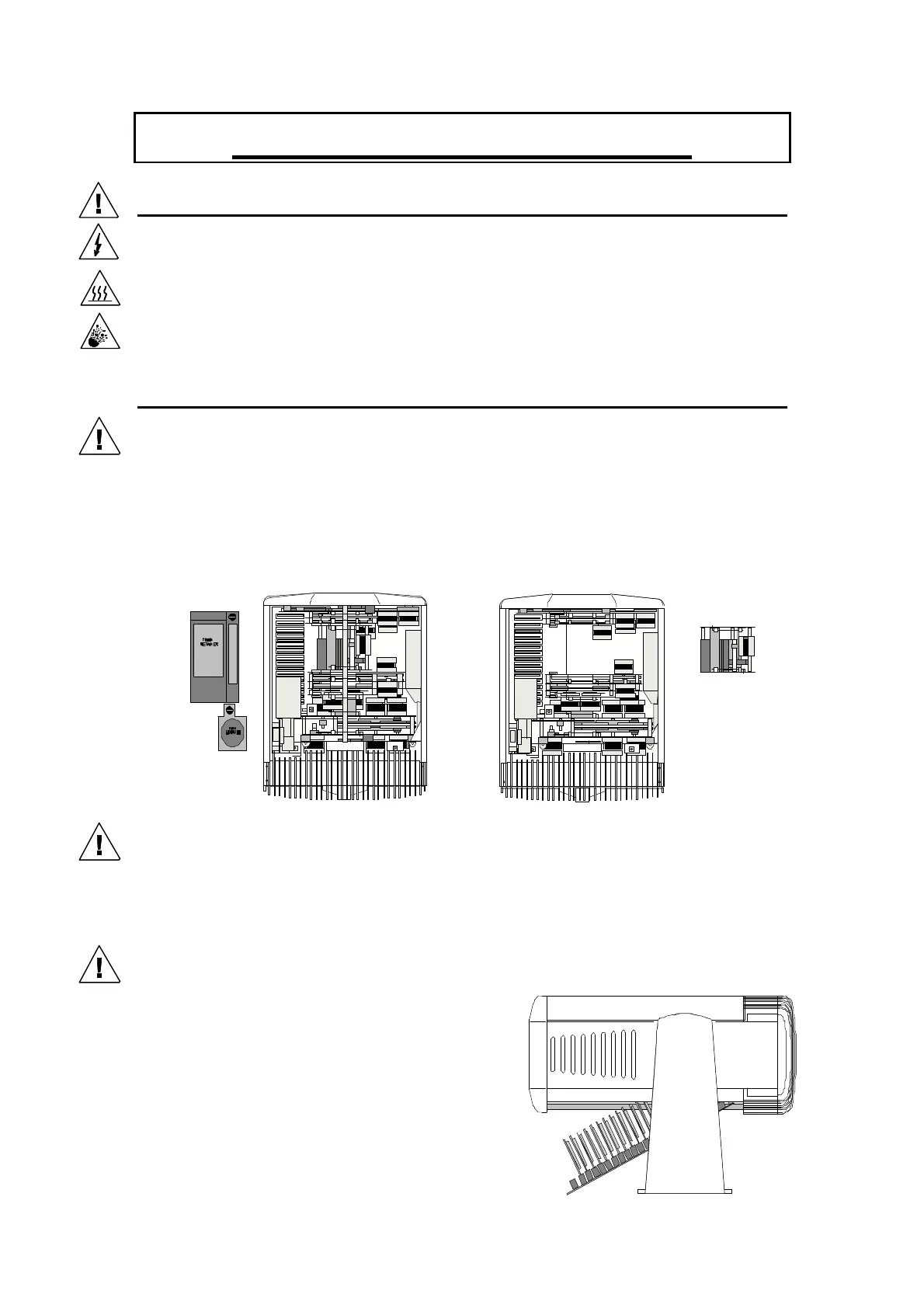
1. All head components can be accessed by first removing both the head covers by unlatching the
quarter turn fasteners.
2. Manually tilt the units head so that the finned lamp housing retaining screw is to the top and the
rear door hinges to the bottom.
3. Remove (1)the secondary fan and (2)card retainer by releasing the ¼ turn fasteners.
4. Release the two centre bar retaining clamps located at the front and rear end of the centre bar and
lift the bar upward on its hinges.
Removing the Focus Module
5. Unplug the focus unit by removing the connector located on the solder side of the head
motherboard.
N.B. Current models have a 6-way connector on the focus module and are therefore not
interchangeable with the earlier modules which have a 5-way connector.
Removing the Motherboard
6. Remove the three-quarter turn fasteners from the
motherboard and unplug the two 20 way ribbon cables
located at the rear of the board.
7. Unplug the decoder card from the first socket and
leave in the head, connected to the DMX address
switch.
8. Push down from the top component side until the
motherboard unplugs from the head modules.


 To Next Page