STARLITE Mk5 User Manual Version 1.2
46
Replacing Parts
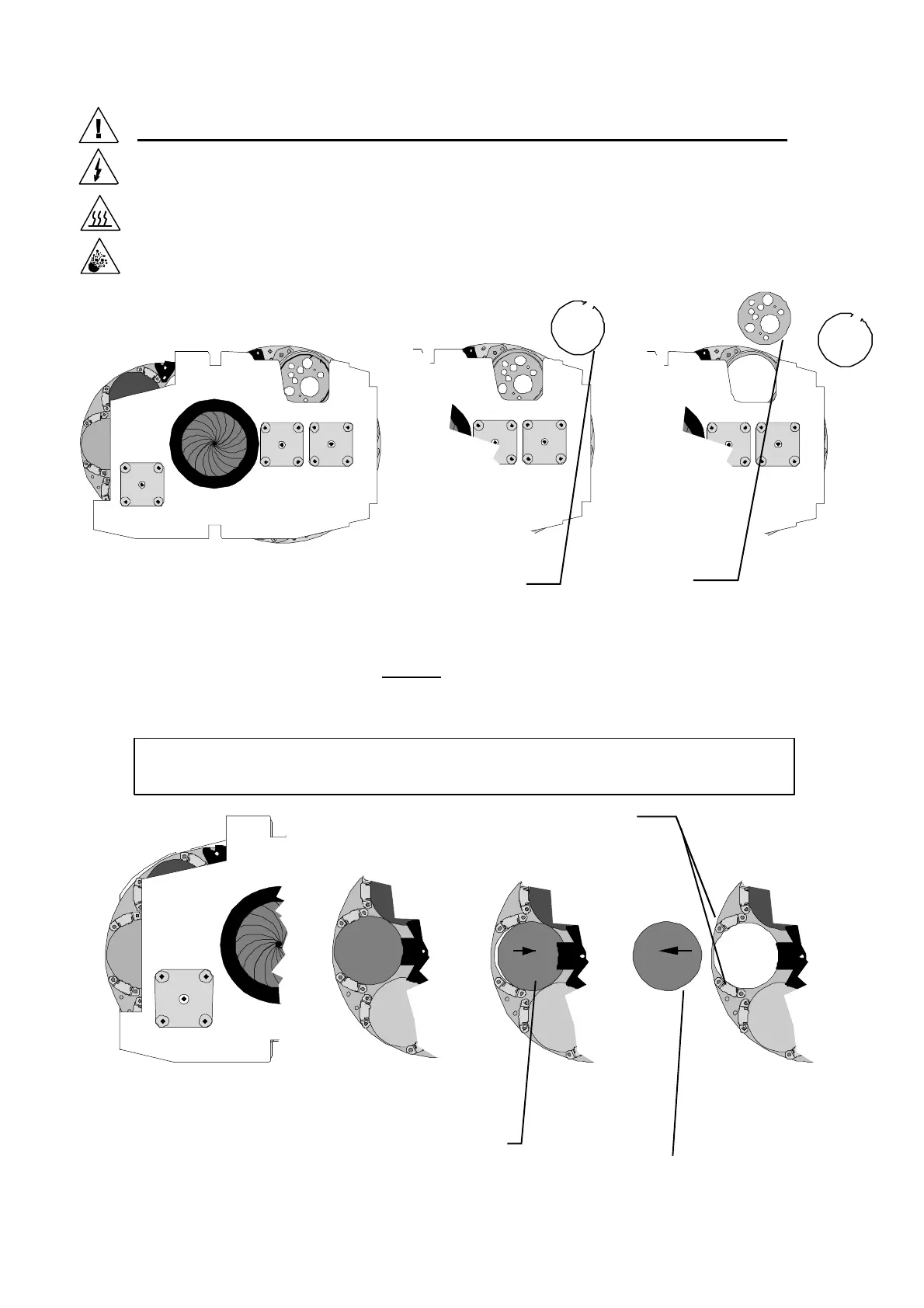
Remove and Install Rotating gobos
The gobos can be easily changed by manually rotating the gobo holder to the cut-out in the gobo
module plate. (The rear gobo plate has a hinged cover plate over the cut-out, which has to be opened
prior to removing or replacing gobos). Then using a small pair of long nose pliers, remove the gobo
retaining clip and gobo. Fit the new gobo and replace the retaining clip ensuring that the clip locates
correctly into the groove cut into the gobo holder.
Remove and replace colour wheel Dichroic Filters
The colour filters can be removed by pushing the colour upwards, towards the middle of the wheel and
under the centre retaining plate. Then carefully break the seal of the silicon rubber retainer with a
small knife blade (avoiding touching the surface of the filter.) Once the filter has cleared the two edge
retaining clips, tilt the filter away from the edge clips and slide out from under the centre retaining
plate. Warning:-The coating on the Dichroic Filters is very easily scratched!
Replace filters by reversing the above procedure, remembering to apply a small
Gently push the
colour filter
towards centre of
the wheel
Once the colour
filter is clear of
the edge clips,
tilt up and slide
away from
Rear view of Gobo module.
(shown outside fixture for clarity)
Colour filter
edge clips
Remove Gobo
retaining clip
Remove Gobo
and replace
Rear of Colour/Gobo Module
(shown outside fixture for clarity)
N.B. In current models, the filters are retained by 3 “beads” of silicon sealant making it easier
to remove/replace them.


 To Next Page