STARLITE Mk5 User Manual Version 1.2
53
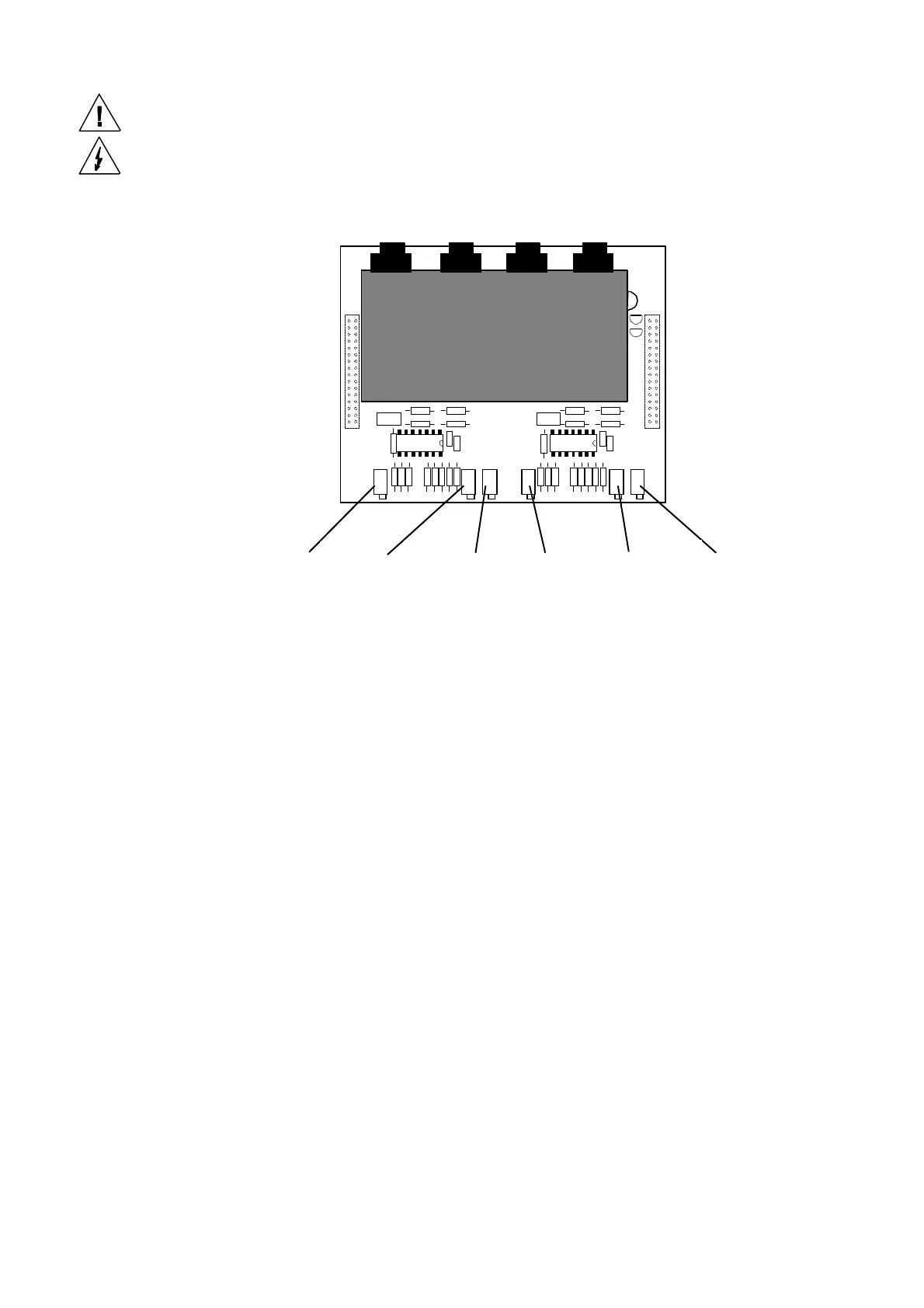
Adjusting the Pan/Tilt Drive Card Settings
1. If you have fitted a replacement drive card, ensure that the gain pots are turned fully anti-
clockwise and the torque pots are turned fully clockwise prior to fitting. (These pre-set pots
have approximately 23 turns.)
2. Power the unit up and connect a test meter between the zero volt test point and the centre pin of
the offset pot and adjust until a reading of zero volts DC is achieved. Repeat for both the pan and
Tilt halves of the card.
3. Now adjust the gain pot a full 6 turns clockwise and repeat for both halves.
4. Adjust the torque pot anti-clockwise until the drive oscillates and an audible vibration is heard.
Rotate clockwise until the drive becomes stable and then turn a further one and a half turns
clockwise. Again repeat for both halves.
5. This is now a basic setting for stable drives.
6. You should now sequence the unit through a slow (30-second) movement of both pan and tilt
drives and check for smooth movement. Adjust the gain pot to achieve the smoothest control
whilst ensuring that the drives are stable.
Note:
If the drives become too unstable due to incorrect set-up, the fuses for the DC drive circuits
will blow. In this event power down the unit and ensure that you complete step 1 above
before replacing the fuses and re-powering the unit.
Tilt
Tilt
Tilt offset Pan offset
Pan
Pan


 To Next Page