STARLITE Mk5 User Manual Version 1.2
32
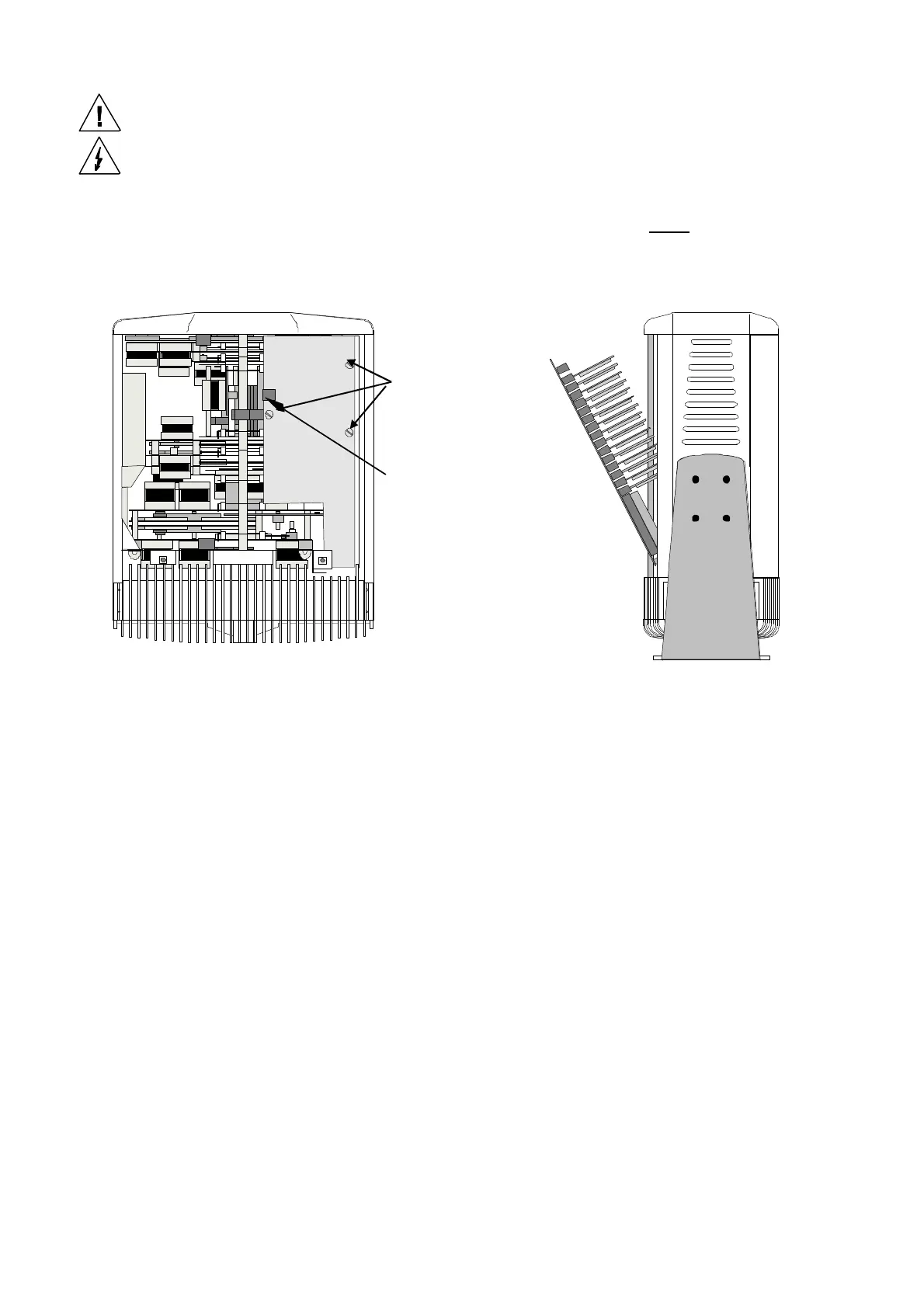
“Motherboard” Side of the Head
To access all the function drive cards, and to remove modules, it is necessary to remove the head
covers on the “Motherboard” side and release the motherboard from its fixings and ease it away from
the modules.
To release the motherboard, unplug the decoder card and allow it to hang on the address switch cable,
unplug the focus unit and then undo, and remove, the three ¼ turn fasteners and gently prise the
motherboard away (starting at the front of the head) from the modules. This action will disengage the
module edge connectors from their sockets on the motherboard and allow the motherboard to fall
forward giving access to the drive cards that are located under the tilt motor.
Note: Please take care not to stretch the cable looms that are connected to the motherboard.
¼ turn
fasteners
Focus unit
connector


 To Next Page