Special equipment 7
Load-side operating panel
NOTE
If the X button (3) is assigned a
special
function, this special functi
on is available as
usual in the activated operati
ng panel.
Now actuate the foot switch to continue
to work. The new steering angle must be
checked and corrected as necessary. Check
the steering angle display in the display on the
lift mast side.
CAUTION
Risk of accident due to lateral movement of the
truck.
Carefully set off.
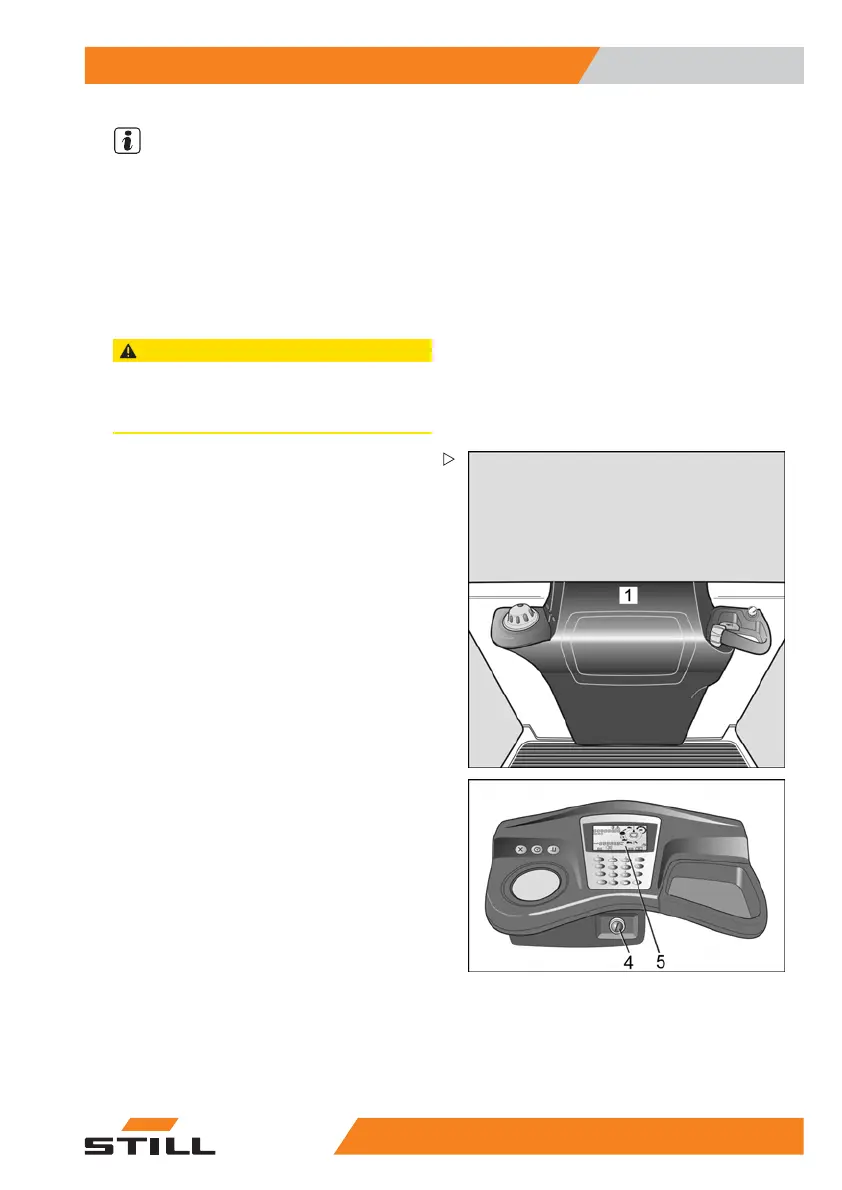
Operating panel, load side only
A truck can be equipped with an operating
panel only on the load side (1) as special
equipment. A switchover is not required here.
The key switch (4) and the display (5) remain
on the lift mast side. There is no steering knob
or operating console on this side.
If trucks are equipped with IZF the selecting
and the deselecting of the inductive wire
guidance is also possible using the X-keys
(load side and mast side). This is not possible
if trucks are additionally equipped either with
Aisle Safety Assistant or with Navigation
System.
52
13 804 2501 EN - 01/2016 103



 To Next Page