Stonex R25/R25LR Total Station - User Manual 109
II. Adjustment
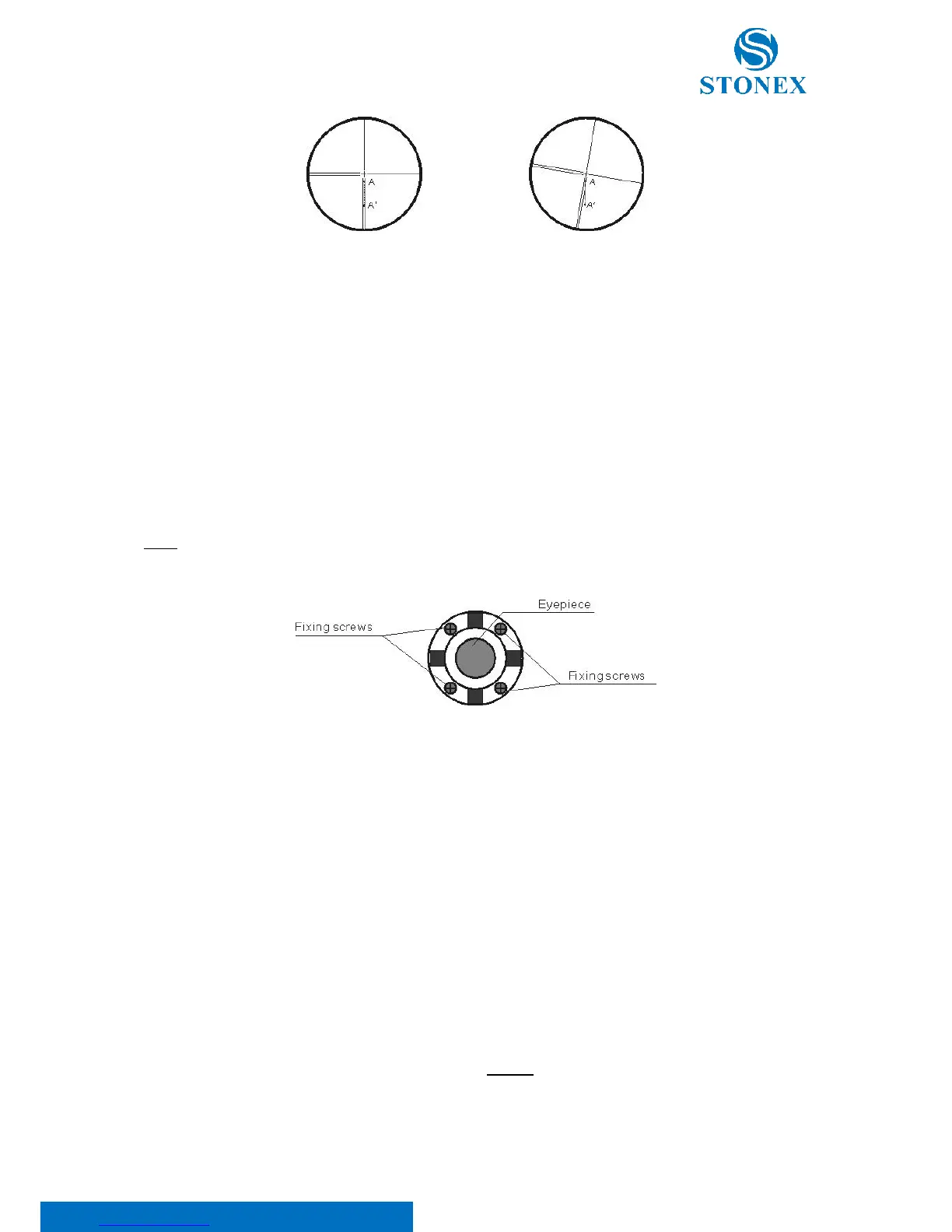
1. Set the instrument and set the point A front the instrument 50m apart.
2. Take off cover of telescope eyepiece, there are 4 screws for the reticle part.
3. Loosen all four fixing screws slightly with the cross screw-driver.
4. Revolve the eyepiece section so that the vertical cross-hair coincides to point A, finally, re-tighten the four
screws.
5. Repeat the checking and adjusting until there is no deviation.
NOTE: After the adjustment of cross-hair, please check the collimation error and vertical index error, see 10.10. EDM
optical axis and the telescope sighting axis error.
10.7. Tilt sensor
If the tilt angle shown on the display shifts from tilt angle 0° (zero point), the instrument is not correctly leveled. This
will adversely affect angle measurement. Perform the following procedures to cancel the tilt zero-point error.
I. Check
Wait a few seconds for this display to stabilize, then read the automatically compensated angles X1 and Y1.
Rotate the instrument 180°/200 gon. Wait a few seconds for the display to stabilize, then read the automatically
compensated angles X2 and Y2.
Calculate the following offset values (tilt zero-point error):



 To Next Page