Stonex R25/R25LR Total Station - User Manual 23
4.3. System information
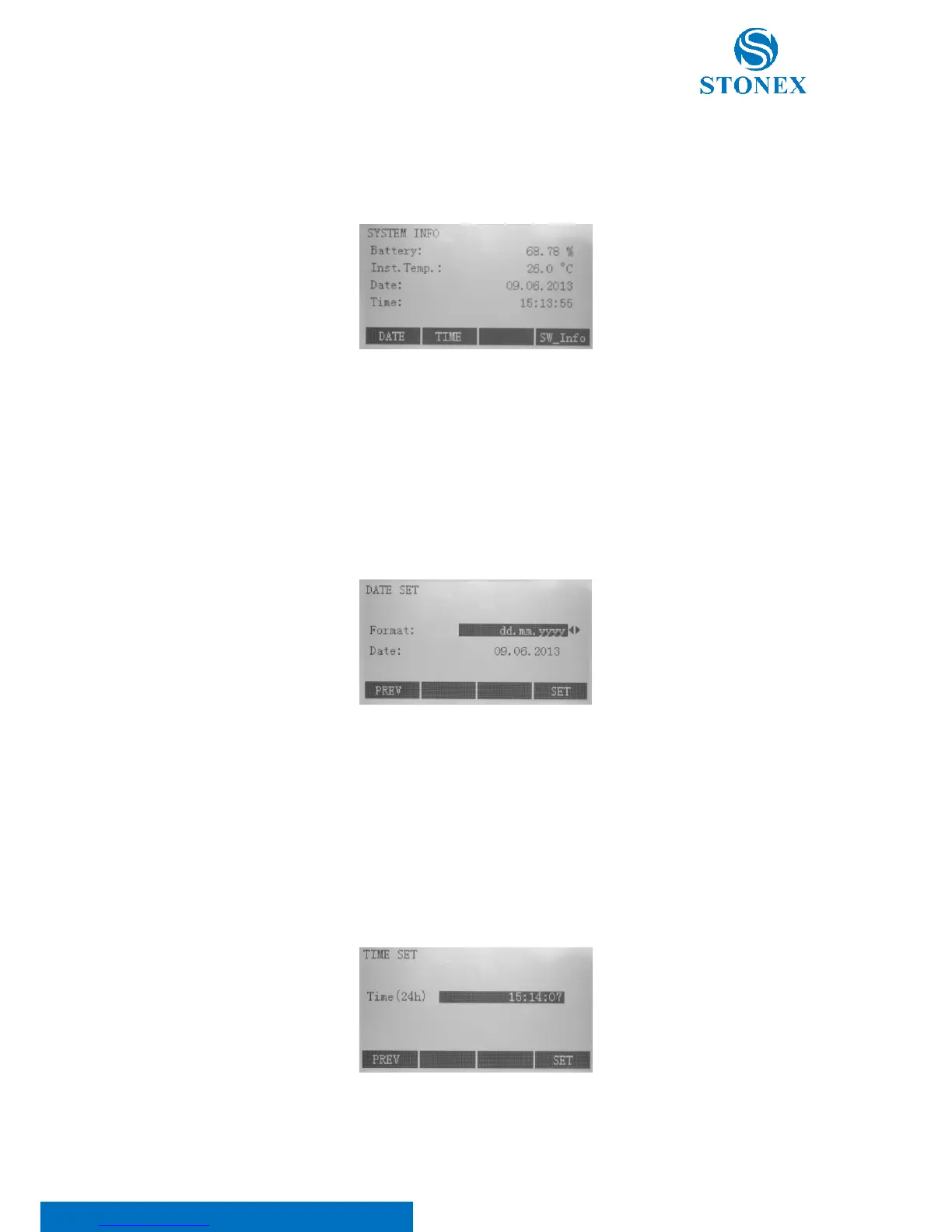
Press {MENU} key on panel to enter the menu mode. Turn to the third page using the {PAGE} key and select F1[INFO].
Display helpful information and date/time can be set here.
Battery: Remaining battery power (e.g. 90.26%).
Inst. Temp: Measured instrument temperature.
Date: The current date.
Time: The current time.
[DATE]: Press F1 to edit the change of date or to select a format:
There are three formats; select it through the ◄/► keys:
• DD.MM.YYYY;
• MM.DD.YYYY;
• YYYY.MM.DD.
Press F4[SET] to save.
[TIME]: Press F2 to modify the time. Insert the time with the following format: HH:MM:SS. Then, press F4[SET].
[SW-Info]: Press F4 to see some instrument characteristics:



 To Next Page