Stonex R25/R25LR Total Station - User Manual 26
4.5. Point search
Point search is a global function used by applications, e.g. to find internally saved measured or fixed points. It is
possible for the user to limit the point search to a particular job or to search the whole storage. The search procedure
always finds before measured fixed points that fulfill the same search criteria. If several points meet the search
criteria, then the points are listed according to their age. The instrument finds the most current (youngest) fixed
point first.
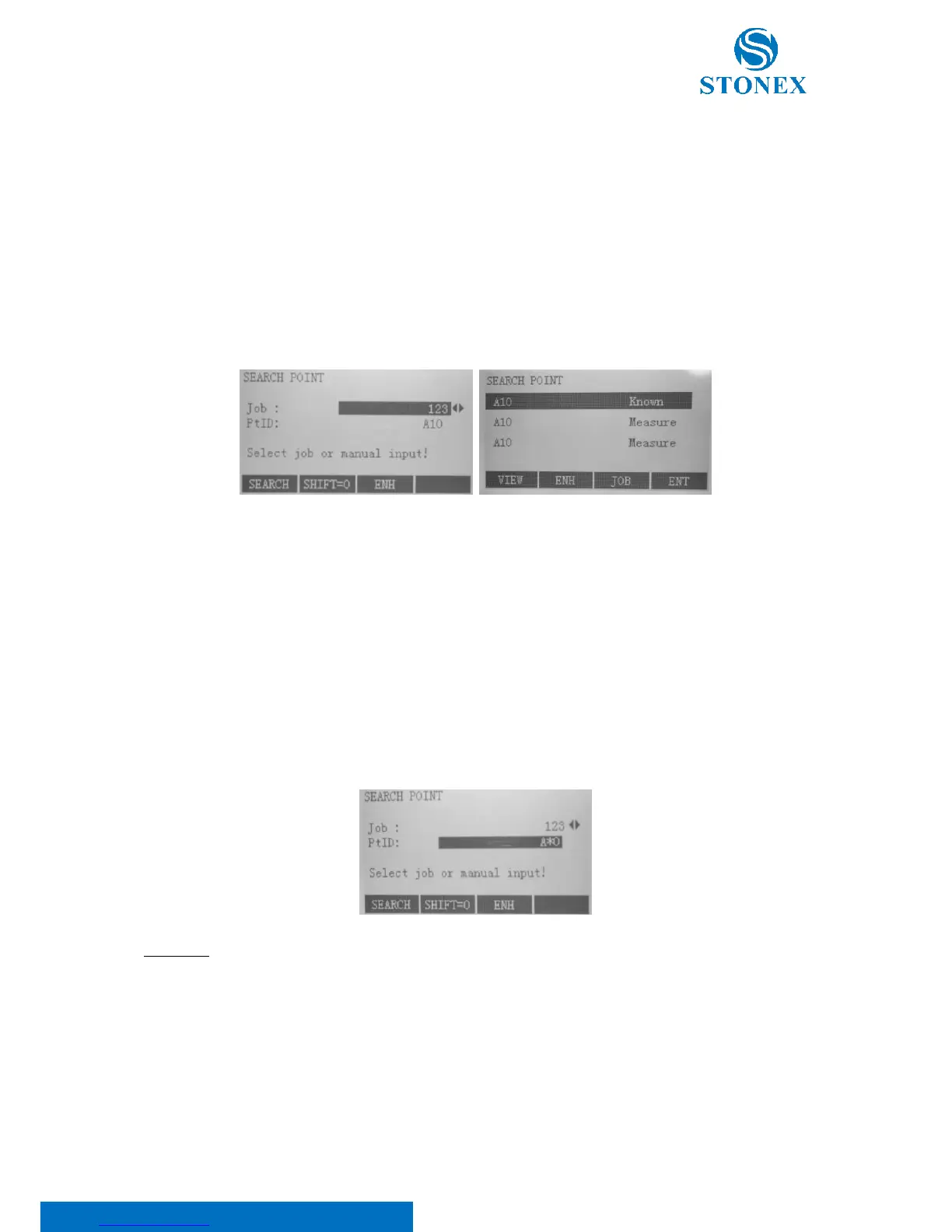
By entering an actual point number (e.g. "A10") and pressing F1[SEARCH] all points with the corresponding point
number are found.
Select one of the following softkeys:
• F1[VIEW] to displays the coordinates of the selected point;
• F2[ENH] for manual input of coordinates;
• F3[JOB] to select a different job;
• F4[ENT] to confirm selected point.
Wildcards are always used if the point number is not fully known, or if a batch of points is to be searched for. The
Wildcard search is indicated by a "*". The asterisk is a place holder for any following sequence of characters.
EXAMPLES:
*: All points of any length are found.
PT: All points with exactly the point number "PT" are found.
PT*: All points of any length starting with "PT" are found (e.g.:PT1, PT12, PTAB).
*1: All points of any length with a "1" as the second character are found (e.g.: A1, B12, A1C).



 To Next Page