Stonex R25/R25LR Total Station - User Manual 29
5.2. Settings
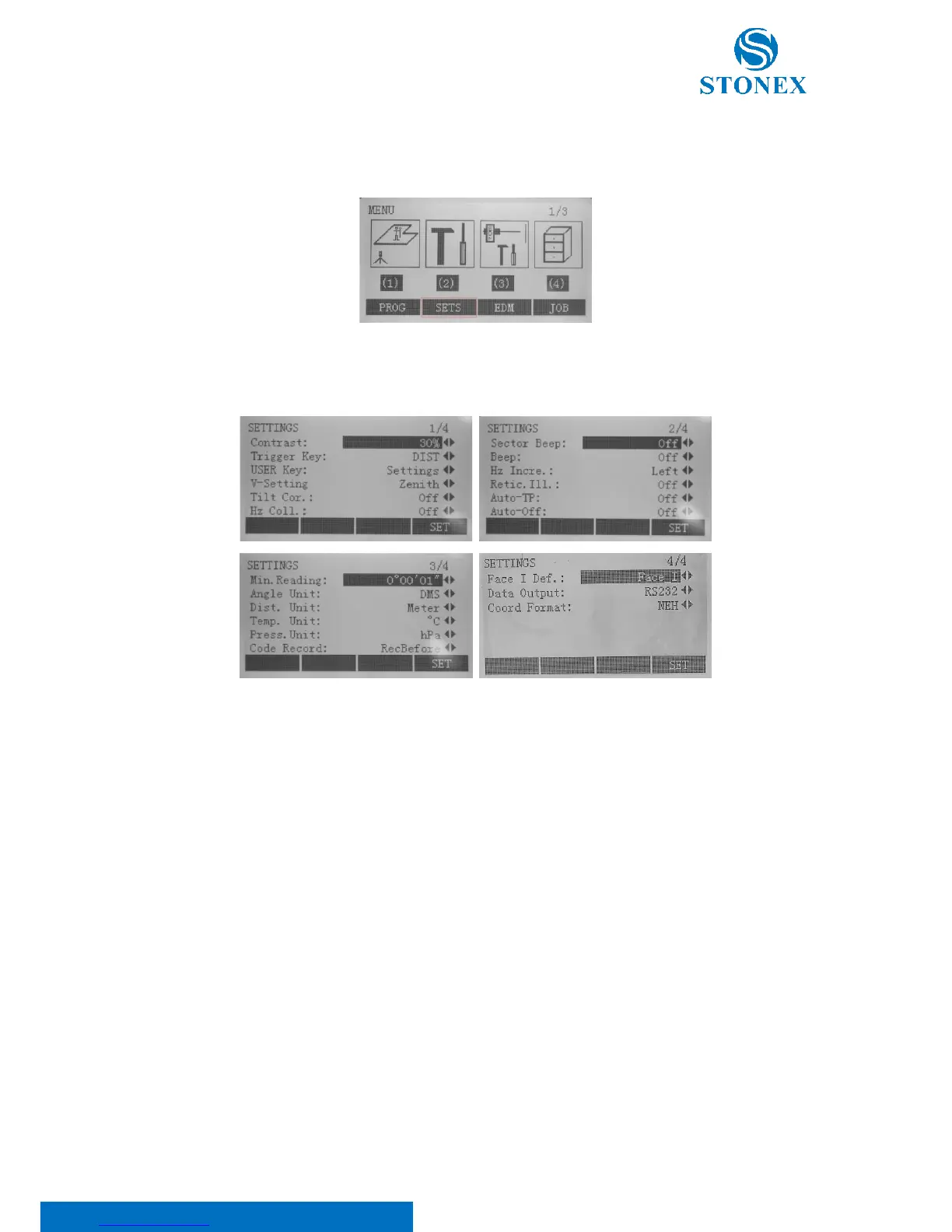
Press {MENU} key on panel to enter the comprehensive menu mode:
Select [SETS] item, where relevant parameters can be set. Press {PAGE} key to scroll all the commands and use ◄/►
keys to set the options.
Contast: It’s possible to set the constrast in the same way as in the Star setting (see 5.1. Basic settings).
Trigger Key: it is possible to turn on/off the red {MEAS} button on the lateral side of the intrument. Select one of
the following options:
• ALL: distance and angle measurements saving measured values;
• DIST: distance and angle measurements without saving measured values;
• Off: the red button doesn’t work. The measure is possible through the softkeys on the display.
USER Key: each function from the function menu can be set as the {USER} key, which makes {USER} key on keypad
act as a shortcut key. For more informations, see 5.4. Function key.
V-Setting: the zero of the vertical angle can be set with the following options:
• Zenit: the 0 is set when the objective is turned upwards in the vertical direction. Zenith=0°,
Horizontal=90°;



 To Next Page