Stonex R25/R25LR Total Station - User Manual 50
8. Programs
Predefined programs that cover a wide spectrum of surveying duties and facilitate daily work in the field are available.
To access press {MENU} fixed key and then press F1[PROG] key.
Use F1-F4 keys to call up applications and activate start programs. Press {PAGE} fixed key to scroll to next page.
In many programs it is required to set up and organize data collection: see 7.Pre-setting application for instructions.
8.1. Surveying
With this program the measurement of an unlimited number of points is supported. It includes stationing,
orientation and coding.
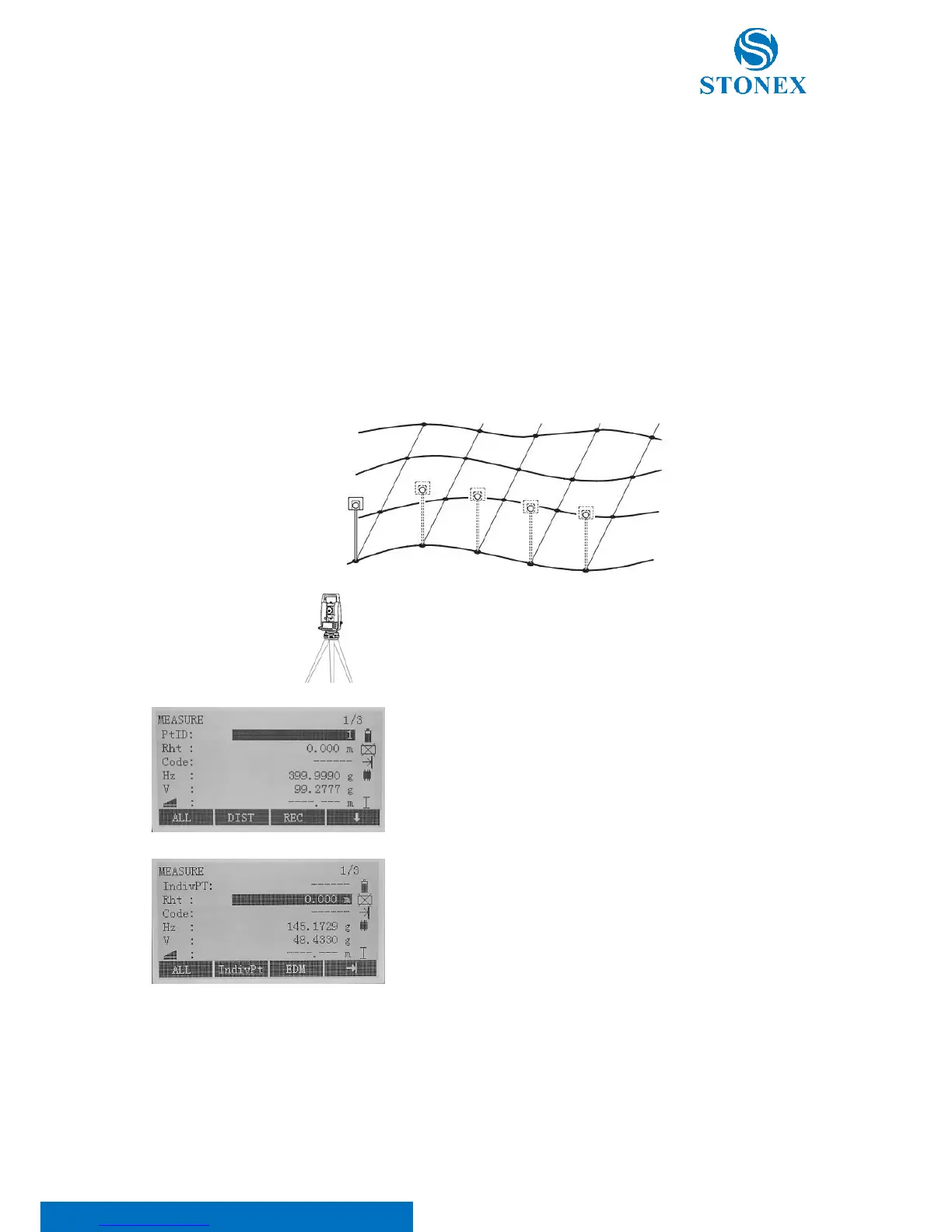
Input PtID, reflector height (Rht) and codes if demanded. Aim to the
point and press F2[DIST] to measure and F3[REC] to store the point.
Otherwise it is possible to press F1[ALL] to trigger and record
measurements in the same time.
The point ID auto increases after each storage.
Press F4[ ↓ ] three times, until when the [IndivPt] softkey appears in
the black bar at the bottom of the display. Press it to switch between
individual and current point ID. With this function, it is possible to
shift from continuous point collection to individual point collection.
Edit the individual point ID and press F1[ALL] key to measure and
record it.
Then, it will return to the PtID mode, with the name point as the one
left before changing the mode.
Three coding methods are available:



 To Next Page