Stonex R25/R25LR Total Station - User Manual 80
8.9. Construction
This application allows defining a construction site by combining set-up of the instrument along with a construction
line, measuring and staking out points relative to the line. After starting this program, there will be four options
provided:
• Set Job (see 7.1. Setting job);
• Set EDM (see 5.3. EDM settings);
• New construction site;
• Continue previous site.
8.9.1.New construction site
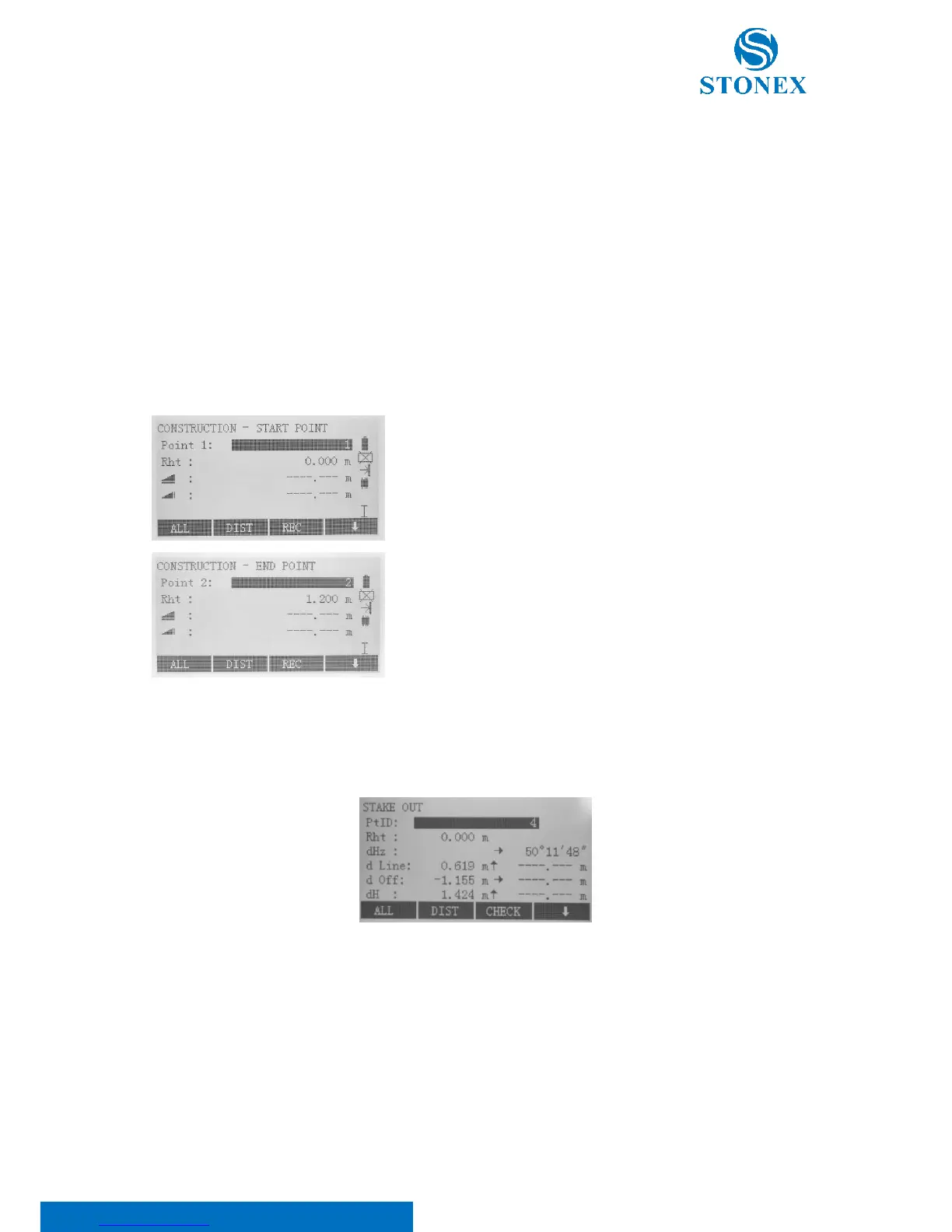
Define start and end points of this construction line in one of the
following ways:
• Measure points: input PtID and measure base points with
[ALL] or [DIST]+[REC];
• Input coordinates manually: press [ENH] to input.
Automatically, stake out display is shown: here you can search or enter points (in the same way as in the previous
step) to stake out.
Move the instrument, according to the indicated arrows to find the point position:
dHz is the horizontal angle;
d Line is the longitudinal offset. If it is positive (arrow up), the target point is further away than the line;
d Off is the transversal offset. If it is positive (arrow right), the target point is on the right of the line;



 To Next Page