Stonex R25/R25LR Total Station - User Manual 81
dH is height difference. If it is positive (arrow up), the target point is higher than the line.
Use F4[ ↓ ] to scroll all the softkeys at the bottom of the display and select: [MAxis] to input values for shifting the
line or [CHECK] to switch to check mode.
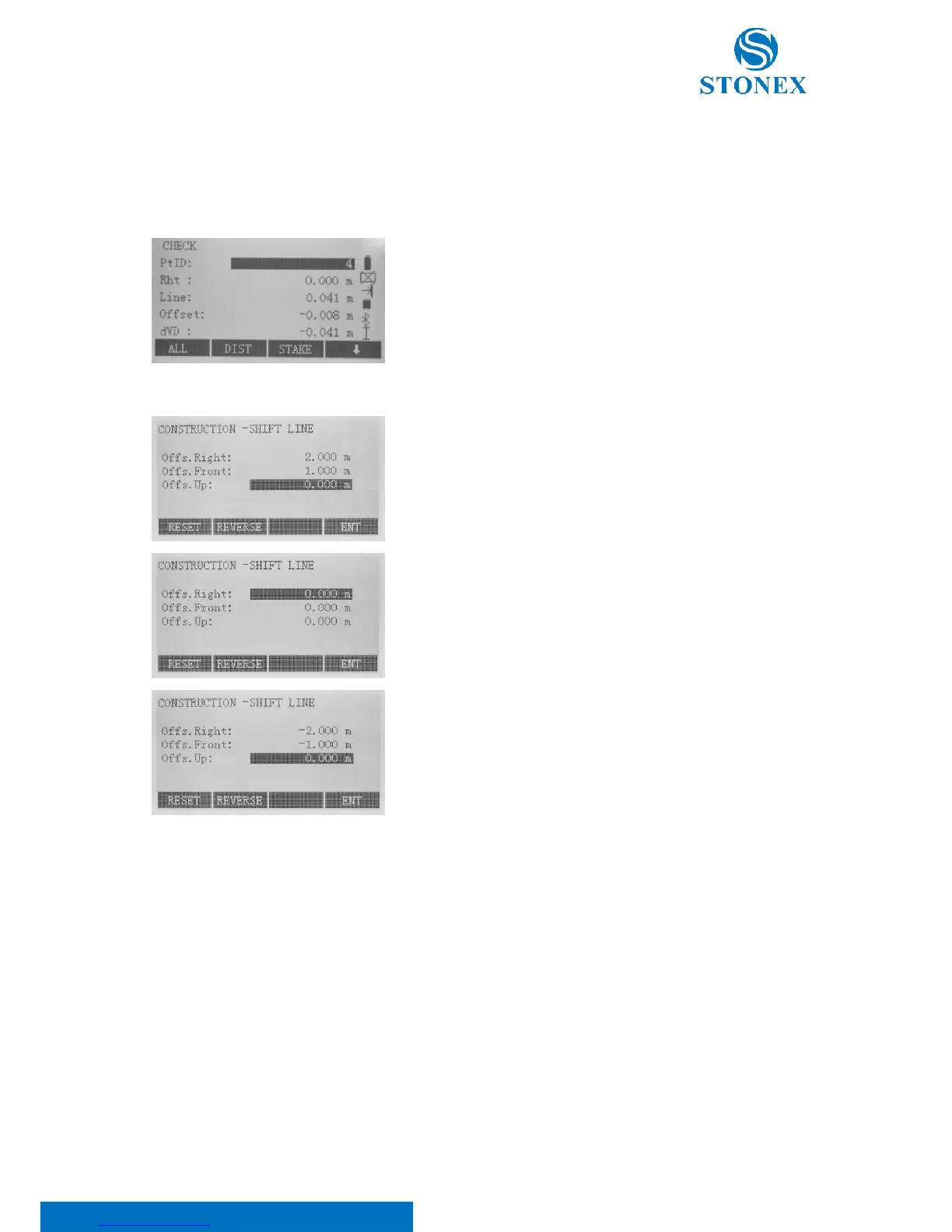
Press F3[CHECK]; the display will show you the line offset (Line), the
transversal offset (Offset) and the height (dVD) of a measured point
in relation to the line.
Press F4[ ↓ ] and F3[MAxis] keys to input values for shifting the line.
Insert the shifting distances by keyboard.
Press F1[RESET] if you want to set to 0 all the values
Press F2[REVERE] to switch from positive to negative (and vice versa)
the values.
Press F4[ENT] to save the settings and turn to the stake out interface.



 To Next Page