Stonex R25/R25LR Total Station - User Manual 47
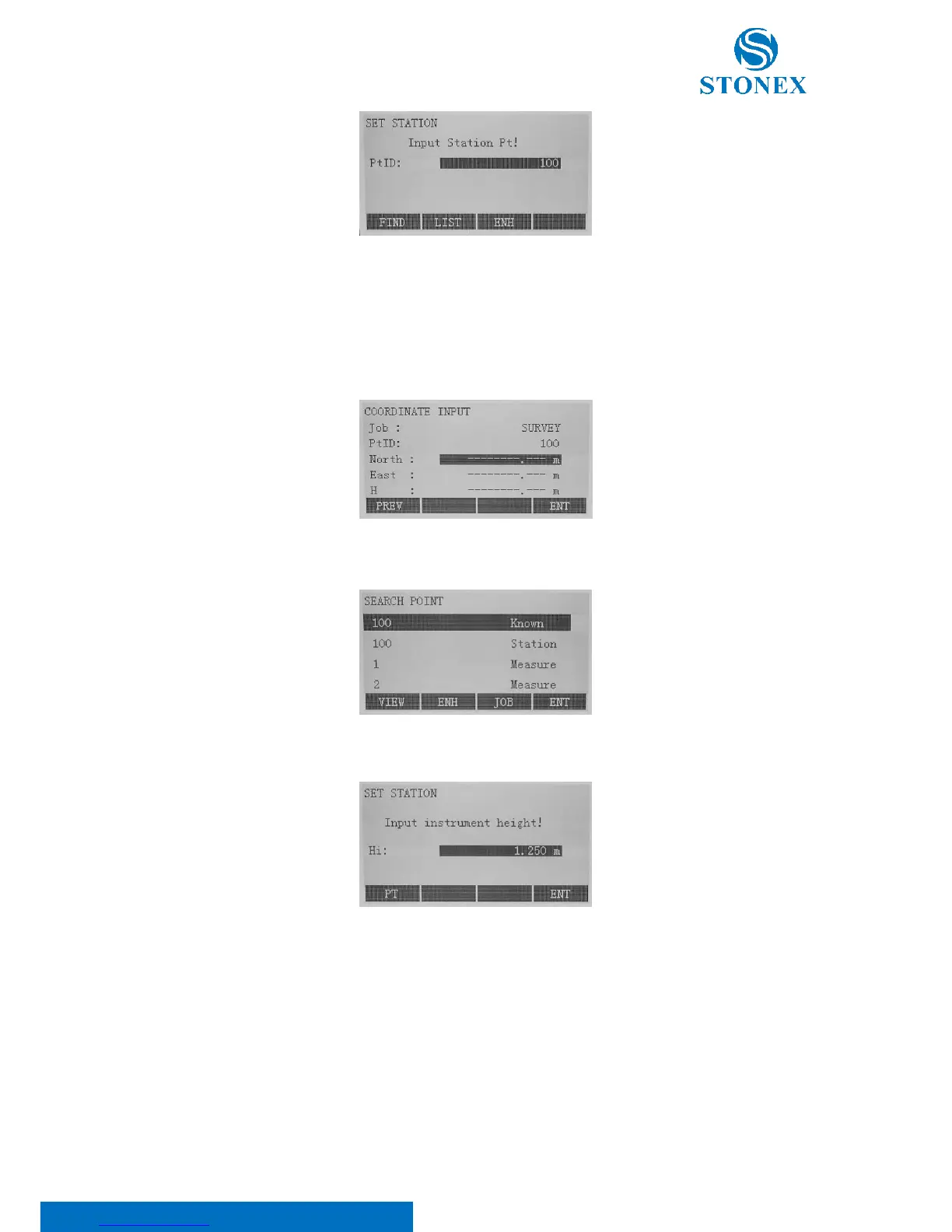
Press [F2] to set the station. Afterwards choose either of the two following methods to complete the application of
setting station.
• Set manually: Select F3[ENH] to call up manual coordinate input dialogue. Input PtID and coordinates
(North, East and H) and choose F4[ENT] to save station coordinates.
• Known Point: press F1[FIND] or F2[LIST] to select a PtID stored in internal memory.
Input the instrument height and press F4[ENT] to finish station setting.
7.3. Setting orientation
With the orientation, horizontal direction can be input manually or points with known coordinates can be set.



 To Next Page