Stonex R25/R25LR Total Station - User Manual 48
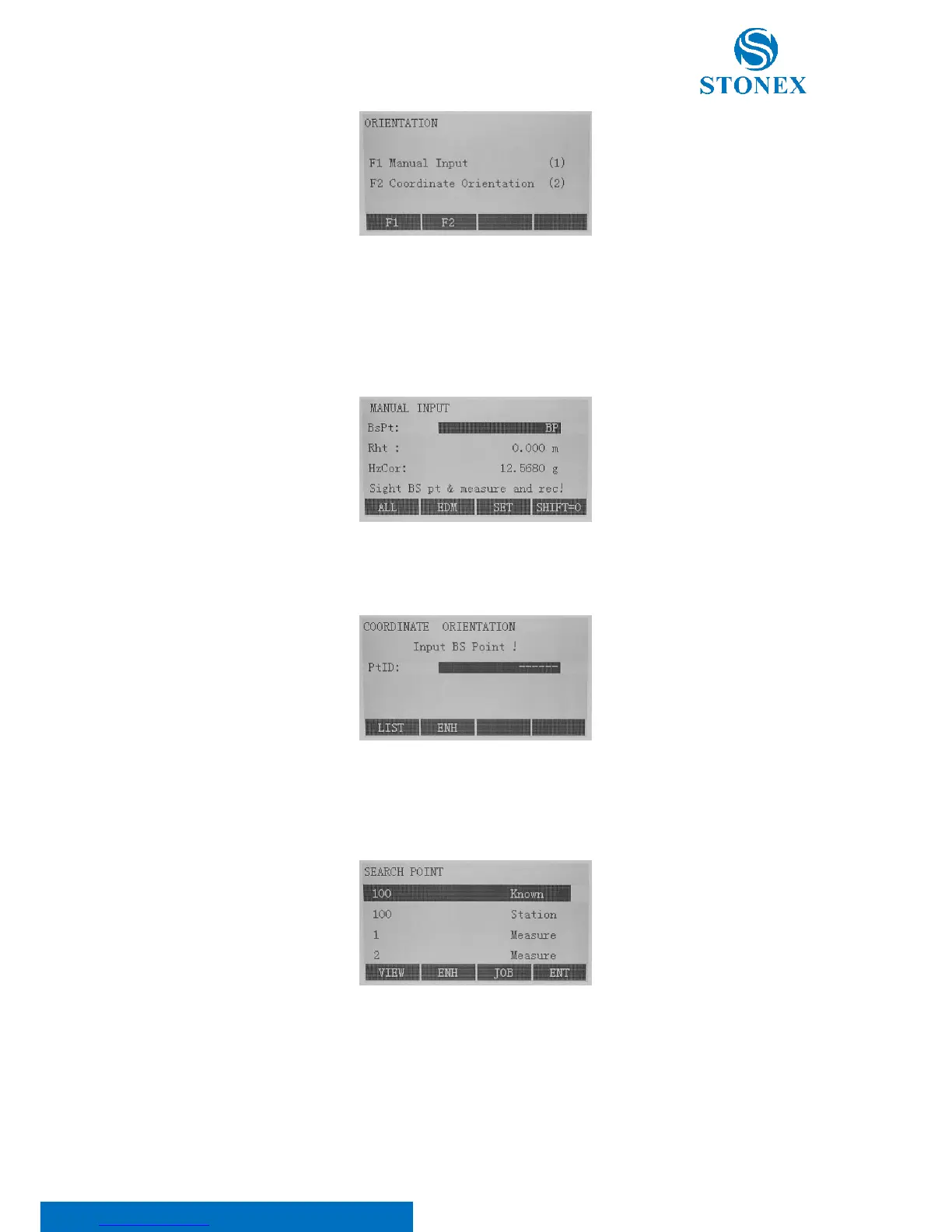
Press F3 to set orientation, then choose between:
1. Manual input: press [F1] key. It is required to input the backsight Point ID (BsPt), the reflector height (Rht)
and Hz-direction or azimuth (HzCor). Press F4[SHIFT=0] to set the horizontal angle to 0.
Press F1[ALL] to start trigger measurement, data saved and orientation set.
2. Coordinate orientation: press [F2] key. Orientation coordinates can be either obtained from the internal
memory or entered manually.
o Input the orientation point number and determine the point found before. To determine the
orientation, a target with known coordinates can be used. Thus, press F1[LIST] to read out PtID
stored in internal memory.
o Press F2[ENH] to input backsight PointID and coordinate, after confirming this input continue
entering reflector height and meantime sighting the target. At last press [ALL] to start trigger
measurement, data saved and orientation set.



 To Next Page